


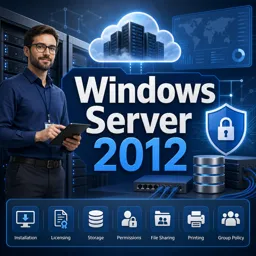
Windows Server is used to manage networks, users, files, applications, security, and shared IT resources in organizations.

2



Understanding Microsoft Windows: Core Features and Key Concepts
Learn the key features and components of Microsoft Windows to boost your productivity and enhance your overall computer experience.

Introduction to Windows Server: Core Features and Common Use Cases
Windows Server offers scalable, secure, and reliable infrastructure for hosting, virtualization, and IT management across modern businesses.

Optimizing Windows Server Performance for Web and Cloud Applications
Boost Windows Server speed and reliability with performance tuning, cloud integration, and hardware optimization for web and cloud apps.

Securing Windows Server: Best Practices for Administrators
Secure Windows Server with these practices: enforce least privilege, update regularly, use Defender ATP, segment networks, secure remote access, monitor logs, and harden configurations.

Migrating to Windows Server 2024: A Step-by-Step Guide
Migrate to Windows Server 2024 by assessing current systems, planning strategy, preparing the new setup, migrating roles, validating, optimizing, and decommissioning the old server.
Develop practical IT skills with our collection of free online Windows Server courses. These educational programs are designed for learners who want to understand Microsoft server technologies, improve their system administration knowledge, or prepare for professional opportunities in technical support, networking, cloud computing, and IT infrastructure. Study online at your own pace and build valuable expertise without paying tuition fees.
The courses introduce essential concepts used by Windows Server administrators in real workplace environments. Lessons may cover installation, configuration, user and group management, storage, security policies, server roles, virtualization, monitoring, maintenance, and troubleshooting. Students can progress from introductory topics to more advanced administration practices through clear educational content.
You can also study subjects such as Active Directory, Group Policy, DNS, DHCP, file services, access permissions, PowerShell, Hyper-V, remote administration, backup procedures, and network security. This learning path helps students understand how Windows-based infrastructure is planned, deployed, protected, and maintained.
All listed Windows Server courses are free and include exercises that reinforce the knowledge presented during each learning module. These activities allow students to review concepts, evaluate their understanding, and practice important problem-solving skills.
After completing an eligible course, learners can also receive free certification. A course certificate can support a professional portfolio, demonstrate continuing education, and document newly acquired Windows Server skills. Certification may be useful for students, help desk professionals, network technicians, junior administrators, and anyone pursuing development in information technology.
To access the free courses, exercises, and free certification, it is necessary to install the Cursa application. Android users can install it through Google Play by selecting Download for Android. iPhone users can obtain it from the App Store by selecting Download for iOS / iPhone.
Choose a free Windows Server course, follow the lessons on your schedule, complete the exercises, and strengthen your technical foundation. Begin studying today to develop practical server management abilities and earn free certification through accessible online education.
What is Windows Server used for?
Windows Server is used to manage networks, users, files, applications, security, and shared IT resources in organizations.
Is Windows Server 2012 still worth learning?
Yes. It is useful for supporting legacy environments and learning core server administration concepts, although newer versions are recommended for new deployments.
What will I learn in a Windows Server 2012 course?
You can learn installation, configuration, networking, storage, user management, security, and server roles.
What is Active Directory in Windows Server?
Active Directory is Microsoft’s directory service for centrally managing users, computers, groups, permissions, and policies on a network.
Why should I learn Active Directory?
Active Directory skills are essential for managing business user accounts, access control, domain computers, and Group Policy.
What is a domain controller in Windows Server?
A domain controller is a server that runs Active Directory Domain Services and authenticates users and computers within a domain.
Do I need Windows Server experience before learning Active Directory?
Basic Windows and networking knowledge is helpful, but introductory Windows Server courses can teach the prerequisites.

Complete any course and issue your certificate via the app — at no cost.

Download the app! to have access to more than 4,000 Online Courses + Certificate, all free!
Download the app! 100% free courses.


Carry knowledge in your pocket.
Download the Cursa app.
There are hundreds of free courses available, with a free certificate of completion that is saved in your mobile image gallery.
Download the app to access the Course Completion Certificate for Free.


+ 10 million
students

Free and Valid
Certificate

60 thousand free
exercises

4.8/5 rating in
app stores

Free courses in
video and ebooks







What are people saying about free online courses of Windows Server
Michael Mateus Domingos Baliza
Muito top.. bem didático
CourseActive Directory
Ashraf Ansari
This is good and very helpful to me
CourseActive Directory