Exam 70-532 focused on developing Microsoft Azure solutions, including cloud services, virtual machines, storage, networking, and application deployment.

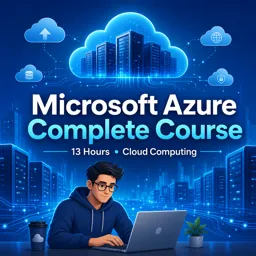
Duration of the online course: 13 hours and 34 minutes
New
Build real Azure cloud skills fast with this free course: create VMs, storage, regions, and web stacks, plus exam-ready concepts for career growth.
Learn how to work confidently in Microsoft Azure and turn cloud concepts into practical, job-ready skills. This free online course guides you through the core building blocks used in real deployments, helping you understand how Azure is organized, how resources are created and managed, and how to make decisions that impact performance, reliability, and cost. Instead of staying at a purely theoretical level, you’ll connect fundamental cloud principles to what you actually do inside Azure: launching services, configuring compute, and preparing secure, reachable workloads.
You’ll explore what defines cloud computing and why those characteristics matter when you design solutions that must be scalable and resilient. You’ll also see how Azure thinks about availability and continuity through ideas like fault domains and paired regions, so you can plan architectures that remain stable during maintenance events or outages. Along the way, the course supports a certification-minded view of Azure, helping you interpret common exam themes while still keeping the focus on real operational understanding.
On the hands-on side, you’ll work with virtual machines and learn how sizing choices affect CPU, memory, and storage behavior. You’ll get comfortable with managed disks, understand why they simplify administration, and practice common tasks like finding VM images, creating resource groups, and automating setup steps. The course also brings server administration into the cloud by walking through the practical installation flow for popular web stacks and platforms, reinforcing the skills needed to deploy services quickly and troubleshoot with confidence.
By the end, you’ll be able to navigate core Azure workflows, deploy and modify VM-based environments, and understand key storage options such as local versus geo-redundancy. You’ll also gain experience with commands used to open network access, prepare directories and permissions, and manage data disks from creation to attachment and resizing. Whether you’re aiming to strengthen your portfolio, transition into a cloud role, or support applications that run on Azure, this course provides a solid, practice-oriented foundation you can build on immediately.

13 hours and 34 minutes of online video course

Digital certificate of course completion (Free)

Exercises to train your knowledge

100% free, from content to certificate
What does Microsoft Azure certification exam 70-532 cover?
Exam 70-532 focused on developing Microsoft Azure solutions, including cloud services, virtual machines, storage, networking, and application deployment.
What is the difference between Azure locally redundant storage and geo-redundant storage?
Locally redundant storage keeps replicas within one Azure region, while geo-redundant storage also replicates data to a paired secondary region for disaster recovery.
How do Azure fault domains improve virtual machine availability?
Fault domains place VMs on separate physical hardware, power sources, and network switches to reduce the impact of a hardware failure.
Ready to get started?Download the app and get started today.
Install the app now
to access the course
Over 5,000 free courses
Programming, English, Digital Marketing and much more! Learn whatever you want, for free.

Study plan with AI
Our app's Artificial Intelligence can create a study schedule for the course you choose.

From zero to professional success
Improve your resume with our free Certificate and then use our Artificial Intelligence to find your dream job.
You can also use the QR Code or the links below.



Free CourseCompTIA Network N10-009 Complete Training and Exam Prep Course
5

(1)

12h54m

43 exercises
Free CourseCCNA 200-301 Full Course: Cisco Networking Fundamentals, Labs and Exam Prep
5
(2)
32h34m
46 exercises
Free CourseFree CCNA 200-301 Course
5
(3)
5h24m
15 exercises

Free CourseComputer Networking
5
(4)
4h01m
40 exercises
Free CourseNetworking Fundamentals
5
(1)
3h25m
15 exercises

Free CourseFoundations of IT support
5
(6)
4h48m
11 exercises
Free CourseWindows server 2012
5
(26)
9h15m
29 exercises
Free CourseActive Directory
5
(22)
14h51m
36 exercises
Free CourseCloud computing - beginner to advance
4.9
(17)
51h10m
5 exercises
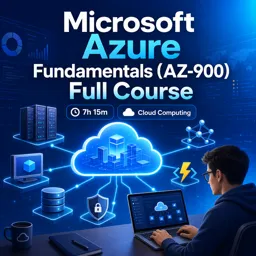
Free CourseMicrosoft Azure Fundamentals (AZ-900) Full Course
4.9
(7)
7h15m
30 exercises
Carry knowledge in your pocket.
Download the Cursa app.
There are hundreds of free courses available, with a free certificate of completion that is saved in your mobile image gallery.
Download the app to access the Course Completion Certificate for Free.


+ 10 million
students

Free and Valid
Certificate

60 thousand free
exercises

4.8/5 rating in
app stores

Free courses in
video and ebooks