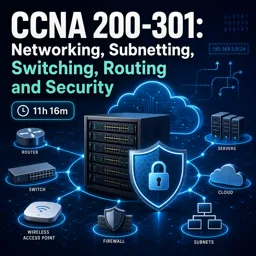
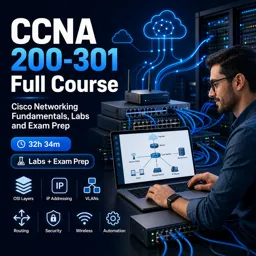
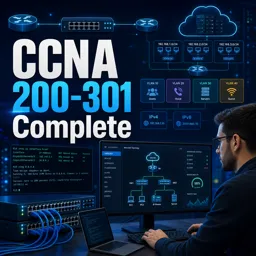
Free Course Image CCNA 200-301: Networking, Subnetting, Switching, Routing and Security

Free online courseCCNA 200-301: Networking, Subnetting, Switching, Routing and Security

Duration of the online course: 11 hours and 16 minutes

New

Free CCNA 200-301 course covering networking basics, subnetting, VLANs, STP, OSPF, NAT, IPv6, wireless, security, and Packet Tracer labs.

In this free course, learn about

  • Networking Fundamentals and Communication Basics
  • OSI Model and Transport Concepts
  • IPv4 Addressing and Subnetting
  • Network Devices, Segmentation, and Architecture
  • Cabling, Media, PoE, and IPv6 Foundations
  • Wireless LAN Concepts and Labs
  • Packet Tracer Setup and Basic Device Configuration
  • Switching Fundamentals and VLANs
  • Link Aggregation and Spanning Tree
  • Routing Fundamentals, Static Routes, and OSPF
  • NAT and Core Network Services
  • Remote Management, Recovery, and Device Security
  • Controller-Based Networking and Network Automation Data Formats

Course Description

CCNA 200-301: Networking, Subnetting, Switching, Routing and Security is a free online course designed to build a strong, practical foundation in computer networking for anyone aiming to understand how modern networks operate and how Cisco-style networks are configured and secured.

You will move from core fundamentals such as network types, communication modes, cabling, and the OSI model into essential IP networking skills. The course explains IPv4 addressing concepts, binary conversion, IP classes, subnet masks, network and broadcast IDs, plus subnetting and VLSM with worked examples to help you confidently design efficient address plans.

As you progress, you will deepen your understanding of switching and routing. Learn how frames are forwarded, how MAC tables work, and how VLANs, trunking, 802.1Q, native VLANs, CDP/LLDP, EtherChannel, and STP are used to build resilient Layer 2 networks. On the routing side, you will cover routing tables, default and static routes, floating statics, and OSPF fundamentals including areas, router IDs, adjacencies, and network types.

The course also introduces wireless concepts and components, along with virtualization basics, IPv6 addressing and types, and common enterprise services and operations such as NAT/PAT, NTP, DHCP and relay, DNS, SNMP, Syslog, and TFTP. Security topics include foundational security principles, secure remote access, password hardening, port security, DHCP snooping, and access control lists. You will also get exposure to controller-based networking, SDN concepts, REST APIs, and data formats used in automation.

Hands-on learning is supported through guidance on installing and using Cisco Packet Tracer and practicing baseline device configurations, making this a solid starting point for CCNA exam preparation and real-world networking skills.

Course content

  • Video class: CCNA 200-301 Lesson-1- What is Computer Network? 02m
  • Exercise: What is the primary purpose of a computer network?
  • Video class: CCNA 200 - 301 Lesson - 2: What are Different Modes of Communication? 02m
  • Video class: CCNA 200 - 301 Lesson - 3: Know Different types of Communication in a Computer Network 01m
  • Exercise: Which type of communication is defined as one sender sending traffic to all devices on the network?
  • Video class: CCNA 200 - 301 Lesson - 4: What are Basic Components of a Network? 04m
  • Video class: CCNA 200 - 301 Lesson - 5: What is OSI Model and why do we need it? 03m
  • Exercise: What problem did the OSI model help solve in early networking between different vendors?
  • Video class: CCNA 200 - 301 Lesson - 6: Understanding Layer 7: Application Layer of OSI Model 02m
  • Video class: CCNA 200 - 301 Lesson - 7: Understanding Layer 6: Presentation Layer 02m
  • Video class: CCNA 200 - 301 Lesson - 8: Understanding Layer 5: Session Layer 01m
  • Video class: CCNA 200 - 301 Lesson - 9: Understanding Layer 4: Transport Layer 05m
  • Exercise: At the Transport layer, what is the main purpose of port numbers?
  • Video class: CCNA 200 - 301 Lesson - 10: Understanding TCP and 3 Way Handshake Process 04m
  • Video class: CCNA 200 - 301 Lesson - 11: Understanding UDP 02m
  • Exercise: Which statement best describes UDP and a common use case for it?
  • Video class: CCNA 200 - 301 Lesson 12: TCP vs UDP 03m
  • Video class: CCNA 200 - 301 Lesson - 13: Understanding Layer 3: Network Layer 04m
  • Exercise: At the OSI Network Layer (Layer 3), which addressing is used to deliver data from a source device to a destination device?
  • Video class: CCNA 200 - 301 Lesson - 14: Understanding Layer 2: Data Link Layer 03m
  • Video class: CCNA 200 - 301 Lesson - 15: Understanding Layer 1: Physical Layer 01m
  • Exercise: What is the primary responsibility of the OSI Model Layer 1 (Physical Layer)?
  • Video class: CCNA 200 - 301 Lesson - 16: What is an IP Address and why do we need it? 05m
  • Video class: CCNA 200 - 301 Lesson - 17: How to Convert Decimal to Binary 06m
  • Exercise: In an IPv4 address, each octet contains 8 bits. What is the maximum decimal value that can be represented in a single octet?
  • Video class: CCNA 200 - 301 Lesson - 18: Know different Classes of an IP Address 05m
  • Video class: CCNA 200 - 301 Lesson - 19: Understanding Subnet Mask 05m
  • Exercise: What is the primary purpose of a subnet mask in IPv4 networking?
  • Video class: CCNA 200 - 301 Lesson - 20: Understand Broadcast ID and Network ID 14m
  • Video class: CCNA 200 - 301 Lesson - 21: Examples of Broadcast ID and Network ID 09m
  • Exercise: When subnetting an IPv4 network, what does the subnet mask primarily determine?
  • Video class: CCNA 200 - 301 Lesson - 22: Learn Subnetting and VLSM with Examples 10m
  • Video class: CCNA 200 - 301 Lesson - 23: Subnetting Bonus Exercises and Examples 12m
  • Exercise: In IPv4 subnetting, which operation is commonly used to find the network address from an IP address and subnet mask?
  • Video class: CCNA 200 - 301 Lesson - 24: Trainer Tricked by His Own Example - Funny :) 03m
  • Video class: CCNA Lesson - 25: Broadcast Domain vs Collision Domain 05m
  • Exercise: In networking, what does a broadcast communication mean?
  • Video class: CCNA Lesson - 26: What is a Router? 06m
  • Video class: CCNA Lesson - 27: What is Switch? Understand L2 05m
  • Exercise: In an Ethernet LAN, what does a switch do with a broadcast frame received on one port?
  • Video class: Lesson 28: What is Firewall? Why we need Firewall in a Network? 02m
  • Video class: CCNA 200 - 301 Lesson - 29: What is IPS (Intrusion Prevention System)? 02m
  • Video class: CCNA 200-301 Lesson - 30: What is Access Point (AP)? 02m
  • Video class: CCNA 200-301 Lesson 31: What is Wireless LAN Controller (WLC)? 02m
  • Exercise: What is the primary role of a Wireless LAN Controller (WLC) in an enterprise wireless network?
  • Video class: CCNA Lesson - 32: 3 Tier and 2 Tier Network Architecture 05m
  • Video class: CCNA 200 - 301 - Lesson - 33: Spine 03m
  • Video class: CCNA 200 - 301 - Lesson - 34: Wide Area Network (WAN) 14m
  • Video class: CCNA 200 - 301 - Lesson - 35: Different Types of Cables 16m
  • Exercise: In UTP Ethernet cabling, what primarily helps reduce interference and crosstalk without using a physical shield?
  • Video class: CCNA 200 - 301 - Lesson - 36: Ethernet shared media and Point to Point connections 03m
  • Video class: CCNA 200 - 301 - Lesson - 37: Understanding Power over Ethernet (PoE) 01m
  • Exercise: In a wireless LAN, what is the main function of an Access Point (AP)?
  • Video class: CCNA 200 - 301 - Lesson - 38: Understanding Hexadecimal 01m
  • Video class: CCNA 200 - 301 - Lesson - 39: IPV6 Address Structure 08m
  • Exercise: In IPv6, how many bits long is an IP address?
  • Video class: CCNA 200 - 301 - Lesson - 40: IPV6 Address Types: Global Unicast, Unique Local and Link-Local 07m
  • Video class: CCNA 200 - 301 - Lesson 41: Modified EUI 64 04m
  • Exercise: What is a common reason IPv6 uses 64-bit interface identifiers in many address types?
  • Video class: CCNA 200 - 301 - Lesson 42: Understanding Hypervisor, Virtualization and its Advantages 06m
  • Video class: CCNA 200 - 301 - Lesson 43: Understanding Wireless Networks 04m
  • Exercise: What is the primary reason wireless networks are used in modern networks?
  • Video class: CCNA 200 - 301 - Lesson 44: Basic Service Set 06m
  • Video class: CCNA 200 - 301 - Lesson - 45: Extended Service Set 07m
  • Exercise: In a wireless LAN, which device primarily provides Wi‑Fi access and allows client roaming within the same network?
  • Video class: CCNA 200 - 301 - Lesson 46: Lab for WLC and AP 14m
  • Video class: CCNA 200 - 301 - Lesson 47: Learn how to install Cisco Packet Tracer 01m
  • Exercise: In CCNA subnetting, what does a /24 prefix length represent?
  • Video class: CCNA 200 - 301 - Lesson 48: Learn how to use Cisco Packet Tracer Software 04m
  • Video class: CCNA 200 - 301 - Lesson 49: Get Familiar with Basic Configurations on Cisco Devices 11m
  • Exercise: On a Cisco router, what command is used to bring an interface out of the default administratively down state?
  • Video class: CCNA 200 - 301 - Lesson 50: Why do we need Switch in a Network? 01m
  • Video class: CCNA 200 - 301 - Lesson 51: Basic Switching Concepts 01m
  • Exercise: When a switch receives an Ethernet frame, which MAC address does it use to build (learn) its MAC address table entry?
  • Video class: CCNA 200 - 301 - Lesson 52: Frame Switching 02m
  • Video class: CCNA 200 - 301 - Lesson - 53: MAC Address Table 01m
  • Exercise: In Cisco switching, what is the primary purpose of the MAC address (CAM) table?
  • Video class: CCNA 200 - 301 - Lesson 54: Mac Aging 01m
  • Video class: CCNA 200 - 301 - Lesson 55: Understanding the concept of VLANs in detail 06m
  • Exercise: VLAN का मुख्य उद्देश्य क्या है?
  • Video class: CCNA 200 - 301 - Lesson 56: Understanding Default VLAN and Configuring VLANs 15m
  • Video class: CCNA 200 - 301 - Lesson 57: Understanding Access Ports 05m
  • Exercise: A Layer 2 switch uses which identifier to forward frames within a LAN?
  • Video class: CCNA 200 - 301 - Lesson 58: Access Ports Configuration 10m
  • Video class: CCNA 200 - 301 - Lesson 59: Understanding Inter-Switch Connectivity in detail 05m
  • Exercise: Which OSI layer is responsible for routing decisions and forwarding packets between different networks?
  • Video class: CCNA 200 - 301 - Lesson 60: Understanding Trunk Ports | Configuration 10m
  • Video class: CCNA 200 - 301 - Lesson 61: Understanding 802.1Q | Configuration 05m
  • Exercise: Which command is used to configure a switch interface as an 802.1Q trunk in Cisco IOS?
  • Video class: CCNA 200 - 301 - Lesson 62: Understanding Native VLAN | Configuration 03m
  • Video class: CCNA 200 - 301 - Lesson 63: Understand CDP | Configuration 06m
  • Exercise: What happens if a device does not receive CDP packets from a neighbor for the full hold time?
  • Video class: CCNA 200 - 301 - Lesson 64: Understand LLDP | Configuration 03m
  • Video class: CCNA 200 - 301 - Lesson 65: Understanding Etherchannel and its requirement 09m
  • Exercise: What is the main purpose of EtherChannel (Port-Channel) in switching?
  • Video class: CCNA 200 - 301 - Lesson 66: Configuration and Verification of Etherchannel 08m
  • Video class: CCNA 200 - 301 - Lesson 67: What is Spanning Tree Protocol (STP)? 05m
  • Exercise: Which mechanism prevents switching loops when switches are connected with redundant links?
  • Video class: CCNA 200 - 301 - Lesson 68: Understanding STP Election 11m
  • Video class: CCNA 200 - 301 - Lesson 69: Spanning Tree Configuration Deep Dive 14m
  • Exercise: In Spanning Tree, when two switches have the same bridge priority, what decides which switch becomes the root bridge?
  • Video class: CCNA 200 - 301 - Lesson 70: Understanding Routing Concept and Types of Routing? 10m
  • Video class: CCNA 200 - 301 - Lesson 71: Understanding Routing Table 18m
  • Exercise: When a host wants to send traffic to a different network, which device/IP does it typically forward the packet to first?
  • Video class: CCNA 200 - 301 - Lesson 72: Understanding Default Route 04m
  • Video class: CCNA 200 - 301 - Lesson 73: Implementing Default Routing 04m
  • Exercise: Which device typically serves as the default gateway for hosts in a LAN to reach other networks (like the Internet)?
  • Video class: CCNA 200 - 301 - Lesson 74: Floating Static Route 03m
  • Video class: CCNA 200 - 301 - Lesson 75: Implementing Static Routing 11m
  • Exercise: Which routing method is manually configured by an administrator and does not learn routes dynamically?
  • Video class: CCNA 200 - 301 - Lesson 76: Understanding OSPF Part 1 01m
  • Video class: CCNA 200 - 301 - Lesson 77: Understanding OSPF Part 2 03m
  • Exercise: In routing, what does the term cost commonly represent when selecting the best path?
  • Video class: CCNA 200 - 301 - Lesson 78: Understanding Types of Routers in OSPF 02m
  • Video class: CCNA 200 - 301 - Lesson 79: OSPF Router ID 03m
  • Exercise: In OSPF, how is the DR (Designated Router) elected on a multiaccess network if all routers have the default OSPF priority?
  • Video class: CCNA 200 - 301 - Lesson 80: OSPF Areas 04m
  • Video class: CCNA 200 - 301 - Lesson 81: OSPF Adjacency Process 07m
  • Exercise: In a basic subnetting scenario, how many usable host IP addresses are available in a /26 IPv4 subnet?
  • Video class: CCNA 200 - 301 - Lesson 82: Types of OSPF Networks 06m
  • Video class: CCNA 200 - 301 - Lesson 83: OSPF Inter Area and Intra Area 18m
  • Exercise: In OSPF, which router type connects one OSPF area to another and can advertise inter-area routes?
  • Video class: CCNA 200 - 301 - Lesson 84: What is FHRP and why do we need it? 02m
  • Video class: CCNA 200 - 301 - Lesson 85: What is NAT (Network Address Translation)? 21m
  • Exercise: Which statement best describes why NAT is commonly used in networks?
  • Video class: CCNA 200 - 301 - Lesson 86: Understanding and Implementing Static NAT and PAT 10m
  • Video class: CCNA 200 - 301 - Lesson 87: Understanding Network Time Protocol (NTP) 08m
  • Exercise: In a network, what is the main purpose of NTP (Network Time Protocol)?
  • Video class: CCNA 200 - 301 - Lesson 88: Configuring NTP on Cisco Devices 01m
  • Video class: CCNA 200 - 301 - Lesson 89: Configuring Routers as DHCP Servers 03m
  • Exercise: Which command is used on a Cisco router to configure a default static route (gateway of last resort)?
  • Video class: CCNA 200 - 301 - Lesson 90: Understanding and Configuring DHCP Relay 03m
  • Video class: CCNA 200 - 301 - Lesson 91: What is DNS and how does it work? 02m
  • Exercise: What is the primary role of DNS in a network?
  • Video class: CCNA 200 - 301 - Lesson 92: Understanding SNMP 05m
  • Video class: CCNA 200 - 301 - Lesson 93: Understanding SYSLOG 08m
  • Video class: CCNA 200 - 301 - Lesson 94: Understanding TFTP 01m
  • Video class: CCNA 200 - 301 - Lesson 95: Remote Access Methods: Telnet vs SSH 01m
  • Exercise: Which remote access protocol is preferred on Cisco IOS because it encrypts communication?
  • Video class: CCNA 200 - 301 - Lesson 96: How to Enable Telnet and SSH on Cisco Devices 04m
  • Video class: CCNA 200 - 301 - Lesson 97: How to use TFTP Server in Real Time Networks 08m
  • Exercise: If a router’s operating system image is missing/deleted and the router cannot boot normally, what is the most common recovery method to restore the IOS image?
  • Video class: CCNA 200 - 301 - Lesson 98: Understanding Basic Security Concepts 03m
  • Video class: CCNA 200 - 301 - Lesson 99: Implementing Passwords and more 04m
  • Exercise: Which Cisco IOS command is preferred to secure privileged EXEC access because it stores the password in encrypted form?
  • Video class: CCNA 200 - 301 - Lesson 100: What is a VPN? 05m
  • Video class: CCNA 200 - 301 - Lesson 101: Port Security 08m
  • Exercise: What is the primary purpose of Port Security on a Cisco access switch port?
  • Video class: CCNA 200 - 301 - Lesson 102: DHCP Spoofing and Snooping 13m
  • Video class: CCNA 200 - 301 - Lesson 103: Understanding Access Lists 06m
  • Video class: CCNA 200 - 301 - Lesson 104: Standard and Extended Access Lists 15m
  • Video class: CCNA 200 - 301 - Lesson 105: Controller Based networks 03m
  • Exercise: What is a key advantage of using a network controller compared to traditional standalone switches?
  • Video class: CCNA 200 - 301 - Lesson 106: Understanding Software Defined Networking (SDN) 09m
  • Video class: CCNA 200 - 301 - Lesson 107: Rest based API 05m
  • Exercise: Which subnet mask provides 30 usable host IP addresses in a subnet (IPv4)?
  • Video class: CCNA 200 - 301 - Lesson 108: Northbound and Southbound 07m
  • Video class: CCNA 200 - 301 - Lesson 109: JSON, XML, YAML 01m
  • Exercise: Which statement best describes JSON in network automation contexts (e.g., device APIs)?

This free course includes:

11 hours and 16 minutes of online video course

Digital certificate of course completion (Free)

Exercises to train your knowledge

100% free, from content to certificate

Ready to get started?Download the app and get started today.

Install the app now

to access the course
Icon representing technology and business courses

Over 5,000 free courses

Programming, English, Digital Marketing and much more! Learn whatever you want, for free.

Calendar icon with target representing study planning

Study plan with AI

Our app's Artificial Intelligence can create a study schedule for the course you choose.

Professional icon representing career and business

From zero to professional success

Improve your resume with our free Certificate and then use our Artificial Intelligence to find your dream job.

You can also use the QR Code or the links below.

QR Code - Download Cursa - Online Courses

More free courses at Cloud Computing and Web Servers

Free Ebook + Audiobooks! Learn by listening or reading!

Download the App now to have access to + 5000 free courses, exercises, certificates and lots of content without paying anything!

  • 100% free online courses from start to finish

    Thousands of online courses in video, ebooks and audiobooks.

  • More than 60 thousand free exercises

    To test your knowledge during online courses

  • Valid free Digital Certificate with QR Code

    Generated directly from your cell phone's photo gallery and sent to your email

Cursa app on the ebook screen, the video course screen and the course exercises screen, plus the course completion certificate