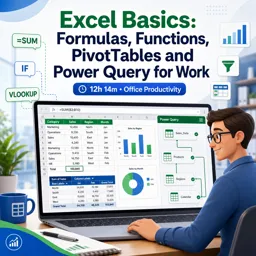
Spreadsheets are everywhere — in offices, small businesses, schools and even personal budgets. And at the heart of every powerful spreadsheet are functions: built-in formulas that do the calculating for you. If you are just getting started with Microsoft Excel (or a similar tool like Google Sheets or LibreOffice Calc), learning a handful of core functions will save you hours of manual work. This guide walks you through the essential functions every beginner should know, with simple examples you can try right away.
How functions work
A function is a predefined formula that performs a calculation using values you provide. Every function starts with an equals sign, followed by the function name and a set of parentheses containing the inputs, called arguments. For example, =SUM(A1:A10) adds up every number from cell A1 to A10. Once you understand this basic structure, you can apply it to dozens of different functions.
The core math functions
These are the functions you will reach for most often. They handle everyday calculations quickly and accurately:
- SUM — adds a range of numbers. Example:
=SUM(B2:B12)totals a column of sales. - AVERAGE — finds the mean of a range. Example:
=AVERAGE(C2:C12). - MIN and MAX — return the smallest and largest values in a range.
- COUNT — counts how many cells contain numbers, useful for tallying entries.
Making decisions with IF
The IF function lets your spreadsheet make decisions. It checks whether a condition is true or false and returns a different result for each case. The structure is =IF(condition, value_if_true, value_if_false). For instance, =IF(D2>=60, "Pass", "Fail") displays “Pass” when a score is 60 or higher and “Fail” otherwise. This single function is the foundation of countless useful spreadsheets, from grade sheets to inventory alerts.
Looking up information with VLOOKUP
Sometimes you need to find a specific piece of information in a large table — for example, the price of a product based on its code. The VLOOKUP function searches for a value in the first column of a table and returns a value from another column in the same row. Newer versions of Excel also offer XLOOKUP, which is more flexible, but VLOOKUP remains widely used and worth learning first.
Quick reference table
| Function | What it does | Simple example |
|---|---|---|
| SUM | Adds numbers | =SUM(A1:A10) |
| AVERAGE | Finds the mean | =AVERAGE(A1:A10) |
| IF | Tests a condition | =IF(A1>10,”Yes”,”No”) |
| COUNTIF | Counts by condition | =COUNTIF(A1:A10,”Paid”) |
| VLOOKUP | Looks up a value | =VLOOKUP(101,A2:C50,3,FALSE) |
Counting and adding with conditions
Once you are comfortable with the basics, two “smart” functions become incredibly handy. COUNTIF counts only the cells that meet a condition — for example, how many orders are marked “Paid”. SUMIF adds only the values that meet a condition, such as the total sales for a single region. These functions help you summarize data without sorting or filtering it manually.
Tips for writing formulas correctly
- Always begin a formula with an equals sign (=).
- Use a colon to define a range, like A1:A10.
- Double-check that parentheses are opened and closed correctly.
- Click cells instead of typing references to avoid mistakes.
- Use the fill handle to copy a formula down a column quickly.
Common beginner mistakes
- Forgetting the equals sign, so the formula shows up as plain text.
- Mixing up commas and colons inside function arguments.
- Referencing the wrong range and getting unexpected totals.
- Not locking references with the dollar sign ($) when copying formulas.
Keep practicing
The best way to learn Excel is by using it. Start with a simple project — a monthly budget, a list of expenses or a small inventory — and apply each function as you go. Before long, calculations that once felt intimidating will become second nature, and you will discover just how much time a well-built spreadsheet can save.
If you want to go further and build real confidence with spreadsheets, exploring structured lessons can make a big difference. The free online courses on Cursa cover Excel and office productivity from the basics to more advanced techniques, so you can keep learning at your own pace.