Use the PSD import option that imports all Photoshop layers as separate Moho layers, making the artwork easier to rig and animate.

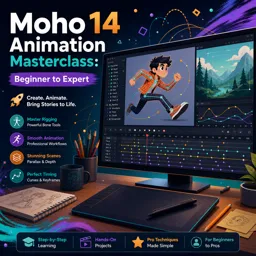
Duration of the online course: 6 hours and 8 minutes
New
Animate smoother characters fast with this free Moho 14 course—master rigging, smart bones, cycles, export workflows, and level up to pro results.
Turn your ideas into polished 2D animation with a practical learning path that takes you from first click to advanced production workflows in Moho 14. This free online course is built for creators who want more than shortcuts: you will understand how Moho thinks, why tools change depending on layers and frames, and how to use the timeline with confidence so your scenes stay editable, consistent, and easy to refine.
You will build strong fundamentals around layer structure, keyframes, and clean exports, then move into the core techniques that make Moho powerful for character animation. Learn to bring artwork in efficiently from Photoshop, organize assets for rigging, and choose approaches that fit your style whether you animate with vectors or images. As your skills grow, you will start making rigs that feel alive using switch layers for fast changes, target bones for reach and stretch, and dynamics for natural overlap.
From there, the course guides you through professional controls that elevate your motion: smart warp setups for better deformations, curvers for flexible tails and accessories, and smart bones to fix problem bends and create expressive poses without breaking your drawings. You will also develop strong animation habits by learning how Moho records channels, how to shape timing with graph editing, and how to create cycles that can be reused and adjusted without rebuilding work from scratch.
Beyond character movement, you will learn to design complete shots. Create clean vector shapes and fills, mask highlights and shading precisely, and use liquid shapes for stylized cutout looks. You will set up scenes with depth using parallax, align timing in the sequencer, and add atmosphere with particles. For styles that require hand-drawn energy, you will also work with frame-by-frame layers alongside rigged animation to mix techniques inside one pipeline.
Finally, you will explore features that help you work faster and smarter on real projects: physics for believable interactions, scripts for efficiency, reusable actions, references for keeping multiple scenes in sync with a master rig, advanced brush options, quad meshes for higher quality warps, and layer comps for exporting multiple versions from a single file. By the end, you will have the knowledge to plan rigs cleanly, animate with control, and deliver finished renders that look professional and are ready for clients, portfolios, or your own animated series.

Explore free online Character Animation courses designed to help you master expressive movement, acting, timing, posing, and storytelling for 2D and 3D characters. Learn practical animation techniques at your own pace, build job-ready creative skills, and earn a certificate upon completion to showcase your achievement.

Explore free online Moho courses and learn to create professional 2D animations, from drawing and rigging characters to timelines, motion, lip-sync, and visual effects. Study at your own pace with beginner-friendly lessons, build practical animation skills, and earn a certificate to showcase your knowledge and advance your creative career.

Explore free online 2D animation courses and learn essential skills in character design, storyboarding, motion, drawing, and animation software. Study at your own pace with beginner-friendly lessons, practical projects, and expert guidance. Enroll today, build your creative portfolio, and earn a certificate with every completed course.

6 hours and 8 minutes of online video course

Digital certificate of course completion (Free)

Exercises to train your knowledge

100% free, from content to certificate
How do I import a Photoshop PSD into Moho 14 with each character part on its own layer?
Use the PSD import option that imports all Photoshop layers as separate Moho layers, making the artwork easier to rig and animate.
What is the difference between absolute and relative animation cycles in Moho?
An absolute cycle repeats the same keyed motion, while a relative cycle repeats the motion as an offset from the character’s current position.
How can I export separate Layer Comp renders from one Moho project?
Use the Moho Exporter and select the Layer Comps export option to render separate outputs for each comp.
Ready to get started?Download the app and get started today.
Install the app now
to access the course
Over 5,000 free courses
Programming, English, Digital Marketing and much more! Learn whatever you want, for free.

Study plan with AI
Our app's Artificial Intelligence can create a study schedule for the course you choose.

From zero to professional success
Improve your resume with our free Certificate and then use our Artificial Intelligence to find your dream job.
You can also use the QR Code or the links below.



Free CourseBlender 3.0 basics course
5

(9)

4h48m

23 exercises
Free CourseBlender Tutorials
5
(1)
9h21m
27 exercises
Free CourseBlender 3D Animation for Beginners: Complete Tutorial Series
5
(1)
3h27m
14 exercises
Free Course3D modeling
4.8
(69)
27h29m
23 exercises
Free CourseCharacter Animation in Cinema 4D
New
3h22m
5 exercises
Free CourseMaya 3D Animation Course: Basics to Advanced Acting and Body Mechanics
New
8h32m
18 exercises
Free CourseBlender 3.0 Character Modeling Masterclass: From Base Mesh to Texturing
New
18h47m
43 exercises
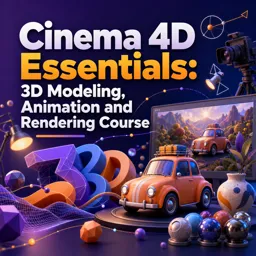
Free CourseCinema 4D Essentials: 3D Modeling, Animation and Rendering Course
New
15h12m
30 exercises
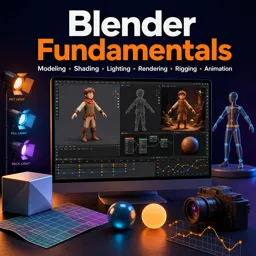
Free CourseBlender Fundamentals: Learn Modeling, Shading, Lighting, Rendering, Rigging and Animation
New
4h59m
39 exercises
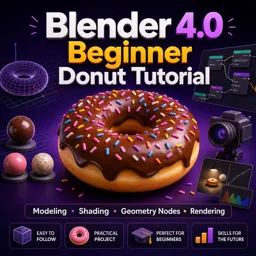
Free CourseBlender 4.0 Beginner Donut Tutorial: Modeling, Shading, Geometry Nodes and Rendering
New
4h55m
13 exercises
Carry knowledge in your pocket.
Download the Cursa app.
There are hundreds of free courses available, with a free certificate of completion that is saved in your mobile image gallery.
Download the app to access the Course Completion Certificate for Free.


+ 10 million
students

Free and Valid
Certificate

60 thousand free
exercises

4.8/5 rating in
app stores

Free courses in
video and ebooks