
Free ebook on 3D animation timing, spacing, arcs, weight, curves, and polish for motion that feels believable and physical.
Free ebook content
-

Believable 3D Motion: Timing, Spacing, and What the Viewer Reads
+ Exercise: An animation note says a ball drop feels “floaty,” but the overall duration (start and end keyframe times) should stay the same. What edit best addresses this?
-
Key Poses and Strong Breakdowns for 3D Animation Timing Control
+ Exercise: While blocking a simple step, the contact moment reads clearly but the motion into contact feels robotic and too evenly paced. What is the best next adjustment to improve timing control without adding many keys?
-
Spacing Patterns That Make Motion Feel Real in 3D
+ Exercise: When an object takes the same total number of frames to move from A to B, which spacing pattern will make it read as decelerating into the stop?


-
Arcs and Path of Action: Clean Trajectories in 3D Space
+ Exercise: A wrist swing looks smooth in the shot camera, but in top view the motion trail shows a clear corner halfway through. What is the best first fix to clean the arc without creating jitter?
-
Curves, Tangents, and Interpolation: Refining Motion Without Fighting the Graph
+ Exercise: You have two keys set at the same frames, but the motion feels floaty instead of snappy. What change should you check first before adding more keys?
-
Anticipation and Clear Intent: Preparing the Audience for Motion
+ Exercise: Which adjustment best improves anticipation clarity when a wide shot makes the preload hard to read?
-
Follow-Through and Overlap: Layered Motion That Feels Physical
+ Exercise: Which approach best creates believable follow-through and overlap in a character stop or turn?
-
Weight, Force, and Contact: Making 3D Movement Feel Grounded
+ Exercise: When animating the same pose sequence as a “heavy box” version, which change best communicates weight without redesigning the poses?
-
Polish Workflow: Evaluation, Playblasts, and Targeted Fixes
+ Exercise: During the polish stage, what is the most effective approach to improving a shot without creating new problems?
-
Beginner Mistakes in 3D Timing and Motion: Diagnosis and Corrections
+ Exercise: A character’s motion feels floaty because the body keeps drifting after a foot plant. Which correction best addresses this according to the troubleshooting approach?
About the free ebook
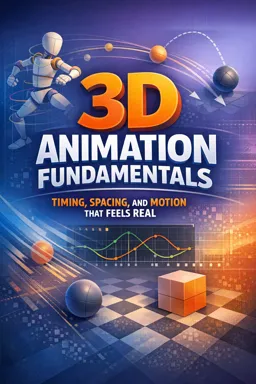
3D Animation Fundamentals: Timing, Spacing, and Motion That Feels Real
This free ebook explores the animation principles that turn posed 3D models into performances with clarity, weight, rhythm, and believable intent. It focuses on how viewers read movement: not only where an object goes, but when it moves, how it accelerates, and what its motion communicates.
Build motion with purpose
Learn to use key poses and breakdowns to establish strong actions before refining them. The ebook explains how timing changes the meaning of a gesture, while spacing controls perceived speed, force, and momentum. You will examine common spacing patterns and use them to avoid floaty, mechanical movement.
Make trajectories clean and controllable
Convincing animation depends on readable paths through 3D space. Explore arcs, paths of action, curves, tangents, and interpolation to shape motion without losing control of the graph editor. Practical guidance helps you identify uneven curves, unwanted easing, and trajectory problems that can weaken an otherwise solid shot.
Create physical, readable performances
Discover how anticipation prepares an audience for an action and how follow-through and overlap keep different parts of a character or object moving in convincing layers. The ebook also addresses weight, force, and contact, helping you make movement feel connected to gravity, surfaces, and momentum.
Refine with an efficient review process
Use playblasts and targeted evaluation to isolate the biggest issue in a shot before polishing details. Learn to diagnose frequent timing and motion mistakes, then apply focused corrections instead of endlessly adjusting every curve.
What you will be able to evaluate
- Whether an action has a clear intent before it begins
- How spacing affects speed, impact, and perceived weight
- Whether arcs and contacts remain clean in 3D space
- Which curve adjustments improve motion and which create noise
Designed for artists developing foundational 3D animation judgment, this ebook offers a practical framework for observing motion, making deliberate choices, and producing animation that feels alive.
How do timing and spacing differ in 3D animation?
Timing is the number of frames used for an action; spacing is the distance traveled between those frames.
Why does 3D animation often look floaty?
Floaty motion commonly comes from weak contact, overly even spacing, missing overlap, or timing that lacks weight.
How can the graph editor improve animation curves?
It helps refine interpolation, acceleration, deceleration, and curve continuity so motion follows the intended path and rhythm.
This ebook includes:

10 content chapters

Digital certificate of course completion (Free)

Exercises to train your knowledge

100% free, from content to certificate
Ready to get started?

 recommended
In the app you will also find...

Over 5,000 free courses
Programming, English, Digital Marketing and much more! Learn whatever you want, for free.

Study plan with AI
Our app's Artificial Intelligence can create a study schedule for the course you choose.

From zero to professional success
Improve your resume with our free Certificate and then use our Artificial Intelligence to find your dream job.
You can also use the QR Code or the links below.