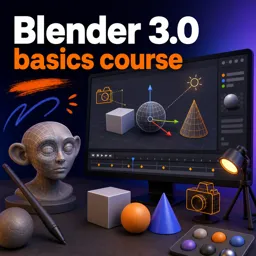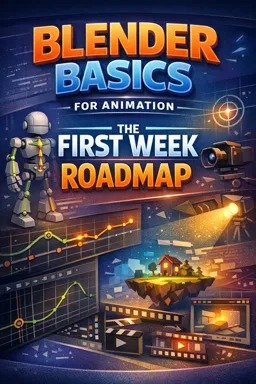

Free ebook on Blender animation basics: navigation, keyframes, rigs, cameras, lighting, and rendering a short 3D shot.
Free ebook content
-

Blender Basics for Animation: Interface, Navigation, and Scene Readiness
+ Exercise: You want to place a prop accurately on a table without eyeballing its position. Which approach best matches the recommended snapping workflow?
-
Blender Basics for Animation: Objects, Transforms, and Pivot Control
+ Exercise: A door keeps rotating around its center instead of swinging from the hinge. What setup change makes the hinge rotation behave correctly for animation?
-
Blender Basics for Animation: Keyframing Essentials and Playback Control
+ Exercise: When using Auto Key to animate only an object’s position, which Keying Set best helps prevent accidental rotation or scale keyframes?
-
Blender Basics for Animation: Dope Sheet Workflow for Timing and Posing
+ Exercise: When refining timing after blocking, which Dope Sheet approach best keeps a pose (Location and Rotation) moving together without accidental offsets?
-
Blender Basics for Animation: Graph Editor for Smooth Motion and Ease
+ Exercise: In the Graph Editor, what curve shape best indicates that an object makes a clean stop at a keyframe (no drift)?


-
Blender Basics for Animation: Simple Rigs with Armatures and Basic Controls
+ Exercise: When setting up IK for a simple arm so that moving a hand controller bends the upper arm and forearm, which IK Constraint setting ensures exactly those two bones are affected?
-
Blender Basics for Animation: Constraints for Controlled Motion and Easy Setups
+ Exercise: When adding a Child Of constraint to attach a prop to a controller, what step prevents the prop from snapping to the target’s origin?
-
Blender Basics for Animation: Cameras, Shot Composition, and Motion Paths
+ Exercise: When blocking a subtle 2-second camera push-in, what workflow best keeps framing intentional and the motion smooth?
-
Blender Basics for Animation: Lights for Readable Animation and Simple Materials
+ Exercise: When setting up three-point lighting for readable animation, what is the main purpose of the rim (back) light?
-
Blender Basics for Animation: Rendering, Output Settings, and Delivering a Short Shot
+ Exercise: Why is rendering a short animation to an image sequence often recommended instead of rendering directly to a single video file?
About the free ebook
Blender Basics for Animation: The First Week Roadmap
This free ebook provides a practical first-week path for creating animation in Blender. Build confidence with the workspace, prepare scenes efficiently, and develop the core habits needed to turn simple ideas into readable moving shots.
Build a dependable animation workflow
Start by learning how to navigate Blender’s interface and manage objects with accurate transforms, origins, and pivot points. These foundational skills make posing, editing, and scene organization faster throughout every animation project.
Create motion with purpose
Learn how keyframes, playback controls, and timing work together to communicate movement. Use the Dope Sheet to shape poses and timing, then refine motion in the Graph Editor with smooth curves, easing, and controlled acceleration.
Control characters and objects
Explore simple armatures, basic animation controls, and constraints for predictable movement. The ebook focuses on approachable setups that help you animate without needing a complex production rig.
Present and deliver a short animated shot
Develop clear shots with camera composition, motion paths, lighting, and simple materials. Finish by configuring render and output settings so your animation can be exported as a polished short sequence.
What you will be able to practice
- Navigate scenes and prepare objects for animation.
- Set and edit keyframes for clear timing and poses.
- Use animation editors to improve motion quality.
- Create basic rig and constraint setups.
- Render a short animation with suitable output settings.
Blender Basics for Animation: The First Week Roadmap is designed for aspiring 3D artists who want a focused, hands-on introduction to Blender animation tools and workflow.
How do I make animation timing easier to edit in Blender?
Use the Dope Sheet to move, duplicate, and retime keyframes while reviewing poses across the timeline.
What is the Graph Editor used for in Blender animation?
It edits animation curves, helping you control easing, speed changes, and smoother motion.
Which Blender settings are important before rendering an animation?
Set the frame range, frame rate, resolution, output folder, file format, and render engine.
This ebook includes:

10 content chapters

Digital certificate of course completion (Free)

Exercises to train your knowledge

100% free, from content to certificate
Ready to get started?

 recommended
In the app you will also find...

Over 5,000 free courses
Programming, English, Digital Marketing and much more! Learn whatever you want, for free.

Study plan with AI
Our app's Artificial Intelligence can create a study schedule for the course you choose.

From zero to professional success
Improve your resume with our free Certificate and then use our Artificial Intelligence to find your dream job.
You can also use the QR Code or the links below.