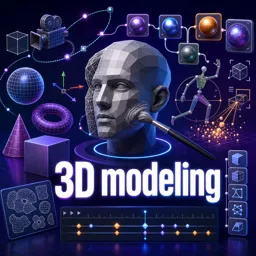
Free Course Image Cinema 4D Essentials: 3D Modeling, Animation and Rendering Course

Free online courseCinema 4D Essentials: 3D Modeling, Animation and Rendering Course

Duration of the online course: 15 hours and 12 minutes

New

Free Cinema 4D course covering 3D modeling, materials, lighting, animation, dynamics, simulations, and rendering to build job-ready skills.

In this free course, learn about

  • Getting Started: Interface, Navigation, and First Renders
  • Spline Modeling Foundations and Generators
  • Polygon Modeling Core Techniques
  • Deformers and Modeling Effects
  • Materials and Surface Detail
  • UV Mapping and Texture Projection
  • Lighting Fundamentals and Realism
  • MoGraph Essentials
  • Animation Basics: Dynamics, Keyframes, and Curves
  • Camera Animation and Render Setup
  • Multipass Rendering and Compositing Workflows
  • Spline-Based Animation and Practical Modeling Projects
  • Hair and Cloth Simulation
  • Particles, Metaballs, and Simple FX Simulation
  • Cloning, Fracturing, and Dynamics Scenes
  • Utilities, HDR Lighting, and Animation Exercises
  • Advanced MoGraph and Morphing
  • Rigging, Sculpting, and Spline Tools
  • Specialized Tools and Rendering Options

Course Description

Cinema 4D Essentials is a free online course in Design and Creative Arts that helps you build a complete foundation in 3D modeling, animation, and rendering using Cinema 4D. It starts with the workspace and navigation so you can move confidently through the interface, manage cameras, and set up clean scenes for production-ready results.

As you progress, you develop practical modeling skills with splines and core tools, shaping objects through techniques such as extrusions, lathes, sweeps, lofts, and polygon editing. You will learn how to refine forms with subdivision, beveling, and smoothing, and how to speed up workflows with selection tools, symmetry, and efficient object management.

The course also focuses on the look of your 3D work, covering materials, reflections, transparency, alpha workflows, and UV projection and editing. You will explore lighting setups and shadow controls, including classic studio lighting approaches and global illumination for more realistic scenes. Rendering topics guide you through engine settings, depth of field, multipass rendering, and compositing-friendly outputs.

On the animation side, you practice keyframing and curve editing, build repeatable motion with drivers and oscillation, and learn camera animation techniques for cinematic movement. Motion design tools and workflows are introduced to help you create dynamic typography and procedural animation, along with simulation features such as dynamics, cloth, hair, soft bodies, particles, and effects like smoke and fire. By the end, you will be prepared to model, animate, and render polished 3D projects for creative portfolios and real-world design work.

Course content

  • Video class: Cinema 4D Tutorial - Lesson 1 - Interface 03m
  • Exercise: Which action shows all four viewport views (Perspective, Top, Front, Side) in Cinema 4D?
  • Video class: Cinema 4D Tutorial - Lesson 2 - Extrude 06m
  • Video class: Cinema 4D Tutorial - Lesson 3 - Working with Text 05m
  • Video class: Cinema 4D Tutorial - Lesson 4 - Camera and Camera Navigation 06m
  • Exercise: In Cinema 4D viewport navigation, which shortcut rotates the view around the object?
  • Video class: Cinema 4D Tutorial - Lesson 5 - Material 05m
  • Video class: Cinema 4D Tutorial - Lesson 6 - Background, Floor and Composition 07m
  • Video class: Cinema 4D Tutorial - Lesson 7 - Lighting 05m
  • Video class: Cinema 4D Tutorial - Lesson 8 - Rendering 04m
  • Video class: Cinema 4D Tutorial - Lesson 9 - Spline Tool 04m
  • Video class: Cinema 4D Tutorial - Lesson 10 - Spline Modelling Options 08m
  • Exercise: Which tool is used to turn a 2D spline shape into a 3D object in Cinema 4D?
  • Video class: Cinema 4D Tutorial - Lesson 11 - Lathe Tool 08m
  • Video class: Cinema 4D Tutorial - Lesson 12 - Sweep Tool 07m
  • Video class: Cinema 4D Tutorial - Lesson 13 - Sweep Animation 03m
  • Video class: Cinema 4D Tutorial - Lesson 14 - Importing Illustrator Curves 07m
  • Video class: Cinema 4D Tutorial - Lesson 15 - Extrude Materials 02m
  • Video class: Cinema 4D Tutorial - Lesson 16 - Loft 04m
  • Video class: Cinema 4D Tutorial - Lesson 17 - 3D Models Methods 05m
  • Video class: Cinema 4D Tutorial - Lesson 18 - Points, Edges and Polygons 06m
  • Video class: Cinema 4D Tutorial - Lesson 19 - Extrude Faces 06m
  • Exercise: In Cinema 4D polygon modeling, what must you do before you can use Extrude/Inner Extrude on a cube’s faces?
  • Video class: Cinema 4D Tutorial - Lesson 20 - Bridge and Knife 08m
  • Video class: Cinema 4D Tutorial - Lesson 21 - Subdivision 09m
  • Video class: Cinema 4D Tutorial - Lesson 22 - PolyPen Tool 04m
  • Exercise: What is the main purpose of enabling Snap and Workplane Snap before using the Polygon Pen Tool?
  • Video class: Cinema 4D Tutorial - Lesson 23 - Deformer Bend 05m
  • Video class: Cinema 4D Tutorial - Lesson 24 - Spline Wrap 05m
  • Video class: Cinema 4D Tutorial - Lesson 25 - Wind Defromer 06m
  • Exercise: In Cinema 4D, which Wind Deformer setting controls the speed of the waving motion on a plane used as a flag?
  • Video class: Cinema 4D Tutorial - Lesson 26 - Bulge, Sheer and Taper Deformer 04m
  • Video class: Cinema 4D Tutorial - Lesson 27 - Twist, Explosion, Melt 04m
  • Video class: Cinema 4D Tutorial - Lesson 28 - Shatter and Explosion 05m
  • Exercise: What must you do for the Shatter deformer to affect an object?
  • Video class: Cinema 4D Tutorial - Lesson 29 - Sphearify, Smoothing and Bevel 05m
  • Video class: Cinema 4D Tutorial - Lesson 30 - Deformer Falloff 03m
  • Video class: Cinema 4D Tutorial - Lesson 31 - Materials 06m
  • Video class: Cinema 4D Tutorial - Lesson 32 - Rough Surface 12m
  • Video class: Cinema 4D Tutorial - Lesson 33 - Subpoly Displacement 05m
  • Video class: Cinema 4D Tutorial - Lesson 34 - Reflection and Sky 08m
  • Exercise: After enabling a shiny reflection material, what was added to provide an environment for reflections to appear in the render?
  • Video class: Cinema 4D Tutorial - Lesson 35 - Target Object 06m
  • Video class: Cinema 4D Tutorial - Lesson 36 - Transparent Surface 06m
  • Video class: Cinema 4D Tutorial - Lesson 37 - Alpha Channel 07m
  • Video class: Cinema 4D Tutorial - Lesson 38 - Selection Tags 04m
  • Video class: Cinema 4D Tutorial - Lesson 39 - UV and Projection 12m
  • Video class: Cinema 4D Tutorial - Lesson 40 - UV Editing 12m
  • Exercise: What is the main purpose of using the UV Editor in Cinema 4D for the photo frame object?
  • Video class: Cinema 4D Tutorial - Lesson 41 - Lighting and Light Types 07m
  • Video class: Cinema 4D Tutorial - Lesson 42 - Shadow Types 05m
  • Video class: Cinema 4D Tutorial - Lesson 43 - Shadow Falloff 06m
  • Exercise: What is the main purpose of enabling light fall-off when using multiple lights in a Cinema 4D scene?
  • Video class: Cinema 4D Tutorial - Lesson 44 - 3 Point Lighting 10m
  • Video class: Cinema 4D Tutorial - Lesson 45 - Visible Light Settings 08m
  • Video class: Cinema 4D Tutorial - Lesson 46 - Global Illumination 05m
  • Video class: Cinema 4D Tutorial - Lesson 47 - MoGraph 06m
  • Video class: Cinema 4D Tutorial - Lesson 48 - Effectors 12m
  • Video class: Cinema 4D Tutorial - Lesson 49 - Illustrator Logo MoGraph 07m
  • Video class: Cinema 4D Tutorial - Lesson 50 - MoText 05m
  • Video class: Cinema 4D Tutorial - Lesson 51 - Basic Dynamics 06m
  • Video class: Cinema 4D Tutorial - Lesson 52 - Keyframes 04m
  • Exercise: In Cinema 4D, with the default playback rate mentioned, how long does a 60-frame timeline play for?
  • Video class: Cinema 4D Tutorial - Lesson 53 - F-Curve and Dope Sheet 06m
  • Video class: Cinema 4D Tutorial - Lesson 54 - Animation Curves Editing 05m
  • Video class: Cinema 4D Tutorial - Lesson 55 - Driver and Driven Keys 08m
  • Exercise: What is the main benefit of using driven keys in Cinema 4D for animating multiple objects?
  • Video class: Cinema 4D Tutorial - Lesson 56 - Oscillate and Repeat Animation 03m
  • Video class: Cinema 4D Tutorial - Lesson 57 - Camera Animation 03m
  • Video class: Cinema 4D Tutorial - Lesson 58 - Making Camera Animation Controls 12m
  • Exercise: When creating manual camera controls, what is the main purpose of parenting the camera to a Null object?
  • Video class: Cinema 4D Tutorial - Lesson 59 - Render Engine Settings 06m
  • Video class: Cinema 4D Tutorial - Lesson 60 - Physical Render Engine and Depth of Field 10m
  • Video class: Cinema 4D Tutorial - Lesson 61 - Multipass Rendering 06m
  • Exercise: When exporting a multipass render to edit passes as separate layers in Photoshop or After Effects, which format is recommended?
  • Video class: Cinema 4D Tutorial - Lesson 62 - Multipass Compositing 06m
  • Video class: Cinema 4D Tutorial - Lesson 63 - Composition Tag 05m
  • Video class: Cinema 4D Tutorial - Lesson 64 - Object Buffer 12m
  • Video class: Cinema 4D Tutorial - Lesson 65 - AEC Workflow 13m
  • Video class: Cinema 4D Tutorial - Lesson 66 - CINEWARE Workflow 07m
  • Video class: Cinema 4D Tutorial - Lesson 67 - Animaing Along a Spline 04m
  • Video class: Cinema 4D Tutorial - Lesson 68 - Creating Different Shapes from Scratch 19m
  • Video class: Cinema 4D Tutorial - Lesson 69 - Setting Up Reference Image 04m
  • Video class: Cinema 4D Tutorial - Lesson 70 - Merge and Stitch and Sew Objects 03m
  • Exercise: Which command merges two separate polygon objects into a single object in Cinema 4D?
  • Video class: Cinema 4D Tutorial - Lesson 71 - Modelling a Cartoon Car 28m
  • Video class: Cinema 4D Tutorial - Lesson 72 - Set Driven Keys for Tyres (Basic Rig) 12m
  • Video class: Cinema 4D Tutorial - Lesson 73 - Animating a Car Along a Path 08m
  • Exercise: Which Cinema 4D tag is used to make the car follow a drawn spline path for path animation?
  • Video class: Cinema 4D Tutorial - Lesson 74 - Modelling a Vase 06m
  • Video class: Cinema 4D Tutorial - Lesson 75 - Modelling a Flower 12m
  • Video class: Cinema 4D Tutorial - Lesson 76 - Soft Selection 04m
  • Exercise: In Cinema 4D, what does enabling Soft Selection primarily change when moving a point on a subdivided object?
  • Video class: Cinema 4D Tutorial - Lesson 77 - Modelling a Terrain 06m
  • Video class: Cinema 4D Tutorial - Lesson 78 - Modelling a House 37m
  • Video class: Cinema 4D Tutorial - Lesson 79 - Modelling a Lamp with Light Effect 09m
  • Video class: Cinema 4D Tutorial - Lesson 80 - Cloth Brush 04m
  • Video class: Cinema 4D Tutorial - Lesson 81 - Modelling a Bed with Mattress and Pillow 17m
  • Video class: Cinema 4D Tutorial - Lesson 82 - Hiding and Locking Layers 02m
  • Exercise: In Cinema 4D, which column in the Layers panel is used to hide or show a layer?
  • Video class: Cinema 4D Tutorial - Lesson 83 - Boole 04m
  • Video class: Cinema 4D Tutorial - Lesson 84 - Hair Simulation and Hair Dynamics 03m
  • Video class: Cinema 4D Tutorial - Lesson 85 - Hair Color 04m
  • Exercise: In Cinema 4D hair materials, which setting primarily controls how shiny the hair appears?
  • Video class: Cinema 4D Tutorial - Lesson 86 - Hair Count, Length and Segments 03m
  • Video class: Cinema 4D Tutorial - Lesson 87 - Hair Editing Tools Brush, Straighten,Cut 04m
  • Video class: Cinema 4D Tutorial - Lesson 88 - Cloth Simulation 07m
  • Video class: Cinema 4D Tutorial - Lesson 89 - Cloth Belt 07m
  • Video class: Cinema 4D Tutorial - Lesson 90 - Emitter 07m
  • Video class: Cinema 4D Tutorial - Lesson 91 - Emitter Gravity 03m
  • Exercise: How do you make particles from an Emitter fall down using a fake gravity effect?
  • Video class: Cinema 4D Tutorial - Lesson 92 - Metaball 04m
  • Video class: Cinema 4D Tutorial - Lesson 93 - Simple Liquid Simulation 07m
  • Video class: Cinema 4D Tutorial - Lesson 94 - Liquid Simulation with Collision 07m
  • Exercise: In a basic Cinema 4D liquid-style setup using an Emitter and Metaball, which tags are used to make a plane act as a collision surface and the emitted spheres collide with it?
  • Video class: Cinema 4D Tutorial - Lesson 95 - Attractor for Gravity Simulation 06m
  • Video class: Cinema 4D Tutorial - Lesson 96 - Object Cloner 04m
  • Video class: Cinema 4D Tutorial - Lesson 97 - Voronoi Fracture 05m
  • Video class: Cinema 4D Tutorial - Lesson 98 - Spherify 04m
  • Video class: Cinema 4D Tutorial - Lesson 99 - Bowling Ball and Pin Animation using Dynamics 10m
  • Video class: Cinema 4D Tutorial - Lesson 100 - Motion Blur 04m
  • Exercise: To make motion blur visible in Cinema 4D, what must you do in addition to adding a Motion Blur render tag to the object?
  • Video class: Cinema 4D Tutorial - Lesson 101 - Object Axis 03m
  • Video class: Cinema 4D Tutorial - Lesson 102 - Wipe Animation 03m
  • Video class: Cinema 4D Tutorial - Lesson 103 - HDRi Environmental Lighting 10m
  • Video class: Cinema 4D Tutorial = Lesson 104 - Bouncing Ball Animation 11m
  • Video class: Cinema 4D Tutorial - Lesson 105 - Soft Bodies 08m
  • Video class: Cinema 4D Tutorial - Lesson 106 - Free Form Deformer 02m
  • Exercise: When using an FFD (free-form) deformer on an object, what does clicking Fit to Parent do?
  • Video class: Cinema 4D Tutorial - Lesson 107 - Working with Symetrical Modelling 03m
  • Video class: Cinema 4D Tutorial - Lesson 108 - Dominos Falling Animation with Dynamics 04m
  • Video class: Cinema 4D Tutorial - Lesson 109 - Sketch and Toon 04m
  • Exercise: Which Render Settings effect is enabled to give a 3D scene a 2D sketch/toon look in Cinema 4D?
  • Video class: Cinema 4D Tutorial - Lesson 110 - Motion Sketch using Cappuchino Tool 03m
  • Video class: Cinema 4D Tutorial - Lesson 111 - Key Reducer 04m
  • Video class: Cinema 4D Tutorial - Lesson 112 - Generating Smoke Effect 07m
  • Exercise: To make particles appear as visible smoke, what should be applied to the Environment object?
  • Video class: Cinema 4D Tutorial - Lesson 113 - Cereal Bowl Fill Animation 09m
  • Video class: Cinema 4D Tutorial - Lesson 114 - Connecting Objects using Connect Tool 02m
  • Video class: Cinema 4D Tutorial - Lesson 115 - Mirroring Objects 04m
  • Exercise: Which shortcut opens the Mirror tool in Cinema 4D after right-clicking in Polygon Face mode?
  • Video class: Cinema 4D Tutorial - Lesson 116 - Fire and Other Effects 06m
  • Video class: Cinema 4D Tutorial - Lesson 117 - Matrix 08m
  • Video class: Cinema 4D Tutorial - Lesson 118 - Shape Morph using Pose Morph Tool 06m
  • Exercise: What is the primary modeling action being demonstrated when parts of an object are chosen and then adjusted to change its shape?
  • Video class: Cinema 4D Tutorial - Lesson 119 - Mechanical IK Rig 06m
  • Video class: Cinema 4D Tutorial - Lesson 120 - Sculpting Tool 04m
  • Video class: Cinema 4D Tutorial - Lesson 121 - Organic IK Rigging with Skinning Basics 03m
  • Exercise: When setting up an IK tag for a joint chain, what must you assign in the IK settings so the chain works correctly?
  • Video class: Cinema 4D Tutorial - Lesson 122 - Spline Mask Tool 04m
  • Video class: Cinema 4D Tutorial - Lesson 123 - Vectorizer Tool 04m
  • Video class: Cinema 4D Tutorial - Lesson 124 - Simple Object Revealing from Cloth Animation 10m
  • Exercise: In Cinema 4D, which workflow best describes the core pipeline taught in an Essentials course?
  • Video class: Cinema 4D Tutorial - Lesson 125 - Sound Effector 09m
  • Video class: Cinema 4D Tutorial - Lesson 126 - Stereoscopic Rendering 06m
  • Video class: Cinema 4D Tutorial - Lesson 127 - Converting State to Object 03m
  • Video class: Cinema 4D Tutorial - Lesson 128 - Assigning Video Files as Materials 02m
  • Video class: Cinema 4D Tutorial - Lesson 129 - Proshaders for Cinema 4D 05m
  • Video class: Cinema 4D Tutorial - Lesson 130 - Rendering with ProRender 03m
  • Exercise: What is the key difference between Cinema 4D ProRender and the Standard renderer?

This free course includes:

15 hours and 12 minutes of online video course

Digital certificate of course completion (Free)

Exercises to train your knowledge

100% free, from content to certificate

Ready to get started?Download the app and get started today.

Install the app now

to access the course
Icon representing technology and business courses

Over 5,000 free courses

Programming, English, Digital Marketing and much more! Learn whatever you want, for free.

Calendar icon with target representing study planning

Study plan with AI

Our app's Artificial Intelligence can create a study schedule for the course you choose.

Professional icon representing career and business

From zero to professional success

Improve your resume with our free Certificate and then use our Artificial Intelligence to find your dream job.

You can also use the QR Code or the links below.

QR Code - Download Cursa - Online Courses

More free courses at Animation and 3D Design

Free Ebook + Audiobooks! Learn by listening or reading!

Download the App now to have access to + 5000 free courses, exercises, certificates and lots of content without paying anything!

  • 100% free online courses from start to finish

    Thousands of online courses in video, ebooks and audiobooks.

  • More than 60 thousand free exercises

    To test your knowledge during online courses

  • Valid free Digital Certificate with QR Code

    Generated directly from your cell phone's photo gallery and sent to your email

Cursa app on the ebook screen, the video course screen and the course exercises screen, plus the course completion certificate