Start with simple object animation, transforms, keyframes, the Timeline, and the Dope Sheet before moving on to character rigs and advanced effects.

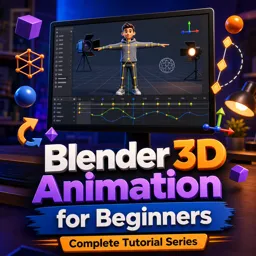
Duration of the online course: 3 hours and 27 minutes
New
Animate in 3D faster with a free Blender course—learn keyframes, camera cuts, lighting, and rendering basics, with practice to build confidence.
Step into 3D animation with a workflow that makes Blender feel approachable from day one. This beginner-friendly tutorial series focuses on the core skills you need to start animating confidently: navigating the 3D viewport, understanding the interface, and building clean habits before you ever hit render. Instead of overwhelming you with features, it guides you through the foundational approach used by real animators so you can progress faster and avoid common early frustrations.
You’ll learn how motion is created in Blender through transforms and keyframes, then how to shape timing and performance using the timeline tools that matter most. As you practice adjusting spacing and easing, you’ll discover how to refine animation with more control, moving from simple edits to the precision of curve-based adjustments. Dynamic effects and animation modifiers are introduced to help you get polished results and repeatable motion without manually keyframing everything.
Character animation is covered in a practical, hands-on way: importing and posing rigs, switching into the right mode for animation, and understanding the difference between IK and FK so you can choose the method that fits the shot. You’ll also explore rig layers to keep complex controls manageable and speed up posing. Beyond movement, the course brings shots to life with camera craft—depth of field, zoom choices, and clean cuts—plus lighting concepts that add clarity and mood.
To complete the pipeline, you’ll learn how to render both stills and full animations, including settings that balance speed and quality for previews versus final output. By the end, you’ll have a clear end-to-end process for creating short animated sequences in Blender, and the confidence to keep building your own projects in animation and 3D design.

Explore free online Blender courses with certificates and learn 3D modeling, animation, rendering, sculpting, texturing, and visual effects at your own pace. Whether you are a beginner or want to sharpen your creative skills, these flexible Blender classes offer practical training to help you build impressive projects and advance your portfolio.

Explore free online 3D animation courses with certificates and learn essential skills in 3D modeling, character animation, rigging, texturing, lighting, rendering, and visual effects. Study at your own pace, build portfolio-ready projects, and gain practical expertise for careers in animation, games, film, and digital design.

3 hours and 27 minutes of online video course

Digital certificate of course completion (Free)

Exercises to train your knowledge

100% free, from content to certificate
What is the fastest way to start learning 3D animation in Blender?
Start with simple object animation, transforms, keyframes, the Timeline, and the Dope Sheet before moving on to character rigs and advanced effects.
What is the difference between the Dope Sheet and Graph Editor in Blender?
The Dope Sheet is best for organizing and retiming keyframes, while the Graph Editor lets you precisely edit animation curves, easing, and motion speed.
How do IK and FK differ when animating a Blender character rig?
FK rotates joints one at a time, while IK moves an end control, such as a hand or foot, and automatically calculates the connected joint positions.
Ready to get started?Download the app and get started today.
Install the app now
to access the course
Over 5,000 free courses
Programming, English, Digital Marketing and much more! Learn whatever you want, for free.

Study plan with AI
Our app's Artificial Intelligence can create a study schedule for the course you choose.

From zero to professional success
Improve your resume with our free Certificate and then use our Artificial Intelligence to find your dream job.
You can also use the QR Code or the links below.



Free CourseBlender 3.0 basics course
5

(9)

4h48m

23 exercises
Free CourseBlender Tutorials
5
(1)
9h21m
27 exercises
Free Course3D modeling
4.8
(69)
27h29m
23 exercises
Free CourseCharacter Animation in Cinema 4D
New
3h22m
5 exercises
Free CourseMoho 14 Animation Masterclass: Beginner to Expert
New
6h08m
36 exercises
Free CourseMaya 3D Animation Course: Basics to Advanced Acting and Body Mechanics
New
8h32m
18 exercises
Free CourseBlender 3.0 Character Modeling Masterclass: From Base Mesh to Texturing
New
18h47m
43 exercises
Free CourseCinema 4D Essentials: 3D Modeling, Animation and Rendering Course
New
15h12m
30 exercises
Free CourseBlender Fundamentals: Learn Modeling, Shading, Lighting, Rendering, Rigging and Animation
New
4h59m
39 exercises
Free CourseBlender 4.0 Beginner Donut Tutorial: Modeling, Shading, Geometry Nodes and Rendering
New
4h55m
13 exercises
Carry knowledge in your pocket.
Download the Cursa app.
There are hundreds of free courses available, with a free certificate of completion that is saved in your mobile image gallery.
Download the app to access the Course Completion Certificate for Free.


+ 10 million
students

Free and Valid
Certificate

60 thousand free
exercises

4.8/5 rating in
app stores

Free courses in
video and ebooks