F12 renders the current scene using your active render engine and settings.

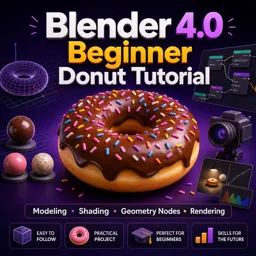
Duration of the online course: 4 hours and 55 minutes
New
Create polished 3D renders fast with a free Blender course—model, shade, use Geometry Nodes, light, animate, and export a portfolio-ready donut.
Learn Blender 4.0 by building a complete, good-looking 3D scene from scratch, step by step, in a way that finally makes the interface, tools, and workflow feel approachable. In this free online course, you will move from a simple base shape to a finished donut render, gaining practical experience that translates to product-style visuals, stylized props, and animation shots. Instead of isolated tips, you will follow a real production path that mirrors how 3D work is done: create the model, refine the surface, add appealing materials, scatter details procedurally, light the scene, render, polish the image, and deliver the final video.
You will practice clean beginner modeling choices, learn how to keep objects smooth without destroying editability, and discover how sculpting becomes easier once the mesh has the right kind of density. You will also build confidence with shading and texture maps, including the small settings that make materials look believable rather than washed out or incorrect. From there, you will step into Geometry Nodes to add sprinkles efficiently, keep your base mesh visible while distributing points, and introduce variation so details feel natural and not repeated.
The course continues into rendering and look development, where lighting and world settings help you create a bright, realistic mood without complicated setups. You will also learn how to review and enhance your render in the compositor, organize a clean layout, and finish with a simple animation reveal that looks professional. Finally, you will export a widely compatible video from Blender’s built-in editor, so your result is ready to share in a portfolio, on social media, or as the start of a larger 3D project. By the end, you will not just know where buttons are—you will understand the full pipeline to take an idea to a finished, presentable render.

4 hours and 55 minutes of online video course

Digital certificate of course completion (Free)

Exercises to train your knowledge

100% free, from content to certificate
What does F12 do in Blender 4.0?
F12 renders the current scene using your active render engine and settings.
How do I keep the original icing mesh visible after using Distribute Points on Faces in Geometry Nodes?
Add a Join Geometry node to combine the original icing geometry with the distributed points or instances.
What color space should a Blender roughness texture use?
Set the Image Texture node’s Color Space to Non-Color.
Ready to get started?Download the app and get started today.
Install the app now
to access the course
Over 5,000 free courses
Programming, English, Digital Marketing and much more! Learn whatever you want, for free.

Study plan with AI
Our app's Artificial Intelligence can create a study schedule for the course you choose.

From zero to professional success
Improve your resume with our free Certificate and then use our Artificial Intelligence to find your dream job.
You can also use the QR Code or the links below.



Free CourseBlender 3.0 basics course
5

(9)

4h48m

23 exercises
Free CourseBlender Tutorials
5
(1)
9h21m
27 exercises
Free CourseBlender 3D Animation for Beginners: Complete Tutorial Series
5
(1)
3h27m
14 exercises
Free Course3D modeling
4.8
(69)
27h29m
23 exercises
Free CourseCharacter Animation in Cinema 4D
New
3h22m
5 exercises
Free CourseMoho 14 Animation Masterclass: Beginner to Expert
New
6h08m
36 exercises
Free CourseMaya 3D Animation Course: Basics to Advanced Acting and Body Mechanics
New
8h32m
18 exercises
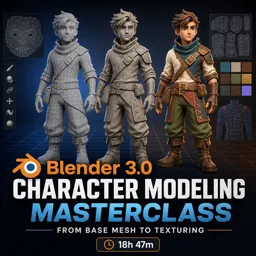
Free CourseBlender 3.0 Character Modeling Masterclass: From Base Mesh to Texturing
New
18h47m
43 exercises
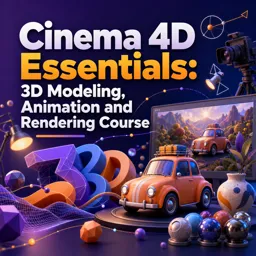
Free CourseCinema 4D Essentials: 3D Modeling, Animation and Rendering Course
New
15h12m
30 exercises
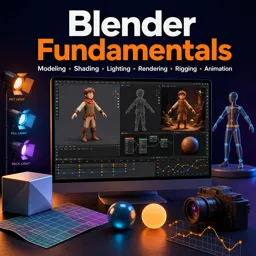
Free CourseBlender Fundamentals: Learn Modeling, Shading, Lighting, Rendering, Rigging and Animation
New
4h59m
39 exercises
Carry knowledge in your pocket.
Download the Cursa app.
There are hundreds of free courses available, with a free certificate of completion that is saved in your mobile image gallery.
Download the app to access the Course Completion Certificate for Free.


+ 10 million
students

Free and Valid
Certificate

60 thousand free
exercises

4.8/5 rating in
app stores

Free courses in
video and ebooks