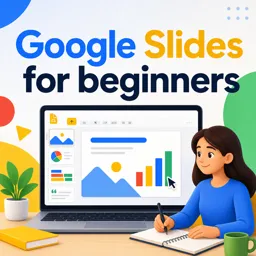


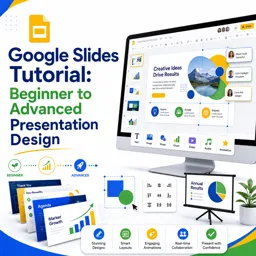
Google Slides is a web-based tool for creating, editing, and sharing presentations.

3



Collaborating Effectively with Google Slides: Real-Time Teamwork Made Easy
Learn how to collaborate in real time with Google Slides. Discover sharing tools, comments, and tips for seamless teamwork and efficient presentations.

Getting Started with Google Slides: A Beginner’s Guide to Seamless Presentations
Learn how to create and share presentations with Google Slides using this beginner-friendly guide. Tips, features, and best practices included.

Advanced Formatting Techniques in Google Slides for Stunning Visuals
Enhance your Google Slides presentations with advanced formatting techniques like custom fonts, color palettes, masking images, layering, and purposeful animations for stunning visuals.

Mastering Google Slides for Business Presentations: Tips for a Professional Look
Enhance your Google Slides presentations for business with consistent themes, high-quality visuals, cohesive fonts, clear structure, and polished animations for a professional impact.
Develop practical presentation skills with our selection of free online Google Slides courses. These educational courses are designed for students, teachers, professionals, entrepreneurs, and anyone interested in creating clear, attractive, and engaging digital presentations. Learn at your own pace, complete exercises, and receive free certification after finishing eligible course content.
Google Slides is a versatile cloud-based presentation tool used in education, business, training, and collaborative projects. Through these free Google Slides courses, you can study essential features such as slide creation, text formatting, layouts, themes, images, charts, tables, animations, transitions, speaker notes, and presentation delivery. Lessons also explore how to organize information effectively and apply visual communication principles.
Whether you are learning Google Slides for school assignments, classroom instruction, workplace meetings, webinars, or professional proposals, this course listing offers accessible educational resources for different skill levels. Beginners can build a solid foundation, while experienced users can improve design, collaboration, and productivity techniques.
All courses listed on this page are free and include educational exercises that help you review concepts and practice important Google Slides functions. By working through the lessons and activities, you can strengthen your presentation design abilities and gain confidence using the platform. The courses also offer free certification, allowing you to document your learning and add relevant training to your academic or professional profile.
To access these free online Google Slides courses, complete the exercises, and obtain free certificates, you must install the Cursa application. Android users can get the app through Google Play at Download for Android. Apple users can install it through the App Store at Download for iOS / iPhone.
Install the application, choose a Google Slides course, and begin your online education today. With flexible study, practical lessons, exercises, and free certification, you can acquire valuable presentation skills without paying course fees.
What is Google Slides used for?
Google Slides is a web-based tool for creating, editing, and sharing presentations.
Is Google Slides free to use?
Yes. Google Slides is available free with a Google account.
Can beginners learn Google Slides easily?
Yes. Beginner courses teach slide creation, layouts, themes, text, images, and presentation sharing.
How do I create a presentation in Google Slides?
Open Google Slides, choose a blank presentation or template, then add and customize slides.
Can I collaborate with others in Google Slides?
Yes. You can share a presentation and allow others to view, comment, or edit in real time.
What advanced Google Slides skills can I learn?
Advanced skills include using animations, transitions, master slides, charts, speaker notes, and presentation design techniques.
Does Google Slides work with Microsoft PowerPoint files?
Yes. You can import, edit, and export PowerPoint presentations in Google Slides.

Complete any course and issue your certificate via the app — at no cost.

Download the app! to have access to more than 4,000 Online Courses + Certificate, all free!
Download the app! 100% free courses.


Carry knowledge in your pocket.
Download the Cursa app.
There are hundreds of free courses available, with a free certificate of completion that is saved in your mobile image gallery.
Download the app to access the Course Completion Certificate for Free.


+ 10 million
students

Free and Valid
Certificate

60 thousand free
exercises

4.8/5 rating in
app stores

Free courses in
video and ebooks







What are people saying about free online courses of Google Slides
nokuzola Dorothy
best examples best explanation
CourseGoogle Slides for beginners