IT tools are easiest to learn when they’re part of a coherent toolchain—one that helps you ship work faster, operate systems reliably, and measure outcomes. Instead of collecting “must-know” apps, this guide shows how to assemble a practical stack across version control, analytics, SEO, automation, collaboration, and operations—then validate that it’s actually saving time and reducing costs.
Start with outcomes, not tools
Before choosing anything, define what “better” means for your work. Common outcomes include: fewer incidents, faster releases, clearer reporting, lower spend, and easier onboarding. Translate outcomes into metrics you can track (cycle time, mean time to recovery, cost per environment, lead conversion rate, time-to-onboard). When you evaluate tools later, you’ll compare them against these goals rather than preferences.
Map the toolchain to the lifecycle
A dependable IT toolchain supports the full lifecycle of work: planning, building, versioning, testing, releasing, operating, and improving. A quick way to spot gaps is to ask: Where do handoffs happen? Where do errors repeat? Where do you lack visibility? The right tools reduce friction at these points with automation and shared source-of-truth data.
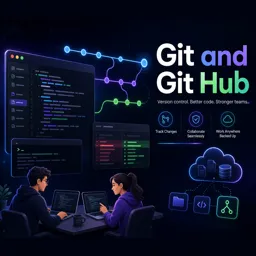
Version control as the backbone
Even if you use many tools, most technical work should converge into a versioned repository: documentation, configuration, scripts, dashboards-as-code, and infrastructure definitions. This enables repeatability, review, rollback, and collaboration. If you want to deepen your fundamentals and practice real workflows, explore https://cursa.app/free-online-courses/git.
Analytics tools: turn activity into evidence
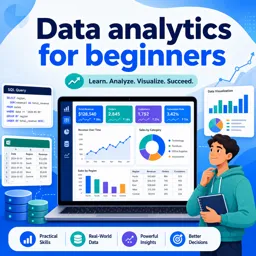
Analytics platforms help you prove whether changes worked—whether you’re tracking user behavior, content performance, or operational efficiency. The key is governance: consistent naming, documented events, controlled access, and a clear definition of “truth” for each metric. If you’re building measurement skills, the https://cursa.app/free-online-courses/google-analytics is a practical place to start for dashboards, events, and attribution.

SEO tools: make discoverability measurable
SEO becomes an IT tools topic when you approach it like systems work: audits, automated checks, structured data validation, performance budgets, and reliable reporting. A practical SEO toolkit usually includes: crawler/audit tools, keyword research, log analysis, page speed testing, and rank/visibility tracking. The best results come from integrating SEO checks into deployment workflows (e.g., performance thresholds, broken-link checks) so issues are caught early.
Automation and scripting: small scripts, big savings
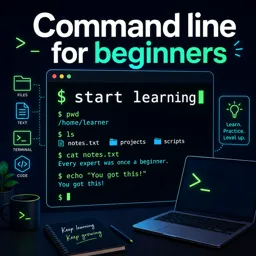
Repetitive tasks (user provisioning, log cleanup, report generation, environment setup) are ideal automation targets. Start with one annoying task and make it reproducible: define inputs, outputs, error handling, and logs. Over time, these scripts become a reliable internal toolkit—especially when stored in version control, reviewed, and documented. For foundational skills in automation workflows, see https://cursa.app/free-online-courses/command-line that cover practical scripting patterns.
Operations tooling: standardize environments and reduce drift
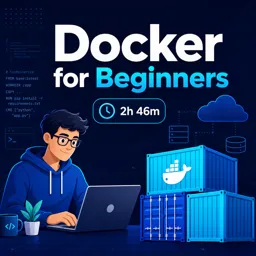
Tooling for environments and deployment is most valuable when it makes systems consistent. Containerization and orchestration reduce “works on my machine” problems, support predictable rollouts, and simplify scaling. If these topics are on your roadmap, browse https://cursa.app/free-online-courses/docker and https://cursa.app/free-online-courses/kubernetes to learn how to package, deploy, and operate services with repeatable processes.
DevOps tools: connect build, release, and reliability
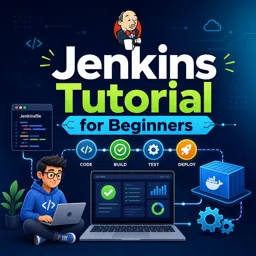
A strong toolchain doesn’t just automate deployments—it creates fast feedback loops. Typical components include CI pipelines, artifact repositories, configuration management, secrets management, monitoring, and alerting. The goal is to reduce risk while increasing delivery speed. To build a structured foundation, explore https://cursa.app/free-online-courses/devops focused on pipeline design and operational practices.
Collaboration tools: focus on decision records and traceability
Chat and task tools are everywhere; what differentiates mature teams is traceability. Choose tools and habits that preserve context: decision logs, change requests, code reviews, runbooks, and post-incident notes. Store long-lived knowledge in searchable documentation, and keep the “why” near the “what” (for example, link a change to an incident report or a performance goal).
Security and access: build guardrails into the toolchain
Even outside security-focused roles, tool choice affects risk: who can access what, how credentials are stored, and how changes are approved. Prioritize tools that support single sign-on, least privilege, audit logs, and secret rotation. When you’re ready to expand your security awareness, https://cursa.app/free-online-courses/ethical-hacking can help you understand attacker mindsets and common misconfigurations—useful for designing safer workflows.
How to choose tools: a lightweight evaluation checklist
- Integration: Does it connect cleanly to your existing systems (SSO, repos, dashboards, ticketing, APIs)?
- Adoption: Is the learning curve reasonable, and can you standardize usage with templates?
- Governance: Are permissions, audit logs, and data retention manageable?
- Portability: Can you export data and avoid lock-in where it matters?
- Cost: Understand pricing triggers (seats, usage, storage, events) and plan for growth.
- Reliability: Are there SLAs, status transparency, and sensible backup options?

Proving ROI: measure before and after
To show that your IT toolchain reduces cost and improves performance, establish a baseline (even if it’s rough). Then track: time saved per week, incident reduction, deployment frequency, onboarding time, and reporting accuracy. Keep a simple “tool impact log” that records what changed, why, and what improved. This makes it easier to justify renewals, retire unused tools, and prioritize training.
Build your learning plan from the toolchain
The fastest way to gain practical skill is to learn tools in the order you’ll use them: start with core workflows (version control, automation basics), add measurement (analytics/SEO), then move to deployment and operations (DevOps, containers, orchestration). For a structured set of free learning options across this category, visit https://cursa.app/free-courses-information-technology-online or browse the broader https://cursa.app/free-online-information-technology-courses.
Next step: design your “minimum viable toolchain”
Pick one project and define a minimal set: a repository, a tracking board, basic automation scripts, a simple dashboard, and documented runbooks. Once that works, expand thoughtfully. The goal isn’t to use more tools—it’s to build a system where work is visible, repeatable, and continuously improving.