Freestyle jobs are configured mainly through the Jenkins interface, while Pipeline jobs define build, test, and deployment stages as code, usually in a Jenkinsfile.

Duration of the online course: 1 hours and 8 minutes
New
Automate builds and releases with Jenkins. This free online course helps you master CI/CD pipelines, agents, and Blue Ocean for faster, safer delivery.
Learn how to turn manual build-and-deploy work into a reliable CI/CD process with Jenkins, one of the most widely used automation servers in modern development teams. This free online course is designed to take you from first contact to confident usage, helping you understand what Jenkins is, why teams adopt it, and how it fits into real-world software delivery. If you want faster feedback on code changes, fewer deployment headaches, and a workflow you can trust, Jenkins is a practical skill that opens doors across DevOps, backend, QA automation, and platform engineering roles.
You will build a clear foundation around how Jenkins organizes work, including the core job types you will see in professional environments and how builds are executed. Along the way, you will handle key setup concepts that often confuse beginners, such as the initial unlock step and what it means to establish a safe baseline before adding plugins and pipelines. The course focuses on the kind of decisions that improve stability and repeatability, so your automation behaves the same way every time it runs.
As you progress, you will connect Jenkins to more scalable execution through agents, including a practical perspective on using Docker-based agents. You will understand why labels matter for routing work to the right environment and how to think about agent setup in a maintainable way as projects grow. You will also explore pipeline best practices, with an emphasis on defining your pipeline script in a way that supports collaboration, review, and versioning with your codebase.
By the end, you will be able to reason about common pipeline improvements that make jobs cleaner and more portable, and you will understand how Blue Ocean can enhance visibility and usability when working with pipelines. The result is a stronger DevOps toolkit: you will know how to approach Jenkins learning strategically, troubleshoot typical issues, and start applying automation patterns that teams use to deliver software with speed and confidence.

1 hours and 8 minutes of online video course

Digital certificate of course completion (Free)

Exercises to train your knowledge

100% free, from content to certificate
What is the difference between Freestyle and Pipeline jobs in Jenkins?
Freestyle jobs are configured mainly through the Jenkins interface, while Pipeline jobs define build, test, and deployment stages as code, usually in a Jenkinsfile.
Why should Jenkins Pipeline scripts be stored in a Jenkinsfile on GitHub?
A Jenkinsfile keeps CI/CD configuration version-controlled alongside the application code, making pipeline changes reviewable and reproducible.
What is Jenkins Blue Ocean used for?
Blue Ocean is a modern Jenkins interface that visualizes Pipeline stages, build status, logs, and failed steps more clearly.
Ready to get started?Download the app and get started today.
Install the app now
to access the course
Over 5,000 free courses
Programming, English, Digital Marketing and much more! Learn whatever you want, for free.

Study plan with AI
Our app's Artificial Intelligence can create a study schedule for the course you choose.

From zero to professional success
Improve your resume with our free Certificate and then use our Artificial Intelligence to find your dream job.
You can also use the QR Code or the links below.



Free CourseGit and GitHub
5

(1)

4h02m

5 exercises
Free CourseDocker Containers and Kubernetes Fundamentals
5
(1)
5h56m
6 exercises
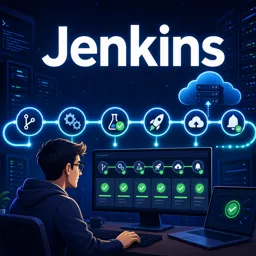
Free CourseJenkins
5
(1)
3h53m
20 exercises
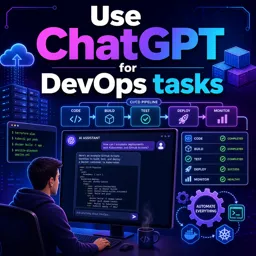
Free CourseUse ChatGPT for DevOps tasks
5
(1)
1h07m
6 exercises
Free CourseKubernetes for Beginners
5
(2)
3h36m
6 exercises
Free CourseGit and Git Hub
4.8
(55)
2h00m
54 exercises
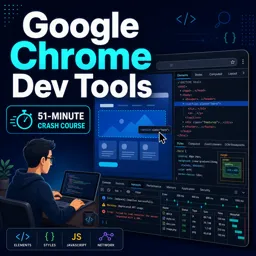
Free CourseGoogle Chrome dev tools
4.8

(4)
51m

Free CourseEthical hacking for beginners
4.7
(67)
21h06m
13 exercises
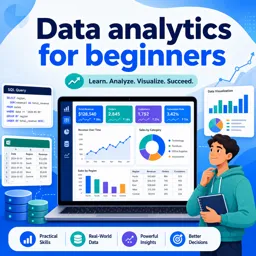
Free CourseData analytics for beginners
4.7
(45)
17h48m
26 exercises
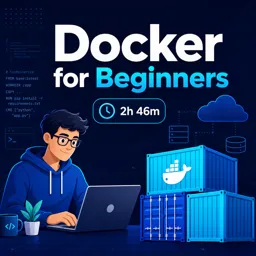
Free CourseDocker for beginners
4.5
(2)
2h46m
6 exercises
Carry knowledge in your pocket.
Download the Cursa app.
There are hundreds of free courses available, with a free certificate of completion that is saved in your mobile image gallery.
Download the app to access the Course Completion Certificate for Free.


+ 10 million
students

Free and Valid
Certificate

60 thousand free
exercises

4.8/5 rating in
app stores

Free courses in
video and ebooks