An image is a read-only template containing an application and its dependencies; a container is a running, isolated instance created from that image.

Duration of the online course: 2 hours and 46 minutes
New
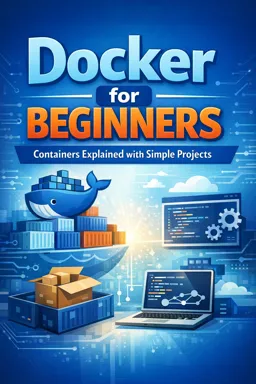
Deploy apps faster with a free Docker course: learn images vs containers, port mapping, volumes, and Compose so your projects run anywhere.
Docker has become a standard tool for developers and IT teams who want reliable environments, faster releases, and fewer it works on my machine surprises. In this free online course, you will build a clear, practical foundation to understand what Docker is really doing under the hood and how to use it confidently in day-to-day projects. Instead of treating containers like magic, you will learn the core concepts that help you troubleshoot issues, share projects smoothly, and ship applications with consistency across laptops, servers, and cloud platforms.
You will start by connecting the big picture to hands-on practice: what a container is, what an image is, and why the difference matters when you build, run, update, or distribute an application. From there, you will see how Docker compares to virtual machines, what is actually being virtualized, and why containers are lightweight while still providing the isolation teams need. These fundamentals make it easier to choose the right approach for local development, testing, and deployment workflows.
Real projects also depend on networking and connectivity. You will learn how port mapping works so you can expose services running inside containers to your host machine and other systems in a predictable way. You will also understand how Docker Compose helps multi-service setups work together by creating the necessary network layer so services can communicate using service names instead of hard-coded IP addresses. This is especially useful when developing stacks such as web apps connected to databases, caches, or message queues.
Because containers are designed to be disposable, managing data correctly is essential. You will explore persistence strategies and understand why choosing the recommended production-friendly volume type makes your data safer and your environments easier to maintain. Finally, you will clarify the difference between running a new container and starting an existing one, a small distinction that often causes confusion when restarting apps, applying updates, or recovering from failures.
By the end, you will be able to reason about Docker behavior, read common commands with confidence, and set up cleaner local environments that match real deployment needs. If you are aiming for a developer, DevOps, or cloud role, these skills translate directly into more efficient teamwork and smoother delivery pipelines.

Explore free online Development Tools courses and build practical skills in Git, GitHub, IDEs, debugging, testing, version control, CI/CD, and modern developer workflows. Learn at your own pace with expert-led lessons, hands-on projects, and flexible study options. Enroll today and earn a certificate to showcase your new technical skills.

Explore free online DevOps courses, each with a certificate, and build job-ready skills in CI/CD, cloud computing, automation, containers, Kubernetes, Docker, Linux, Git, and infrastructure as code. Learn DevOps at your own pace with beginner-friendly and advanced training designed to boost your career and technical expertise.

Explore free online Docker courses with certificates and learn containerization, image management, Docker Compose, networking, security, and deployment. Build practical DevOps skills through beginner-friendly lessons and hands-on training, then earn a certificate to showcase your Docker knowledge and advance your career.

2 hours and 46 minutes of online video course

Digital certificate of course completion (Free)

Exercises to train your knowledge

100% free, from content to certificate
What is the difference between a Docker image and a container?
An image is a read-only template containing an application and its dependencies; a container is a running, isolated instance created from that image.
How do I map host port 6000 to port 6379 in a Docker container?
Use the command `docker run -p 6000:6379
What is the difference between docker run and docker start?
`docker run` creates and starts a new container from an image, while `docker start` restarts an existing stopped container.
Ready to get started?Download the app and get started today.
Install the app now
to access the course
Over 5,000 free courses
Programming, English, Digital Marketing and much more! Learn whatever you want, for free.

Study plan with AI
Our app's Artificial Intelligence can create a study schedule for the course you choose.

From zero to professional success
Improve your resume with our free Certificate and then use our Artificial Intelligence to find your dream job.
You can also use the QR Code or the links below.



Free CourseGit and GitHub
5

(1)

4h02m

5 exercises
Free CourseDocker Containers and Kubernetes Fundamentals
5
(1)
5h56m
6 exercises
Free CourseJenkins
5
(1)
3h53m
20 exercises
Free CourseUse ChatGPT for DevOps tasks
5
(1)
1h07m
6 exercises
Free CourseKubernetes for Beginners
5
(2)
3h36m
6 exercises
Free CourseGit and Git Hub
4.8
(55)
2h00m
54 exercises
Free CourseGoogle Chrome dev tools
4.8

(4)
51m

Free CourseEthical hacking for beginners
4.7
(67)
21h06m
13 exercises
Free CourseData analytics for beginners
4.7
(45)
17h48m
26 exercises
Free CourseCommand line for beginners
4
(1)
44m
6 exercises
Carry knowledge in your pocket.
Download the Cursa app.
There are hundreds of free courses available, with a free certificate of completion that is saved in your mobile image gallery.
Download the app to access the Course Completion Certificate for Free.


+ 10 million
students

Free and Valid
Certificate

60 thousand free
exercises

4.8/5 rating in
app stores

Free courses in
video and ebooks