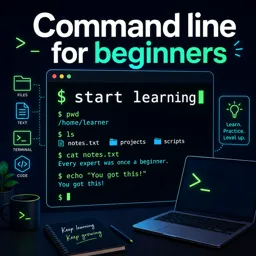


A command line is a text-based interface used to run commands, manage files, and automate tasks on a computer.

1

1


Build practical technology skills with our selection of free online Command Line courses. These educational courses help beginners, students, developers, system administrators, and IT professionals learn how to interact with computers through text-based commands. Study at your own pace, complete practical exercises, and receive free certification after finishing eligible course content.
Command Line knowledge is valuable for software development, operating system administration, cloud computing, cybersecurity, data analysis, automation, and technical support. The courses introduce essential concepts in a clear educational format, allowing learners to understand terminals, shells, commands, directories, files, permissions, processes, scripts, and system utilities.
Depending on the selected course, you may study the Linux terminal, Unix commands, Windows Command Prompt, PowerShell, Bash, shell scripting, or developer tools. Lessons include examples and exercises that encourage you to practice commands, solve problems, manage files, navigate folders, and automate repetitive tasks.
Every learning opportunity listed on this page is available for free. The lessons are designed for flexible online education and include exercises so that you can reinforce theoretical knowledge through hands-on practice. You can also earn a free certificate, making it easier to document your learning achievements and add new technical skills to your resume or professional profile.
These free Command Line courses are suitable for complete beginners as well as learners who want to improve existing IT abilities. They can support educational goals in programming, DevOps, networking, Linux administration, web development, databases, cloud platforms, and information security. No matter your background, regular practice can help you use the terminal with greater speed, confidence, and accuracy.
To access the courses, lessons, exercises, and free certification, you must install the Cursa application on your mobile device. Android users can install it through Google Play by selecting Download for Android. iPhone users can obtain the application from the App Store by selecting Download for iOS / iPhone.
Choose a course, begin studying, complete the educational exercises, and develop job-relevant Command Line skills without tuition costs. Start your free online learning journey today and gain practical knowledge that can support future studies, technical projects, and career development.
What is a command line?
A command line is a text-based interface used to run commands, manage files, and automate tasks on a computer.
Is a command line course suitable for beginners?
Yes. Beginner courses introduce basic commands, navigation, file management, and command syntax step by step.
What can I learn in a command line for beginners course?
You can learn to navigate folders, create and edit files, run programs, use permissions, and automate simple tasks.
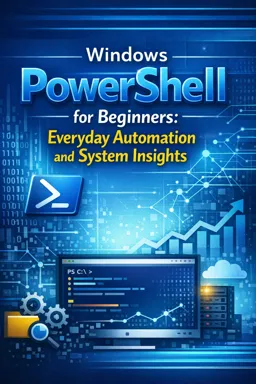
What is Windows PowerShell used for?
Windows PowerShell is used to administer Windows systems, inspect system information, manage files, and automate repetitive tasks.
Do I need coding experience to learn PowerShell?
No. You can start with everyday commands and gradually learn scripting and automation concepts.
What is the difference between Command Prompt and PowerShell?
Command Prompt runs traditional Windows commands, while PowerShell provides more powerful commands, scripting, and object-based output.
Can command line skills help with automation?
Yes. Command line tools let you combine commands into scripts to automate file management, system checks, and routine administrative work.

Complete any course and issue your certificate via the app — at no cost.

Download the app! to have access to more than 4,000 Online Courses + Certificate, all free!
Download the app! 100% free courses.


Carry knowledge in your pocket.
Download the Cursa app.
There are hundreds of free courses available, with a free certificate of completion that is saved in your mobile image gallery.
Download the app to access the Course Completion Certificate for Free.


+ 10 million
students

Free and Valid
Certificate

60 thousand free
exercises

4.8/5 rating in
app stores

Free courses in
video and ebooks