Expose container port 8080 and map it to a host port, for example with -p 8080:8080.

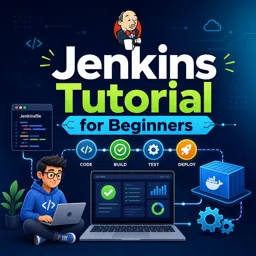
Duration of the online course: 1 hours and 28 minutes
New
Automate builds and deployments faster with a free Jenkins course: run Jenkins in Docker, write Jenkinsfiles, and trigger pipelines from Git with confidence.
Turn repetitive build and deployment work into a reliable, automated workflow with Jenkins, one of the most widely used CI/CD tools in modern development teams. This beginner-friendly course helps you build practical confidence from day one, focusing on what you need to get pipelines running, connected to Git, and producing consistent results. You will learn how Jenkins fits into a DevOps toolchain and how to move from manual steps to repeatable automation that supports cleaner releases and faster feedback.
You start with a hands-on setup that keeps things simple and portable: running Jenkins inside a Docker container. This approach is ideal for learning, testing, or spinning up a fresh instance quickly without affecting your main environment. From there, you progress to pipeline concepts that matter in real projects, including how jobs are created and managed and how Jenkins interacts with repositories. You will practice working with multibranch pipelines so Jenkins can detect branches automatically and run the right build for each change.
As you advance, the course guides you through working with a Jenkinsfile, the foundation for pipeline-as-code. You will understand the core structure of a declarative pipeline and why defining your build steps in version control improves reliability, collaboration, and traceability. You will also learn how to configure and reference build tools appropriately so the pipeline runs consistently across agents and environments, reducing the classic works on my machine problems.
Finally, you will focus on automation triggers and best practices for initiating builds from Git changes. Instead of relying on manual starts, you will explore the approaches teams use to keep Jenkins responsive to new commits while avoiding noisy or wasteful builds. By the end, you will be able to set up Jenkins in a repeatable way, connect it to a repository, manage branches effectively, and design pipelines that are clear, maintainable, and ready for real-world CI/CD workflows. Complete the exercises to reinforce each concept and build the confidence to apply Jenkins on personal projects or in a professional setting.

Explore free online Jenkins courses designed to help you master CI/CD, automation, pipelines, integrations, and DevOps best practices. Learn at your own pace through practical lessons for beginners and professionals, build job-ready skills, and earn a certificate to showcase your Jenkins expertise and advance your career.

Explore free online DevOps courses, each with a certificate, and build job-ready skills in CI/CD, cloud computing, automation, containers, Kubernetes, Docker, Linux, Git, and infrastructure as code. Learn DevOps at your own pace with beginner-friendly and advanced training designed to boost your career and technical expertise.

1 hours and 28 minutes of online video course

Digital certificate of course completion (Free)

Exercises to train your knowledge

100% free, from content to certificate
Which Docker port should I expose to access the Jenkins web UI?
Expose container port 8080 and map it to a host port, for example with -p 8080:8080.
What is the best way to trigger a Jenkins pipeline when Git code changes?
Configure a webhook from your Git provider to Jenkins, so builds start immediately after pushes or pull request events.
What are the required elements of a basic declarative Jenkinsfile?
A basic declarative Jenkinsfile requires a pipeline block, an agent declaration, and at least one stage containing steps.
Ready to get started?Download the app and get started today.
Install the app now
to access the course
Over 5,000 free courses
Programming, English, Digital Marketing and much more! Learn whatever you want, for free.

Study plan with AI
Our app's Artificial Intelligence can create a study schedule for the course you choose.

From zero to professional success
Improve your resume with our free Certificate and then use our Artificial Intelligence to find your dream job.
You can also use the QR Code or the links below.



Free CourseGit and GitHub
5

(1)

4h02m

5 exercises
Free CourseDocker Containers and Kubernetes Fundamentals
5
(1)
5h56m
6 exercises
Free CourseJenkins
5
(1)
3h53m
20 exercises
Free CourseUse ChatGPT for DevOps tasks
5
(1)
1h07m
6 exercises
Free CourseKubernetes for Beginners
5
(2)
3h36m
6 exercises
Free CourseGit and Git Hub
4.8
(55)
2h00m
54 exercises
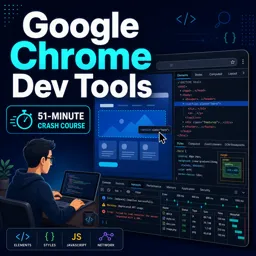
Free CourseGoogle Chrome dev tools
4.8

(4)
51m
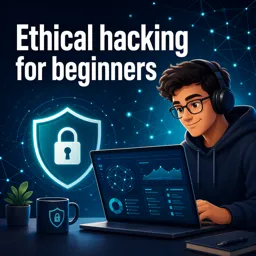
Free CourseEthical hacking for beginners
4.7
(67)
21h06m
13 exercises
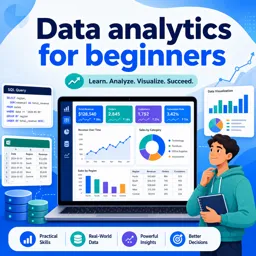
Free CourseData analytics for beginners
4.7
(45)
17h48m
26 exercises
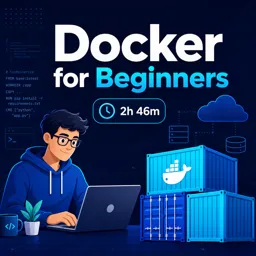
Free CourseDocker for beginners
4.5
(2)
2h46m
6 exercises
Carry knowledge in your pocket.
Download the Cursa app.
There are hundreds of free courses available, with a free certificate of completion that is saved in your mobile image gallery.
Download the app to access the Course Completion Certificate for Free.


+ 10 million
students

Free and Valid
Certificate

60 thousand free
exercises

4.8/5 rating in
app stores

Free courses in
video and ebooks