You can inspect and edit HTML/CSS, debug JavaScript, monitor network requests, and analyze page performance.

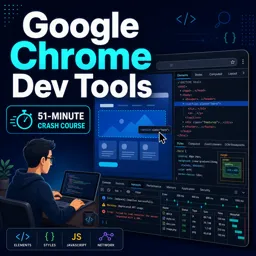
Duration of the online course: 51 minutes
4.8


(4)
Debug faster and build better websites with a free course on Chrome DevTools. Learn inspection, performance fixes, and cleaner code—earn a certificate.
Improve the way you build and debug web projects by mastering one of the most practical tools in a developer’s daily routine: Google Chrome DevTools. This free online course is designed to help you troubleshoot issues with confidence, understand what’s happening in the browser, and make smarter decisions when fixing bugs or optimizing a site.
Instead of relying on guesswork, you’ll learn to inspect pages and UI components precisely, spot CSS conflicts, explore the structure of the DOM, and validate what the browser is really rendering. You’ll also gain the skills to work with console output more effectively, track down errors, and test changes quickly without disrupting your production code. These abilities can save hours during development and help you deliver more stable, maintainable front-end experiences.
Chrome DevTools is not only for debugging visual issues. It’s also a powerful ally for performance and user experience. With the right approach, you can identify bottlenecks, understand how resources load, and detect problems that slow down a page or make interactions feel unresponsive. That knowledge becomes especially valuable when collaborating with teams, reviewing pull requests, or communicating fixes clearly to other developers and stakeholders.
Whether you are starting out in web development or want to sharpen your workflow, this course gives you a strong foundation for using DevTools in real scenarios. You will leave with a clearer, more methodical debugging process, the ability to investigate problems from multiple angles, and a practical skill set that translates directly to professional opportunities. If a certificate is available, it can also serve as a helpful way to showcase your progress and reinforce your learning goals.

51 minutes of online video course

Digital certificate of course completion (Free)

Exercises to train your knowledge

100% free, from content to certificate
What can I inspect with Google Chrome Developer Tools?
You can inspect and edit HTML/CSS, debug JavaScript, monitor network requests, and analyze page performance.
How do Chrome DevTools help debug JavaScript errors?
DevTools lets you view console errors, set breakpoints, step through code, and inspect variable values while scripts run.
Can Chrome DevTools show why a web page loads slowly?
Yes. The Network and Performance panels reveal slow requests, large assets, rendering activity, and other loading bottlenecks.
Ready to get started?Download the app and get started today.
Install the app now
to access the course
Over 5,000 free courses
Programming, English, Digital Marketing and much more! Learn whatever you want, for free.

Study plan with AI
Our app's Artificial Intelligence can create a study schedule for the course you choose.

From zero to professional success
Improve your resume with our free Certificate and then use our Artificial Intelligence to find your dream job.
You can also use the QR Code or the links below.



Free CourseGit and GitHub
5
(1)

4h02m

5 exercises

Free CourseDocker Containers and Kubernetes Fundamentals
5
(1)
5h56m
6 exercises

Free CourseJenkins
5
(1)
3h53m
20 exercises
Free CourseUse ChatGPT for DevOps tasks
5
(1)
1h07m
6 exercises
Free CourseKubernetes for Beginners
5
(2)
3h36m
6 exercises
Free CourseGit and Git Hub
4.8
(55)
2h00m
54 exercises

Free CourseEthical hacking for beginners
4.7
(67)
21h06m
13 exercises

Free CourseData analytics for beginners
4.7
(45)
17h48m
26 exercises

Free CourseDocker for beginners
4.5
(2)
2h46m
6 exercises
Free CourseCommand line for beginners
4
(1)
44m
6 exercises
Carry knowledge in your pocket.
Download the Cursa app.
There are hundreds of free courses available, with a free certificate of completion that is saved in your mobile image gallery.
Download the app to access the Course Completion Certificate for Free.


+ 10 million
students

Free and Valid
Certificate

60 thousand free
exercises

4.8/5 rating in
app stores

Free courses in
video and ebooks