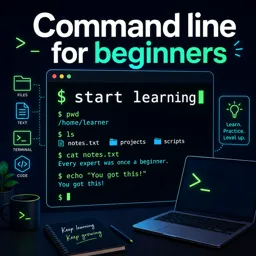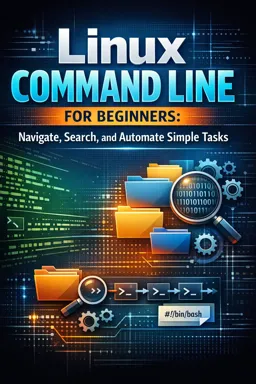

Free ebook for learning Linux command line basics: navigation, files, permissions, search, pipes, Nano, and simple shell automation.
Free ebook content
-

Getting Comfortable with the Linux Command Line
+ Exercise: When copying a command from an example that shows a shell prompt like alex@laptop:~/Documents$, what should you type into the terminal?
-
Navigating the Linux File System with cd, ls, and pwd
+ Exercise: Which command both includes hidden files and shows detailed listings with human-readable sizes for the current directory?
-
Creating, Copying, Moving, and Removing Files and Folders
+ Exercise: You want to delete only the .tmp and .log files inside lab-project/build while avoiding accidental deletion. Which approach best matches safe command-line habits?
-
Viewing and Inspecting File Contents from the Terminal
+ Exercise: You want to monitor a log file so you can see the last 50 lines immediately and then keep displaying new lines as they are added. Which command best fits this task?


-
Permissions and Ownership: Read, Write, Execute in Practice
+ Exercise: You can see filenames in a directory but get “Permission denied” when trying to open a file inside it, even if you know the filename. Which missing permission on the directory most likely explains this?
-
Searching and Filtering Text with grep and Friends
+ Exercise: You want to find only ERROR or FATAL lines across all files under ~/grep-lab/logs and include line numbers. Which command best fits this goal?
-
Pipes and Redirection: Building Command Line Workflows
+ Exercise: You want to save a command’s normal output to results.txt while keeping error messages in errors.txt so they don’t mix with the data. Which command pattern does this?
-
Editing Basics in the Terminal: Nano Essentials and Quick Fixes
+ Exercise: In nano, what is a safe way to handle a configuration file when you want to make changes without risking the original?
-
Simple Automation with Shell Scripts
+ Exercise: In a Bash backup script that supports a --dry-run flag, which approach best ensures that actions are shown without actually modifying the filesystem?
-
Daily-Use Mini Projects and a Linux Command Line Cheat Sheet
+ Exercise: In a log triage pipeline, why is it important to run sort before uniq -c when counting repeated values (like status codes or users)?
About the free ebook
Linux Command Line for Beginners: Navigate, Search, and Automate Simple Tasks
Build practical confidence in the Linux terminal with this hands-on free ebook for aspiring developers, IT learners, and anyone who wants to work more efficiently from the command line.
Learn by using real commands
Start with the terminal fundamentals and learn how to identify your location, explore directories, and handle files safely. Clear examples introduce essential commands for creating, copying, moving, deleting, and inspecting files without relying on a graphical interface.
You will also practice finding information quickly with grep and related text-filtering tools. Learn how pipes and redirection connect commands into useful workflows, helping you process output, save results, and reduce repetitive work.
Develop safe, everyday terminal habits
Linux commands are powerful, so this ebook explains permissions and ownership in practical terms. Understand read, write, and execute access before making changes, and recognize why careful command use matters when working with important files and folders.
From one-off commands to automation
Explore Nano for quick terminal edits, then take the next step with simple shell scripts. You will see how small scripts can automate routine actions and turn repeatable command sequences into reusable tools.
- Navigate directories and inspect file system locations
- Manage files and folders with common Linux commands
- Search text, filter output, and combine commands with pipes
- Apply permissions and ownership concepts in practice
- Create basic shell scripts for daily tasks
Finish with approachable mini projects and a practical command-line reference to reinforce the skills you can use on a Linux system right away.
Which Linux commands are covered for navigating files and folders?
The ebook practices pwd, ls, and cd for locating and moving through the Linux file system.
How does the ebook explain grep, pipes, and redirection?
It shows how to search text with grep, pass output between commands with pipes, and save or replace output using redirection.
What simple automation can I create with Linux shell scripts?
You can turn repeatable command sequences into basic scripts for routine file and terminal tasks.
This ebook includes:

10 content chapters

Digital certificate of course completion (Free)

Exercises to train your knowledge

100% free, from content to certificate
Ready to get started?

 recommended
In the app you will also find...

Over 5,000 free courses
Programming, English, Digital Marketing and much more! Learn whatever you want, for free.

Study plan with AI
Our app's Artificial Intelligence can create a study schedule for the course you choose.

From zero to professional success
Improve your resume with our free Certificate and then use our Artificial Intelligence to find your dream job.
You can also use the QR Code or the links below.