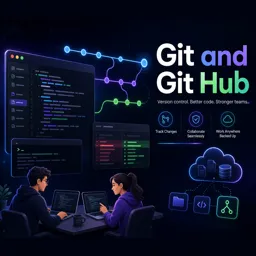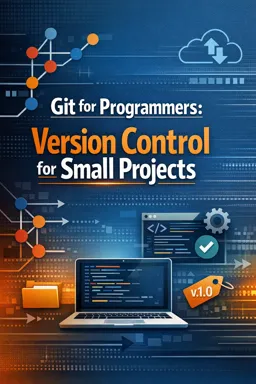

Free ebook on Git for programmers: commits, branches, merges, remotes, pull requests, .gitignore rules, and release tags for small projects.
Free ebook content
-

Git Basics for Programmers: Repositories, Working Tree, and the Commit Mindset
+ Exercise: When a file contains multiple unrelated edits (for example, a bug fix and a formatting change), what is the best way to create focused commits?
-
Clean History with Git: Undo, Amend, and Safe Recovery for Small Projects
+ Exercise: A commit has already been pushed to a branch others may pull from, but you need to undo its effect. Which approach is the safest choice and why?
-
Ignoring the Right Things: .gitignore Rules and Tracking Decisions in Git
+ Exercise: You accidentally committed a .env file in the past, then added .env to .gitignore, but Git still shows changes to .env. What is the correct way to stop tracking the file while keeping it on disk?


-
Branching in Git for Small Features: Isolated Changes and Faster Reviews
+ Exercise: Why is it usually recommended to run git diff main...feature-branch (triple-dot) when preparing to merge a feature branch into main?
-
Merging with Confidence: Fast-Forward, Merge Commits, and Conflict Resolution
+ Exercise: During a merge, when will Git perform a fast-forward instead of creating a merge commit?
-
Sharing Work: Remotes, Pull Requests, and Reviewing Changes with Git
+ Exercise: What is the practical difference between fetching and pulling when you want to get teammates’ latest changes?
About the free ebook
Git for Programmers: Version Control for Small Projects
This free ebook helps programmers use Git with clarity and confidence on small software projects. Learn how to treat every commit as a useful checkpoint, keep changes understandable, and protect working code while features evolve.
Build a practical Git workflow
Start with repositories, the working tree, staging, and commits. The ebook explains how these pieces fit together so you can record intentional changes instead of creating a confusing history.
- Create commits that describe meaningful progress.
- Use amend, undo actions, and recovery techniques safely.
- Configure .gitignore rules for generated files, secrets, and local settings.
Develop features without disrupting stable code
Explore lightweight branching for isolated work, then learn when fast-forward merges or merge commits make sense. Clear guidance on conflict resolution helps you combine changes while preserving the intent of both versions.
Collaborate and preserve milestones
Learn how remotes, pull requests, and code reviews support shared work, even on compact teams. The ebook also covers tags and versioned snapshots, making it easier to mark releases and return to dependable milestones when needed.
Designed for real project habits
Focused on common programming tasks, this guide shows how disciplined Git practices can make small projects easier to maintain, review, share, and recover.
How do I undo a Git commit without losing my code?
Use reset or revert based on whether the commit is shared; the ebook explains safe recovery options.
What files should be added to .gitignore in a programming project?
Ignore generated output, dependency caches, local configuration, logs, and secrets that should not be tracked.
When should I use a Git tag for a release?
Create an annotated tag when a version is stable enough to mark as a release or recoverable milestone.
This ebook includes:

7 content chapters

Digital certificate of course completion (Free)

Exercises to train your knowledge

100% free, from content to certificate
Ready to get started?

 recommended
In the app you will also find...

Over 5,000 free courses
Programming, English, Digital Marketing and much more! Learn whatever you want, for free.

Study plan with AI
Our app's Artificial Intelligence can create a study schedule for the course you choose.

From zero to professional success
Improve your resume with our free Certificate and then use our Artificial Intelligence to find your dream job.
You can also use the QR Code or the links below.