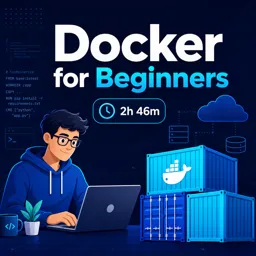

Free ebook explaining Docker containers, images, Dockerfiles, volumes, networks, Compose, and simple containerization projects.
Free ebook content
-

Docker Concepts and Workflow Foundations
+ Exercise: A containerized app needs a dependency update. What is the most reliable Docker workflow to ensure the change is reproducible?
-
Images, Containers, and Registries in Practical Use
+ Exercise: Why is it safer in practical projects to use an explicit version tag or a digest instead of relying on the latest tag?
-
Building Reproducible Environments with Dockerfiles
+ Exercise: Which Dockerfile change most directly improves reproducibility by preventing the base environment from silently changing over time?
-
Running and Inspecting Containers with Core Commands
+ Exercise: You started a container with docker run using a specific name, port mapping, environment variables, and a bind mount. After stopping it, which command should you use to start the same container again without retyping the full run configuration?


-
Persisting Data with Volumes and Bind Mounts
+ Exercise: You run a database in a container and want its data to survive even if you remove and recreate the container. Which approach best fits this goal?
-
Connecting Services with Docker Networks
+ Exercise: In a multi-container setup where a web app must connect to a PostgreSQL container on the same user-defined bridge network, which approach best ensures reliable connectivity without unnecessarily exposing the database to the host?
-
Defining Multi-Service Setups with Docker Compose
+ Exercise: In a Docker Compose setup, what is the correct way for one service container to reach another service container?
-
Project: Containerizing a Static Website
+ Exercise: During development of a containerized static website, which workflow best enables quick iteration without rebuilding the image after each change?
-
Project: Simple API Containerization and Configuration
+ Exercise: When changing an APIs environment-specific settings in a container (such as APP_ENV or LOG_LEVEL), what is the recommended way to apply the change without modifying the image?
-
Project: API and Database with Multi-Container Orchestration
+ Exercise: In a Docker Compose API plus PostgreSQL setup, which approach best prevents the API from failing when the database takes time to become ready?
-
Troubleshooting Containers, Builds, and Connectivity
+ Exercise: You published a container port to the host, but curl to localhost returns connection refused. Which check most directly confirms whether the application is reachable from outside the container?
-
Core Docker Glossary and Reference Checklist
+ Exercise: You can run docker build and docker run, but nothing shows up on your local machine where you expected. Which concept best explains how the same Docker CLI command might be affecting a different environment?
About the free ebook
Docker for Beginners: Containers Explained with Simple Projects
Learn how Docker helps developers package applications, dependencies, and configuration into portable containers. This free ebook introduces container workflows through clear explanations and practical projects designed for aspiring developers, IT professionals, and anyone who wants to create more consistent development environments.
Understand the Docker workflow
Discover the relationship between images, containers, and registries, and see how these components support repeatable application delivery. The ebook explains how Dockerfiles define build instructions and how core commands help you run, inspect, stop, and troubleshoot containers.
Build environments that travel well
Explore ways to keep application setup reliable across local machines and deployment targets. You will work with data persistence through volumes and bind mounts, connect services using Docker networks, and manage configuration without embedding environment-specific details in an application image.
Learn through simple projects
Put the concepts into practice by containerizing a static website and a simple API. Then move on to a multi-container API and database setup, where Docker Compose makes it easier to define and run connected services together.
Practical skills covered
- Create and build Docker images with Dockerfiles.
- Run, inspect, and debug containers with essential commands.
- Persist application data and share local files safely.
- Connect application services over Docker networks.
- Define repeatable multi-service environments with Docker Compose.
Finish with troubleshooting guidance and a focused reference checklist to help you recognize common Docker terms and solve issues involving builds, containers, and service connectivity.
What is the difference between a Docker image and a container?
An image is a reusable blueprint; a container is a running instance created from that image.
How do Docker volumes differ from bind mounts?
Volumes are managed by Docker, while bind mounts map a specific host directory into a container.
What is Docker Compose used for?
Docker Compose defines and runs multi-container applications, such as an API and its database, from one configuration file.
This ebook includes:

12 content chapters

Digital certificate of course completion (Free)

Exercises to train your knowledge

100% free, from content to certificate
Ready to get started?

 recommended
In the app you will also find...

Over 5,000 free courses
Programming, English, Digital Marketing and much more! Learn whatever you want, for free.

Study plan with AI
Our app's Artificial Intelligence can create a study schedule for the course you choose.

From zero to professional success
Improve your resume with our free Certificate and then use our Artificial Intelligence to find your dream job.
You can also use the QR Code or the links below.