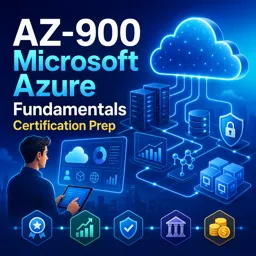
Introduction to Microsoft Azure
Microsoft Azure is a leading cloud computing platform that provides a wide range of services to help organizations move, build, and manage applications in the cloud. Designed for businesses of all sizes, Azure enables seamless deployment of web servers, scalable applications, and cloud-based solutions that modernize IT infrastructures.
Key Features of Azure
- Global Reach: Operates in numerous data center regions worldwide, allowing resources to be deployed close to customers for better performance and compliance.
- Variety of Services: Offers solutions for computing, storage, networking, databases, artificial intelligence, analytics, and IoT.
- Pay-as-You-Go: Flexible pricing lets organizations pay only for what they use, optimizing costs and budgeting.
- Integrated Security: Incorporates advanced security tools and monitoring to protect resources and data.
- Hybrid Capabilities: Seamlessly connects on-premises infrastructure with cloud resources, supporting hybrid solutions.
Common Azure Services for Web Servers and Cloud Applications
Azure provides a robust environment for hosting web servers and developing cloud-powered applications. Key services include:
- Azure Virtual Machines: Spin up Windows or Linux-based servers in the cloud.
- Azure App Service: Host scalable web apps, RESTful APIs, and mobile backends efficiently.
- Azure Blob Storage: Store and serve large amounts of unstructured data.
- Azure SQL Database: A managed service for building data-driven web applications.
- Azure Load Balancer: Distribute traffic across multiple servers to ensure high availability.
Benefits of Adopting Azure
- Scalability: Quickly adjust resources to meet demand, ensuring reliable application performance during peak times.
- Disaster Recovery: Built-in backup and recovery solutions keep data protected and accessible.
- Compliance: Meets many global compliance and regulatory standards, making it suitable for highly regulated industries.
- Developer Productivity: Integrations with popular development tools and continuous deployment workflows accelerate the application lifecycle.
Getting Started with Azure
Begin by creating an Azure account and exploring its user-friendly portal. Deploy pre-configured resources, manage services, and monitor performance from a single dashboard. Microsoft also provides extensive documentation and training materials to help beginners learn cloud concepts and Azure services.
Conclusion
Microsoft Azure offers a versatile and secure platform for organizations seeking to leverage web servers and cloud computing. With its comprehensive services and global infrastructure, Azure provides a strong foundation for building modern applications and scaling IT solutions efficiently.