Introduction
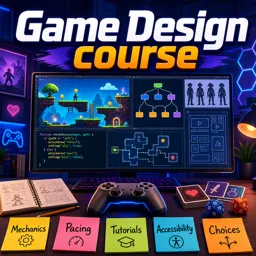
Game design is a complex yet rewarding process that involves creativity, technical skills, and an understanding of player psychology. This article will guide you through the essential principles of game design, from brainstorming and conceptualizing game ideas to designing game mechanics and creating a prototype.
Brainstorming and Conceptualizing Game Ideas
The first step in game design is to brainstorm and develop a concept. This involves generating ideas and then refining them into a cohesive game concept.
Tips for Brainstorming:
- Mind Mapping: Use mind maps to explore different ideas and how they could interconnect.
- Research: Look at existing games for inspiration, but strive to add a unique twist.
- Collaborate: Discuss your ideas with others to get feedback and new perspectives.
Defining Your Game Concept:
- Genre and Theme: Decide on the genre (e.g., action, puzzle, RPG) and theme (e.g., fantasy, sci-fi) of your game.
- Core Mechanics: Identify the main mechanics that will define your gameplay (e.g., platforming, puzzle-solving, combat).
- Story and Characters: Outline a basic storyline and develop key characters to give your game depth.
Designing Game Mechanics and Gameplay
Once you have a solid concept, the next step is to design the game mechanics and gameplay. This involves defining how players will interact with your game and what makes it fun and engaging.
Key Components of Game Mechanics:
- Rules: Establish the rules that govern how the game is played.
- Objectives: Define the goals or objectives players need to achieve.
- Challenges: Create challenges that make achieving objectives interesting and rewarding.
- Rewards: Design a reward system to encourage players to continue playing.
Prototyping Mechanics:
- Paper Prototyping: Start with a simple paper prototype to test basic mechanics.
- Digital Prototyping: Use game development tools like Unity or Unreal Engine to create a digital prototype.
Creating a Prototype and Playtesting
Prototyping is a critical phase where you turn your game design into a playable version. This allows you to test your ideas and refine them based on feedback.
Steps to Create a Prototype:
- Basic Prototype: Develop a basic version of your game that includes core mechanics and a few levels.
- Playtesting: Conduct playtesting sessions with a diverse group of players to gather feedback.
- Iteration: Use the feedback to make improvements and refine your game design.
Tips for Effective Playtesting:
- Objective Feedback: Encourage honest and objective feedback from playtesters.
- Observation: Watch how players interact with your game and note any issues or areas of confusion.
- Iteration: Be prepared to iterate on your design multiple times to achieve the best results.
Conclusion
Designing a game from concept to prototype is a journey that requires creativity, patience, and a willingness to learn from feedback. By following these game design principles and iterating on your ideas, you can create engaging and enjoyable games. Remember, the key to successful game design is to keep the player experience at the forefront of your mind and to continually refine and improve your game based on feedback.