IT tools are often taught as separate islands—version control in one place, analytics in another, SEO somewhere else. But in real work, the differentiator is whether you can produce outcomes that are repeatable, explainable, and easy to review. That’s what “audit-ready” means: your changes can be traced, your results can be reported, and your process can be repeated by someone else without guesswork.
This article outlines a practical skill stack for IT tools that emphasizes documentation, reporting, and standard operating procedures (SOPs)—a combination that helps you manage systems, reduce costs, and demonstrate value. If you’re browsing course options, start with the https://cursa.app/free-online-information-technology-courses or jump directly into https://cursa.app/free-courses-information-technology-online to map your learning path.
1) The missing skill: operational clarity (not just tool knowledge)
Many learners can “use” a tool, but struggle to explain what they did, why they did it, and what changed as a result. Operational clarity is the ability to translate actions into records: tickets, change logs, dashboards, runbooks, and postmortems. When you build that habit, you become easier to trust—and your work becomes easier to scale.
2) Start with an evidence-first workflow
An evidence-first workflow means you decide upfront what you’ll capture as proof: baseline metrics, screenshots, logs, commit history, or a short report. The goal isn’t bureaucracy—it’s speed. When evidence is part of the workflow, you spend less time later reconstructing what happened.
Use this simple loop:
Baseline → Change → Measure → Document → Share
Baseline: record current state and pain points.
Change: implement the smallest safe improvement.
Measure: compare before/after.
Document: capture steps, rationale, and rollback plan.
Share: publish results in a format others can reuse.
3) Git as your documentation engine (even for non-code work)
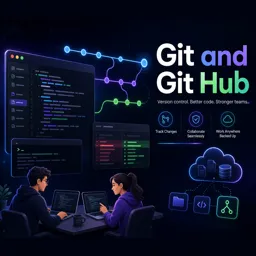
Git is not only for software teams. It’s a lightweight way to track changes to any text-based artifact: SOPs, incident notes, configuration snippets, SEO checklists, data definitions, and analytics documentation. A repository becomes a “single source of truth” that keeps your processes consistent.
Practical Git habits for audit-ready work:
- One change per commit with a message that explains intent (e.g., “Add rollback steps for nginx config update”).
- Use branches for experiments (“try-new-dashboard-layout”) and merge once validated.
- Store runbooks and templates alongside your work so documentation evolves with practice.
To learn the fundamentals and apply them broadly, explore https://cursa.app/free-online-courses/git.

4) Analytics that supports decisions (not vanity dashboards)
Analytics becomes powerful when it answers operational questions: “Did the change reduce errors?”, “Did page speed improvements improve engagement?”, “Which workflow step is the bottleneck?” Avoid dashboards that only look impressive; build reporting that triggers action.
Decision-friendly analytics tips:
- Define a small set of KPIs tied to outcomes (cost, time saved, error rate, conversion rate).
- Annotate changes so you can correlate spikes or drops with deployments and updates.
- Create a measurement plan that documents events, definitions, and naming conventions.
If your focus includes web or product measurement, take a look at https://cursa.app/free-online-courses/google-analytics and practice building a measurement plan that a teammate could implement without interpretation.
5) SEO as a repeatable checklist, not a guessing game
SEO work often fails because it’s treated as “tips and tricks” rather than a controlled process. An audit-ready SEO approach is simple: create a checklist, record what you changed, and measure impact over a defined period. Your goal is a workflow someone else can run—and improve.
Examples of repeatable SEO artifacts you can version in Git:
- Technical audit checklist (crawlability, indexation, canonical rules)
- On-page template (titles, headings, internal links, schema notes)
- Content brief template (intent, target queries, structure, acceptance criteria)
- Change log (what changed, where, and why)
6) The underrated productivity multiplier: templates
Templates reduce cognitive load and prevent reinvention. A good template is not a form to fill—it’s a decision guide. Create templates for the work you do repeatedly and store them where your team (or future you) can find them.
High-impact templates to build:
- SOP template: purpose, prerequisites, steps, validation, rollback
- Weekly report: goals, changes shipped, metrics, risks, next steps
- Incident note: timeline, impact, root cause, remediation, follow-ups
- Experiment plan: hypothesis, method, success criteria, results, conclusion
7) Make “reduce costs” a measurable learning goal
Reducing costs sounds abstract until you connect it to tool-driven behaviors: fewer repeated tasks, fewer outages, faster onboarding, and clearer ownership. You can practice this as you learn by choosing a small process and optimizing it end-to-end.
Cost-reduction metrics you can track without complex setups:
- Time-to-complete a recurring task (before vs after SOP/template)
- Number of manual steps eliminated
- Mean time to resolve a recurring issue
- Rework rate (how often tasks are repeated due to missing info)

8) Where DevOps and containers fit (optional, but powerful)
If your path includes system reliability or scalable deployments, DevOps and container tooling can support audit-readiness by making environments consistent and changes repeatable. Even a basic understanding helps you interpret logs, coordinate releases, and document operational procedures clearly.
Explore learning paths here:
- https://cursa.app/free-online-courses/devops
- https://cursa.app/free-online-courses/docker
- https://cursa.app/free-online-courses/kubernetes
9) A 4-week practice plan you can repeat for any tool
Rather than trying to learn everything at once, use a small practice plan that produces a portfolio of evidence.
Week 1: Choose one workflow
Pick a process you can measure (reporting, content updates, system checks). Create a baseline and define success metrics.
Week 2: Build documentation assets
Write an SOP, create a template, and store it in a versioned repo. Make a rollback plan even if it feels excessive—this builds strong operational habits.
Week 3: Implement a change + measurement
Run the process using your new assets. Capture before/after results in a simple dashboard or report.
Week 4: Publish a mini case study
Summarize what changed, what improved, what didn’t, and what you’d do next. This is the kind of artifact that signals job-ready competence.
10) What “free certifications” should validate
Certifications matter most when they reflect skills you can demonstrate. When selecting courses, look for those that produce tangible outputs: repositories, dashboards, documented audits, or repeatable workflows. The best outcome is a set of artifacts you can reuse across roles and projects.
Continue exploring free learning paths in https://cursa.app/free-courses-information-technology-online and broaden your toolkit through the https://cursa.app/free-online-information-technology-courses.

Conclusion
Being strong with IT tools isn’t only about knowing features—it’s about producing work that others can verify and repeat. Build your stack around evidence: version your documentation, measure your impact, standardize with templates, and publish outcomes. That’s how tool skills turn into reliable, cost-saving, career-ready capability.