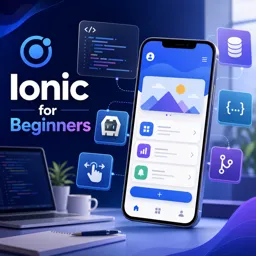
Ionic is a premier framework for developing robust, cross-platform mobile applications using familiar web technologies like HTML, CSS, and JavaScript. This guide explores best practices and advanced tips to help developers build high-performing, maintainable Ionic apps beyond the basics.
Understanding the Ionic Framework
Ionic allows developers to create apps that work seamlessly on iOS, Android, and the web from a single codebase. By leveraging popular frontend frameworks such as Angular, React, or Vue, and combining them with a rich library of UI components, Ionic delivers native-like experiences while keeping development efficient.
Best Practices for Structuring Ionic Projects
- Modularize Your Code: Break your app into smaller, reusable modules or components to enhance maintainability and scalability.
- Lazy Load Pages: Use lazy loading in Angular or React to reduce initial load times, improving performance for apps with many pages.
- Utilize Environment Variables: Separate configurations for development, staging, and production to avoid hard-coding sensitive data.
Maximizing Performance
- Optimize Images and Assets: Compress images and use SVGs for icons to minimize bundle size.
- Minimize Third-Party Dependencies: Use only necessary plugins and libraries to prevent unnecessary bloat.
- Hardware Access with Capacitor and Cordova: Integrate native device features responsibly and test across platforms to ensure consistent functionality.
Advanced Tips for Ionic App Development
- Implement Deep Linking and Routing: Enable users to navigate directly to specific screens via links or notifications.
- Enhance User Experience with Custom Animations: Add subtle, meaningful animations for key interactions to elevate app experience.
- Adopt Unit and End-to-End Testing: Integrate automated testing frameworks to maintain reliability as your app grows.
- Monitor and Analyze App Performance: Utilize tools like Google Analytics or Firebase to gain insights into user behavior, identify bottlenecks, and improve retention.
Deploying Your Ionic App
Once your app is ready, use Ionic tools and Capacitor to compile and deploy for iOS and Android. You can also release it as a Progressive Web App (PWA) for broader accessibility across devices.
Conclusion
Ionic empowers developers to build high-quality, cross-platform apps using a single codebase. By following best practices and adopting advanced strategies, you can create performant, maintainable, and feature-rich mobile applications that delight users on any device.