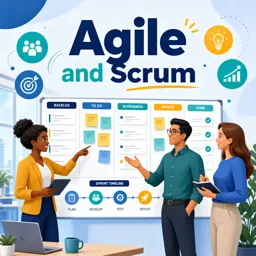

Free ebook explaining day-to-day Scrum, team accountabilities, Sprints, backlogs, user stories, quality, and continuous improvement.
Free ebook content
-

How Scrum Works Day-to-Day: The Flow of a Sprint
+ Exercise: During a Sprint, what best describes what “commitment to the Sprint Goal” means in day-to-day work?
-
Scrum Accountabilities in Practice: Product Owner, Scrum Master, Developers
+ Exercise: Mid-sprint, you discover a technical dependency that could prevent meeting the Sprint Goal. What is the best next action sequence to protect the Sprint Goal and enable a fast decision?


-
The Product Backlog: Turning Ideas into Actionable Work
+ Exercise: Which statement best describes what makes a Product Backlog Item (PBI) actionable?
-
User Stories for Scrum Teams: Writing, Splitting, and Understanding
+ Exercise: Which option best describes how acceptance criteria should be written to reduce ambiguity and support testing of a user story?
-
Scrum Artifacts and Commitments: Product Backlog, Sprint Backlog, Increment
+ Exercise: During a Sprint, a new piece of work is discovered. What is the best way to decide whether to add it to the Sprint Backlog or send it to the Product Backlog?
-
Definition of Done and Quality: Making “Done” Unambiguous
+ Exercise: A Product Backlog item is marked “Done except testing.” According to the Definition of Done, what should the team conclude and do next?
-
Sprint Planning: Choosing Work and Building a Plan Around the Sprint Goal
+ Exercise: During Sprint Planning, if the team has reduced capacity due to vacations and on-call work, what is the best way to adjust the Sprint plan while staying aligned with Scrum expectations?
-
Estimation Basics in Scrum: Relative Sizing and Forecasting
+ Exercise: Which statement best describes how Scrum teams should use estimates when planning and forecasting work?
-
Daily Scrum: Inspecting Progress Toward the Sprint Goal
+ Exercise: Which outcome best reflects an effective Daily Scrum?
-
Collaboration During the Sprint: Swarming, Pairing, and Managing Work in Progress
+ Exercise: A Scrum Team has reached its WIP limit, and several items are waiting in Review and Test. What is the best next action to protect flow and the Sprint Goal?
-
Sprint Review: Demonstrating the Increment and Updating Direction
+ Exercise: Which outcome best indicates a successful Sprint Review?
-
Sprint Retrospective: Improving How the Team Works Each Sprint
+ Exercise: During a Sprint Retrospective, which approach best helps ensure improvements actually carry into the next sprint?
-
Common Pitfalls for New Scrum Teams: What to Watch For and How to Respond
+ Exercise: During a Sprint, several backlog items are “almost done” late in the Sprint and testing keeps piling up at the end. What is the best first response to reduce risk and improve flow?
About the free ebook
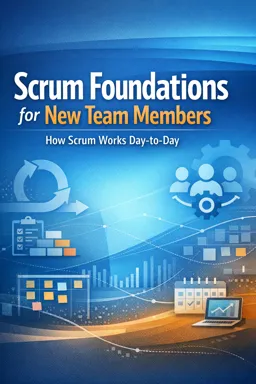
Scrum Foundations for New Team Members: How Scrum Works Day-to-Day
This free ebook gives new Scrum team members a practical introduction to the habits, conversations, and decisions that shape work during a Sprint. It explains Scrum as a framework for learning through short cycles, delivering useful value, and adapting based on evidence.
Understand the rhythm of a Sprint
Learn how a Sprint moves from a clear goal and selected work to a usable Increment. The ebook shows how Sprint Planning, the Daily Scrum, the Sprint Review, and the Sprint Retrospective connect without turning Scrum into a rigid sequence of meetings.
Know who is accountable for what
Explore how the Product Owner, Scrum Master, and Developers work together. You will see how accountability differs from job title, why Developers organize their own work, and how each accountability supports focus on product value and quality.
Turn ideas into valuable work
Discover how Product Backlog items and user stories help teams make needs understandable and actionable. The ebook introduces practical ways to clarify work, split large items, estimate comparatively, and create a plan that supports the Sprint Goal.
Build quality into every Increment
A shared Definition of Done makes completion visible and protects quality. Learn how the Product Backlog, Sprint Backlog, and Increment provide transparency, and why unfinished work does not become part of a usable Increment.
Collaborate and improve continuously
Scrum depends on frequent inspection and adaptation. Read about managing work in progress, swarming on important items, pairing when it helps, demonstrating outcomes to stakeholders, and using retrospectives to make one meaningful improvement at a time.
Designed for practical application
- Recognize the purpose of each Scrum event.
- Use the Sprint Goal to guide daily decisions.
- Understand common early-team pitfalls, including unclear ownership, overloaded Sprints, and treating estimates as promises.
- Participate more confidently in planning, reviews, and improvement discussions.
Use this ebook as a clear reference for joining a Scrum team and contributing to transparent, collaborative delivery from your first Sprint onward.
What is the purpose of a Sprint Goal in Scrum?
The Sprint Goal explains why the Sprint matters and helps the team make focused trade-offs as work evolves.
What is the difference between a Product Backlog and a Sprint Backlog?
The Product Backlog contains future product work; the Sprint Backlog is the selected Sprint work and the team’s delivery plan.
Why is the Definition of Done important in Scrum?
It creates a shared quality standard, making it clear when an Increment is usable and complete.
This ebook includes:

13 content chapters

Digital certificate of course completion (Free)

Exercises to train your knowledge

100% free, from content to certificate
Ready to get started?

 recommended
In the app you will also find...

Over 5,000 free courses
Programming, English, Digital Marketing and much more! Learn whatever you want, for free.

Study plan with AI
Our app's Artificial Intelligence can create a study schedule for the course you choose.

From zero to professional success
Improve your resume with our free Certificate and then use our Artificial Intelligence to find your dream job.
You can also use the QR Code or the links below.