Create summary tasks and subtasks for the WBS, then customize WBS codes through Project settings. Milestones are typically zero-duration tasks shown as diamond symbols on the Gantt chart.

Duration of the online course: 6 hours and 43 minutes
New
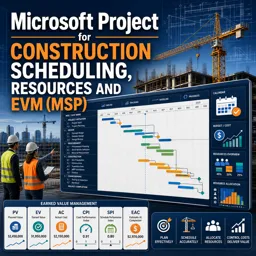
Master construction scheduling with Microsoft Project—build Gantt charts, manage resources and EVM, and boost project control in this free online course.
Take control of construction timelines and costs with practical Microsoft Project skills built for real jobsite demands. This free online course guides you through setting up a schedule the way contractors and project teams actually need it: with clear work breakdown structures, dependable logic links, and milestones that make progress easy to track on a Gantt chart and in network views. You will learn to create schedules that reflect how work happens in the field, not just how it looks on paper, so your plan is easier to communicate, defend, and update.
A strong schedule is more than dates, so you will also focus on resource and cost planning. You will work with different resource types, configure rates, cost accruals, calendars, and working time, and understand what happens when units, work, or duration changes under different task types. That means you can forecast staffing needs, spot overallocations, and apply practical leveling approaches to reduce clashes without losing visibility. The course emphasizes decision-making, helping you understand why Microsoft Project behaves the way it does when you adjust settings or add resources.
As the project moves forward, updating progress accurately is critical for trustworthy forecasts. You will learn how to report progress in a way that allows Microsoft Project to recalculate dates and projections correctly, and how baselines support meaningful comparisons. From there, the course connects scheduling to performance measurement through Earned Value Management, explaining key indicators such as CPI, SPI, schedule variance, and the role of percent complete versus physical percent complete for construction realities.
To help you work efficiently, you will also practice filtering, grouping, and switching between essential views for planning, tracking, and analysis, plus moving data in and out of Microsoft Project using common formats like Excel and PDF. By the end, you will be able to produce schedules that are easier to maintain, resource plans that are more realistic, and reports that support clear decisions with stakeholders.

6 hours and 43 minutes of online video course

Digital certificate of course completion (Free)

Exercises to train your knowledge

100% free, from content to certificate
How do I create construction WBS codes and milestones in Microsoft Project?
Create summary tasks and subtasks for the WBS, then customize WBS codes through Project settings. Milestones are typically zero-duration tasks shown as diamond symbols on the Gantt chart.
How does Microsoft Project calculate CPI, SPI, and Schedule Variance for construction projects?
Microsoft Project uses Earned Value Management data after a baseline and progress updates are set. CPI compares earned value with actual cost, SPI compares earned value with planned value, and SV is EV minus PV.
How can I fix overallocated labor and equipment resources in Microsoft Project?
Use Resource Usage or Resource Sheet views to identify conflicts, then replace resources, adjust assignments or working time, or apply resource leveling to resolve overallocations.
Ready to get started?Download the app and get started today.
Install the app now
to access the course
Over 5,000 free courses
Programming, English, Digital Marketing and much more! Learn whatever you want, for free.

Study plan with AI
Our app's Artificial Intelligence can create a study schedule for the course you choose.

From zero to professional success
Improve your resume with our free Certificate and then use our Artificial Intelligence to find your dream job.
You can also use the QR Code or the links below.



Free CourseProject Management Second Edition
5

(4)

18h17m

41 exercises
Free CourseAgile and Scrum
5
(14)
2h50m
4 exercises
Free CourseProject Management for managers
4.8
(6)
31h38m
32 exercises
Free CourseTime Management
4.8

(12)
2h16m
3 exercises
Free CourseProject Management Course
4.7
(24)
4h14m
20 exercises
Free CourseScrum Master course
4.7
(6)
3h28m
9 exercises
Free CourseProject Management course
4.6
(7)
10h06m
47 exercises
Free CourseProject management tutorial
4.5
(50)
15h48m
22 exercises
Free CourseProject Management training
4.5
(15)
8h06m
5 exercises
Free CourseProject Management Body of Knowledge
4.3
(3)
1h01m
6 exercises
Carry knowledge in your pocket.
Download the Cursa app.
There are hundreds of free courses available, with a free certificate of completion that is saved in your mobile image gallery.
Download the app to access the Course Completion Certificate for Free.


+ 10 million
students

Free and Valid
Certificate

60 thousand free
exercises

4.8/5 rating in
app stores

Free courses in
video and ebooks