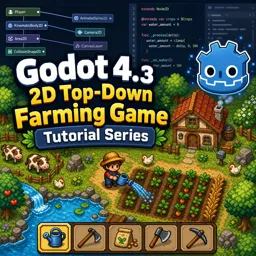
Free Course Image Godot 4.3 2D Top-Down Farming Game Tutorial Series

Free online courseGodot 4.3 2D Top-Down Farming Game Tutorial Series

Duration of the online course: 16 hours and 57 minutes

New

Build a 2D top-down farming game in Godot 4.3 with this free course—learn tilemaps, UI, save/load, NPC AI, and polish your portfolio fast.

In this free course, learn about

  • Godot 4.3 2D project setup, assets workflow, and editor tweaks for a cleaner workspace
  • Building top-down farming maps with TileMapLayers, terrains, animated tiles, and layer organization
  • Reusing scenes (e.g., houses) inside TileMap layers via scene collections and instancing patterns
  • Y-sorting rules for scenes/tilemaps so characters correctly render behind/over trees and objects
  • Player animation system with a state machine, including walk/idle and tool-action transitions
  • Tool/action states: chopping, tilling, watering, and the input/conditions that trigger them
  • Destructible resources (trees/rocks): damage components, hit/hurt logic, drops, and call_deferred use
  • Visual polish via shaders (e.g., vertex shake) and script-controlled start/stop triggering
  • NPC AI with animations, reusable states, NavigationRegion2D, NavigationAgent2D avoidance and tuning
  • UI systems: tools panel, inventory UI, theming/styling with Theme resources, and singleton managers
  • Collectable component design: reusable pickup behavior and inventory storage using name→count mapping
  • Day/night cycle using CanvasModulate + GradientTexture1D and crop growth driven by passing days
  • Saving/loading via Resources + components, including level data capture and restoration responsibilities
  • Interactions, dialog balloons, chests/rewards, level assembly/testing scenes, menus, and audio bus layouts

Course Description

Turn Godot 4.3 into a complete, shippable 2D top-down farming game by following a start-to-finish workflow that mirrors how real projects are built. This free online course is designed for developers who want more than isolated tips: you will practice setting up a clean project, keeping systems organized, and iterating toward a playable experience that feels cohesive, responsive, and alive.

Rather than treating game features as one-off scripts, you will build a foundation around reusable components and consistent patterns. You will get comfortable with tilemap layering for readable worlds, terrain and animated tiles for visual feedback, and Y-sorting so characters and environment elements overlap correctly. Along the way you will strengthen core game-feel skills: movement and animation driven by state machines, tool usage for actions like chopping, tilling, watering, and interactions that make the world react to the player.

As the game grows, you will learn to scale it without turning the project into a tangled mess. You will create collectables, an inventory UI with styling through theme resources, and a day/night cycle that ties directly into crop growth so time actually matters. NPCs such as farm animals move believably using navigation regions and agents, including avoidance tuning to reduce awkward clustering. You will also implement practical production features like saving and loading data with resources, dialog interactions, rewards via chests, and a main menu flow that avoids common scene-management pitfalls.

By the end, you will have touched every layer of a modern Godot 2D project: visuals, input, UI, game logic, navigation, persistence, and audio bus setup for music and sound effects. The result is a portfolio-ready project and, more importantly, a repeatable blueprint you can adapt to your own game ideas, prototypes, or commercial releases.

Course content

  • Video class: How to Build a Complete 2D Farming Game an 8-Hour Tutorial Series - Godot 4.3 - All 25 Episodes 8h28m
  • Exercise: In Godot 4.3, what is the recommended way to organize separate layers like water, grass, and tilled dirt for a top-down farming map?
  • Video class: Farming Game Project Setup and Assets - Godot Tutorial - 2D Top Down Game - Pt 1 04m
  • Exercise: When setting up the Godot project for a 2D top-down game, what editor change helps simplify the workspace?
  • Video class: Tilemap Layers with Animated Tiles and Terrains - Godot Tutorial - 2D Top Down Game - Pt 2 15m
  • Video class: Create Houses with Tilemaps and Scene Collections - Godot Tutorial - Pt 5 25m
  • Exercise: How can you reuse a house scene multiple times inside a TileMapLayer in Godot 4.3?
  • Video class: How to use Y Sort on your Scenes and Tilemap Layers - Godot Tutorial - 2D Top Down Game - Pt 9 10m
  • Exercise: In a top-down Godot 4.3 project, what must be true for Y-sorting to correctly place the player behind a tree TileMapLayer?
  • Video class: Player Animations and State Machine Transitions- Godot Tutorial - 2D Top Down Game - Pt 3 32m
  • Exercise: In the player state machine setup, what condition is used to transition from the Walk state back to the Idle state?
  • Video class: Player State Machine Chopping, Tilling and Watering Tool States - Godot Tutorial - Pt 4 12m
  • Exercise: What condition is used to transition from the idle state into the chopping state?
  • Video class: Create Chop-able Trees with Damage and Log Collectables - Godot Tutorial - Pt 6 25m
  • Exercise: Why is a log instance added using call_deferred after a tree reaches max damage?
  • Video class: Make a 2D Tree Shake with Vertex Shader Effects - Godot Tutorial - 2D Top Down Game - Pt 7 08m
  • Exercise: How is the tree shake effect triggered and stopped in the script?
  • Video class: Rock Mining using Reusable Hit, Hurt, Damage and Collectable Components - Godot Tutorial - Pt 8 12m
  • Exercise: In the rock setup, why are two different CollisionShape2D nodes used?
  • Video class: Chicken NPC Animations, State Machine with Navigation and Avoidance - Godot Tutorial - Pt 10 35m
  • Exercise: Why is a NavigationRegion2D used for the chicken NPC?
  • Video class: Cow NPC State Machine, Reusable States, Navigation Region and Agents - Godot Tutorial - Pt 11 07m
  • Exercise: When setting up the cow NPC to move within a navigation region, what key change was made to the NavigationRegion2D compared to the chicken setup?
  • Video class: Multiple Navigation Regions using Collision Subtraction and Agents - Godot Tutorial - Pt 12 10m
  • Exercise: Which NavigationAgent2D setting change helps prevent NPCs from clustering along the edges of a NavigationRegion2D?
  • Video class: Tools Panel UI And How to Style using Theme Resources - Godot Tutorial - Pt 13 25m
  • Exercise: What is the main purpose of adding the Tool Manager script to Project Settings as a Global (Singleton)?
  • Video class: How to Create Reusable Collectable Components - Godot Tutorial - 2D Top Down Game - Pt 14 10m
  • Exercise: What makes the Collectable Component reusable across different items?
  • Video class: How to Create an Inventory UI for collectables with Theming and Styling - Godot Tutorial - Pt 15 19m
  • Exercise: In the inventory system, what data structure is used to store each collectible name and its current count?
  • Video class: Day and Night Cycle UI Component with Time and Speed - Godot Tutorial - Pt 16 31m
  • Exercise: In the day/night system, what is the purpose of the CanvasModulate-based Day Night Cycle Component using a GradientTexture1D?
  • Video class: Grow Crops for your Farming Game using Day and Night Cycles - Godot Tutorial - Pt 17 30m
  • Exercise: In the crop setup, what condition must be true before the Growth Cycle Component starts advancing through growth states as days pass?
  • Video class: How to Use Tools to Plant Crops in Your Farming Game - Godot Tutorial - Pt 18 20m
  • Exercise: In the field cursor component, what condition must be true before a tilled soil tile is placed?
  • Video class: Save and Load Game Data with Resources and Components - Godot Tutorial - Pt 19 30m
  • Exercise: In this save system, what is the main purpose of the Save Level Data Component?
  • Video class: How to Create Character Interaction in Your Game - Godot Tutorial - Pt 20 12m
  • Exercise: In the guide character setup, what was the main purpose of creating a CanvasItem shader with the fragment function?
  • Video class: Create Custom Dialog Balloons with Scripts for your Characters - Godot Tutorial - Pt 21 33m
  • Exercise: What is the purpose of adding an input action (mapped to the E key) in the guide interaction setup?
  • Video class: Use Collectables and Chests for Rewards in Your Game - Godot Tutorial - Pt 22 30m
  • Exercise: What setup allows the chest to detect when Harvest collectibles are dropped into it so it can output reward scenes?
  • Video class: Create a Game Level with Components and Scenes - Godot Tutorial - Pt 23 20m
  • Exercise: What is the main reason for creating and reusing isolated test scenes when building a full Level One scene in Godot 4.3?
  • Video class: Create and Style a Game Main Menu using UI and Theme Components - Godot Tutorial - Pt 24 31m
  • Exercise: What was the key fix to prevent the main scene from being added multiple times when pressing Start again after returning to the menu?
  • Video class: Use Audio Bus Layout for Music and Sound Effects - Godot Tutorial - Pt 25 12m
  • Exercise: What is the main purpose of creating and assigning a custom Audio Bus Layout in the project settings?

This free course includes:

16 hours and 57 minutes of online video course

Digital certificate of course completion (Free)

Exercises to train your knowledge

100% free, from content to certificate

Ready to get started?Download the app and get started today.

Install the app now

to access the course
Icon representing technology and business courses

Over 5,000 free courses

Programming, English, Digital Marketing and much more! Learn whatever you want, for free.

Calendar icon with target representing study planning

Study plan with AI

Our app's Artificial Intelligence can create a study schedule for the course you choose.

Professional icon representing career and business

From zero to professional success

Improve your resume with our free Certificate and then use our Artificial Intelligence to find your dream job.

You can also use the QR Code or the links below.

QR Code - Download Cursa - Online Courses

More free courses at Game development

Free Ebook + Audiobooks! Learn by listening or reading!

Download the App now to have access to + 5000 free courses, exercises, certificates and lots of content without paying anything!

  • 100% free online courses from start to finish

    Thousands of online courses in video, ebooks and audiobooks.

  • More than 60 thousand free exercises

    To test your knowledge during online courses

  • Valid free Digital Certificate with QR Code

    Generated directly from your cell phone's photo gallery and sent to your email

Cursa app on the ebook screen, the video course screen and the course exercises screen, plus the course completion certificate