Use TileMapLayer nodes. They replace the older TileMap workflow and let you organize tiles across separate layers.

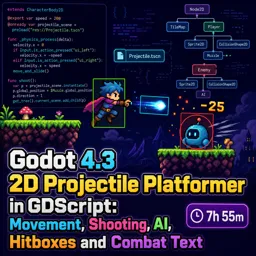
Duration of the online course: 7 hours and 55 minutes
New
Build a 2D projectile platformer in Godot 4.3: responsive movement, mouse-aim shooting, enemy AI, hitboxes and combat text. Free online course.
Create a fast, satisfying 2D projectile platformer while learning how modern Godot 4.3 projects are structured in real production-style patterns. This free online course guides you from the first lines of GDScript to a complete moment-to-moment combat loop where movement feels responsive, shots spawn and behave correctly, enemies react to damage, and the screen communicates impact through hit effects and floating combat text.
You will design a player controller with reliable acceleration, jumping, and grounded control, then extend it into a shooter that aims toward the mouse and fires projectiles with proper physics. Along the way, you will learn why some logic belongs in different engine callbacks, how to instance gameplay objects cleanly without creating tangled scene trees, and how to prevent shots from spawning inside walls by checking collisions at the muzzle point. These are the small decisions that make a project scale smoothly as features grow.
Combat becomes meaningful as you implement hitboxes and hurtboxes that detect overlaps without unwanted physical pushing, apply damage, trigger hit reactions, and clean up safely with queue_free when objects are removed. You will build enemy behavior with behavior trees, including hit-stun and death handling that stops logic at the right time, so animations do not loop incorrectly and AI states remain consistent.
To keep systems maintainable, you will also explore practical architecture techniques such as autoload singletons for shared naming and state, using dedicated data objects for hits instead of messy parameter lists, and separating knockback direction from tunable stats for clearer reuse. Visual feedback is improved through simple shader-driven flashing on damage and a combat text system tied to health changes, giving your game readable, satisfying responses to every action.
By the end, you will have a cohesive mini-game foundation with player and enemy behavior, UI tracking and game over flow, sound effects for firing, and patterns you can carry into larger projects. Whether you are starting in game development or upgrading your Godot 4 knowledge, you will leave with sharper GDScript habits and a practical platformer combat toolkit you can extend into your own ideas.

Explore free online Godot 4 courses designed to help beginners and aspiring game developers master 2D and 3D game creation. Learn GDScript, scenes, nodes, physics, animation, UI, and game publishing through flexible lessons. Enroll today, build practical projects, and earn a certificate with every free Godot 4 course you complete.

Explore free online 2D game development courses with certificates and learn to create engaging games from scratch. Build practical skills in game design, programming, animation, sprites, physics, level creation, and popular engines. Study at your own pace, strengthen your portfolio, and start your journey toward a career in 2D game development.

7 hours and 55 minutes of online video course

Digital certificate of course completion (Free)

Exercises to train your knowledge

100% free, from content to certificate
What should replace the deprecated TileMap node in Godot 4.3 for 2D platformer levels?
Use TileMapLayer nodes. They replace the older TileMap workflow and let you organize tiles across separate layers.
How do I stop a Godot 4.3 projectile from spawning or shooting through a wall?
Use a RayCast2D at the shooter point to check whether it is inside or blocked by level collision before spawning the projectile.
How can I make an enemy flash red after taking damage in Godot 4.3?
Apply a ShaderMaterial to the enemy sprite and temporarily set a shader parameter that tints its pixels red when a hit is received.
Ready to get started?Download the app and get started today.
Install the app now
to access the course
Over 5,000 free courses
Programming, English, Digital Marketing and much more! Learn whatever you want, for free.

Study plan with AI
Our app's Artificial Intelligence can create a study schedule for the course you choose.

From zero to professional success
Improve your resume with our free Certificate and then use our Artificial Intelligence to find your dream job.
You can also use the QR Code or the links below.




Free CourseUnreal Engine 5 Complete Tutorials
5

(1)

105h07m

53 exercises

Free CourseUnity - survival game
5
(13)
11h23m
38 exercises

Free CourseGame Environment Art
5
(3)
2h37m
7 exercises

Free CourseGame Design course
5
(1)
10h16m
38 exercises

Free CourseAndroid - LibGDX - Super Mario Bros
4.8
(18)
5h08m
22 exercises

Free CourseUnity game development for beginners
4.8

(4)
7h24m

Free CourseUnity 3D Game Development Course
4.8
(4)
11h44m
45 exercises

Free CourseRPG in Unity
4.7
(10)
2h27m
11 exercises

Free CourseBasic game in Unity
4.7
(53)
1h39m
11 exercises

Free CourseMultiplayer FPS in Unity
4.7
(15)
14h06m
24 exercises
Carry knowledge in your pocket.
Download the Cursa app.
There are hundreds of free courses available, with a free certificate of completion that is saved in your mobile image gallery.
Download the app to access the Course Completion Certificate for Free.


+ 10 million
students

Free and Valid
Certificate

60 thousand free
exercises

4.8/5 rating in
app stores

Free courses in
video and ebooks




