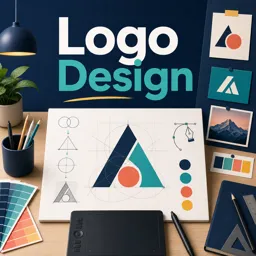
Logos are more than symbols—they are powerful visual tools that shape how a brand is perceived. By understanding how shapes and colors influence emotions, designers can create logos that communicate meaning and connect deeply with audiences.
UNDERSTANDING THE EMOTIONAL POWER OF LOGOS
Effective logo design combines creativity with psychology. The right mix of shapes and colors can evoke emotions, influence consumer behavior, and convey a brand’s core message instantly.
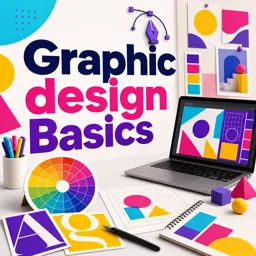
THE IMPACT OF SHAPES IN LOGO DESIGN
Shapes play a crucial role in defining a logo’s tone and emotional impact:
- Circles: Represent unity, harmony, and wholeness, ideal for brands promoting community or inclusivity.
- Squares and Rectangles: Convey stability, structure, and reliability, often used by professional and corporate brands.
- Triangles: Suggest energy, innovation, and progression. Upward-pointing triangles feel dynamic, while downward-pointing ones may indicate balance and stability.
- Organic Shapes: Communicate creativity, friendliness, and uniqueness, appealing to brands that want to feel approachable and human-centered.
THE COLOR PSYCHOLOGY BEHIND LOGOS
Colors evoke powerful emotions and can shape how people feel about a brand. Some key associations include:
- Red: Passion, energy, and excitement—perfect for bold, dynamic brands.
- Blue: Trust, professionalism, and calmness—popular in finance, healthcare, and tech.
- Yellow: Optimism and warmth—ideal for brands with a cheerful, youthful identity.
- Green: Growth, nature, and wellness—commonly used in eco-conscious and health industries.
- Purple: Creativity, luxury, and wisdom—suited for imaginative or premium brands.
- Black and White: Timelessness, sophistication, and simplicity—great for elegant, minimalist designs.
APPLYING PSYCHOLOGY FOR IMPACTFUL LOGO DESIGN
When creating a logo, consider:
- What emotions should the logo evoke?
- Which shapes and colors best reflect the brand’s personality?
- How will the design stand out within its industry?
Testing variations and gathering audience feedback ensures the final design is both visually appealing and emotionally resonant.
CONCLUSION
Logo design is more than an artistic challenge—it’s a psychological strategy. By leveraging the emotional impact of shapes and colors, designers can create logos that inspire trust, spark interest, and leave a lasting impression.