Use the Live Corners widgets on selected shapes to drag corners into rounded or altered corner styles.

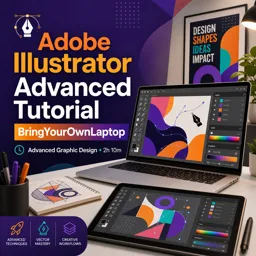
Duration of the online course: 2 hours and 10 minutes
New
Design cleaner logos and icons faster with this free Illustrator advanced course. Master Shape Builder, live shapes, and pro corner editing—certificate-ready.
Take your Adobe Illustrator skills beyond the basics and start working like a confident professional. This advanced course is built for designers who already know their way around vectors and want to speed up real production work in graphic design. You’ll learn how to create cleaner shapes, refine edges with precision, and make artwork that stays editable instead of becoming a messy collection of points.
Through practical, design-first exercises, you’ll develop a stronger workflow for constructing icons, badges, logos, and interface-style graphics using modern Illustrator features. You’ll explore how to reshape corners smoothly, adjust geometry on the fly, and rely on tools that let you iterate quickly without rebuilding everything from scratch. That means fewer workarounds, less manual path editing, and more time focusing on the look and clarity of the design.
A key outcome is learning how to combine and divide shapes efficiently for crisp results, so you can build complex forms with confidence and keep them flexible for future changes. You’ll also strengthen your understanding of smart vector behavior, including shapes that remain live and adjustable, plus techniques for controlling polygon sides and appearance with minimal effort. The goal is a practical upgrade: faster execution, more polished vector work, and better control when deadlines are tight.
If you’re aiming to level up your portfolio, improve your speed at work, or feel more fluent in Illustrator’s advanced toolset, this free online course gives you a focused, skill-driven path to do it. Finish with a workflow you can repeat on real projects and designs that look intentional, consistent, and professional.

2 hours and 10 minutes of online video course

Digital certificate of course completion (Free)

Exercises to train your knowledge

100% free, from content to certificate
How do you round or reshape corners in Adobe Illustrator using the target-like handles?
Use the Live Corners widgets on selected shapes to drag corners into rounded or altered corner styles.
What does the Shape Builder Tool (Shift + M) do in Adobe Illustrator?
It combines overlapping shape regions by dragging across them and removes regions when used with Alt/Option.
How can you add or remove sides from a polygon in Adobe Illustrator?
Select the live polygon and use its on-canvas side widget or adjust the number of sides in the Properties panel.
Ready to get started?Download the app and get started today.
Install the app now
to access the course
Over 5,000 free courses
Programming, English, Digital Marketing and much more! Learn whatever you want, for free.

Study plan with AI
Our app's Artificial Intelligence can create a study schedule for the course you choose.

From zero to professional success
Improve your resume with our free Certificate and then use our Artificial Intelligence to find your dream job.
You can also use the QR Code or the links below.



Free CoursePro Logo Design
4.9

(9)

10h16m

45 exercises
Free CourseBeginners guide to Graphic Design
4.8
(289)
6h26m
22 exercises
Free CourseGame artist using Krita
4.8
(9)
8h54m
31 exercises
Free CourseGraphic design for Beginners
4.8
(13)
11h12m
Free CourseCanva Video Editor
4.7

(15)
21m
5 exercises
Free CourseAdobe illustrator
4.7
(54)
5h32m
20 exercises
Free CourseCorelDRAW for Beginners: Complete Graphic Design and Vector Tools Training
4.7
(3)
8h03m
46 exercises
Free CourseAnimation
4.6
(8)
31m
5 exercises
Free CourseCanva tool for beginners
4.6
(36)
32m
11 exercises
Free CourseGraphic design Basics
4.6
(20)
48m
8 exercises
Carry knowledge in your pocket.
Download the Cursa app.
There are hundreds of free courses available, with a free certificate of completion that is saved in your mobile image gallery.
Download the app to access the Course Completion Certificate for Free.


+ 10 million
students

Free and Valid
Certificate

60 thousand free
exercises

4.8/5 rating in
app stores

Free courses in
video and ebooks