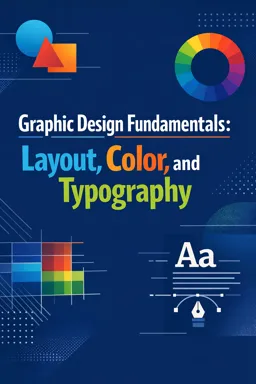
You will learn the Illustrator workspace, vector drawing tools, shapes, colors, text, layers, and exporting artwork.

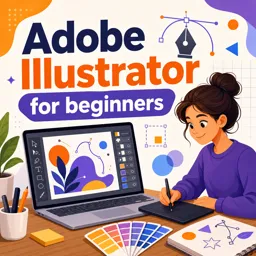
Duration of the online course: 3 hours and 17 minutes
4.3


(3)
Create stunning vector graphics from scratch with this free online Illustrator course—learn essential tools, workflows, and export basics for real projects.
Learn to design clean, professional-looking graphics with Adobe Illustrator in a beginner-friendly, free online course built for anyone starting from zero. Illustrator is the industry standard for creating vector artwork, meaning your designs stay sharp at any size—from social media icons and logos to posters, stickers, and print-ready layouts. If you have ever struggled with blurry images, pixelated exports, or inconsistent branding, this course helps you switch to a scalable workflow that looks polished across every platform.
Along the way, you will get comfortable navigating the interface, using essential tools with confidence, and understanding the core ideas that make vector design different from photo editing. You will practice shaping objects, refining lines and curves, working with color and basic typography, and organizing your files so your projects remain easy to edit. The goal is not just to click buttons, but to build habits that speed you up: choosing the right tool for the job, keeping your layers tidy, and creating artwork that is ready for real-world use.
This course is a great fit if you want to start a path in graphic design, support your marketing or content creation tasks, or simply gain a valuable creative skill for personal projects. Even with a short learning format, you will come away with a clearer design process, stronger control over your visuals, and the confidence to continue exploring Illustrator’s more advanced features afterward.
By the end, you will be able to approach new design tasks with a practical workflow and a foundation you can build on—so you spend less time guessing and more time creating graphics you are proud to share.

3 hours and 17 minutes of online video course

Digital certificate of course completion (Free)

Exercises to train your knowledge

100% free, from content to certificate
What will I learn in a free Adobe Illustrator course for beginners?
You will learn the Illustrator workspace, vector drawing tools, shapes, colors, text, layers, and exporting artwork.
What is the difference between Adobe Illustrator and Photoshop?
Illustrator creates scalable vector graphics, while Photoshop is mainly used for editing pixel-based images and photos.
Can I create logos and social media graphics with Adobe Illustrator?
Yes. Illustrator is commonly used to design logos, icons, illustrations, typography, and scalable social media graphics.
Ready to get started?Download the app and get started today.
Install the app now
to access the course
Over 5,000 free courses
Programming, English, Digital Marketing and much more! Learn whatever you want, for free.

Study plan with AI
Our app's Artificial Intelligence can create a study schedule for the course you choose.

From zero to professional success
Improve your resume with our free Certificate and then use our Artificial Intelligence to find your dream job.
You can also use the QR Code or the links below.



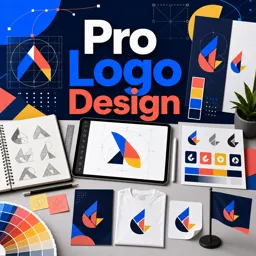
Free CoursePro Logo Design
4.9
(9)

10h16m

45 exercises
Free CourseBeginners guide to Graphic Design
4.8
(289)
6h26m
22 exercises
Free CourseGame artist using Krita
4.8
(9)
8h54m
31 exercises
Free CourseGraphic design for Beginners
4.8
(13)
11h12m
Free CourseCanva Video Editor
4.7
(15)
21m
5 exercises
Free CourseAdobe illustrator
4.7
(54)
5h32m
20 exercises
Free CourseCorelDRAW for Beginners: Complete Graphic Design and Vector Tools Training
4.7
(3)
8h03m
46 exercises
Free CourseAnimation
4.6
(8)
31m
5 exercises
Free CourseCanva tool for beginners
4.6
(36)
32m
11 exercises
Free CourseGraphic design Basics
4.6
(20)
48m
8 exercises
Carry knowledge in your pocket.
Download the Cursa app.
There are hundreds of free courses available, with a free certificate of completion that is saved in your mobile image gallery.
Download the app to access the Course Completion Certificate for Free.


+ 10 million
students

Free and Valid
Certificate

60 thousand free
exercises

4.8/5 rating in
app stores

Free courses in
video and ebooks