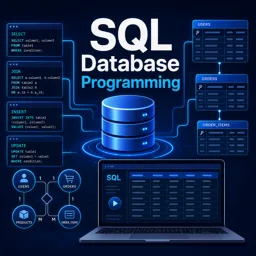
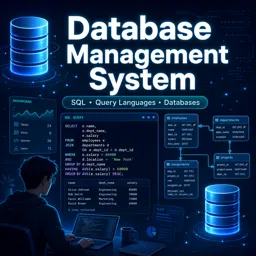
Choosing a database is less about “which one is best” and more about “which one fits the job.” The SQL vs NoSQL discussion can feel ideological, but in practice it’s a set of trade-offs: data shape, query patterns, consistency needs, scalability model, and operational complexity. This guide helps you make a confident choice—and map that choice to a practical learning path across MySQL, SQL Server, PostgreSQL, Oracle, and MongoDB.
First principles: what “SQL database” usually means
Relational databases (RDBMS) store data in tables (rows and columns) and use relationships (keys) to connect entities. They typically provide strong transactional guarantees (ACID), a rich query language (SQL), and mature tooling for reporting, auditing, and operations. If your data is highly structured and your application depends on reliable multi-step transactions (like “create order + reserve inventory + charge payment”), an RDBMS is often the default choice.
What “NoSQL database” usually means
NoSQL is a broad umbrella for databases that don’t rely on the classic relational model. The most common category for application development is the document database, where data is stored as JSON-like documents (for example, MongoDB). NoSQL systems often emphasize flexible schemas, horizontal scaling, and performance for specific access patterns. They can be a great fit when the data shape varies by record, when you need to evolve fields quickly, or when you want to colocate related data in a single document for fast reads.
How to decide: 7 practical questions
1) Is your data naturally relational?
If your domain has many-to-many relationships (students ↔ courses, products ↔ categories, users ↔ roles) and you frequently join across entities, a relational database is typically simpler and safer. If your data is naturally “aggregate-oriented” (one record contains most of what you need), a document model can reduce join complexity by embedding related data.
2) What are your dominant queries?
SQL shines when you need ad-hoc analytics, complex filtering, grouping, and joins. Document databases excel when you mostly fetch and update whole aggregates by key (e.g., load a product listing page or a user profile). Match the database to the queries you will run most often, not the ones you might run someday.
3) Do you need strict consistency across multiple records?
Financial operations, inventory reservation, and account transfers typically benefit from strong transactional guarantees. Modern NoSQL databases can support transactions in many cases, but the operational and modeling approach differs. If correctness depends on multi-entity invariants, start by assuming relational unless you have a clear reason not to.
4) How often does the schema change?
Fast-changing products and evolving requirements can benefit from schema flexibility. Document databases let you add fields without a migration step, but that flexibility pushes more responsibility into validation, indexing strategy, and application-level discipline. Relational databases can evolve too, but you’ll typically use structured migrations and stricter constraints to keep data clean.
5) What’s your scaling model?
Relational databases scale vertically very well and can scale horizontally with replicas, sharding, or distributed options depending on the engine. NoSQL systems often make horizontal scaling a primary design goal. The key is to evaluate your access pattern: if you can partition data cleanly (by tenant, region, userId), horizontal scaling becomes easier in either world.
6) Do you need reporting and BI-friendly querying?
If stakeholders will ask frequent, changing questions (“How many active users converted by cohort?”), relational systems and SQL-based tooling remain a strong default. Document databases can support analytics too, but your experience depends heavily on how you model and index data.
7) What’s your team already comfortable operating?
Operational maturity matters. Backups, restores, monitoring, indexing discipline, access control, and incident response can dominate real-world outcomes. A “theoretically perfect” choice is still a risk if the team can’t run it confidently.

Where each database tends to shine
MySQL
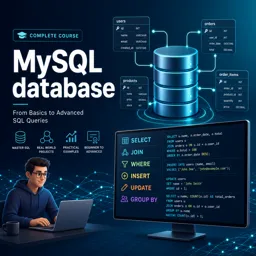
A popular choice for web applications and OLTP workloads with a huge ecosystem, straightforward administration, and broad hosting support. It’s often a strong pick for CRUD-heavy apps, content platforms, and transactional workloads that don’t require extremely complex SQL features. Learn more via the https://cursa.app/free-online-courses/mysql.
SQL Server
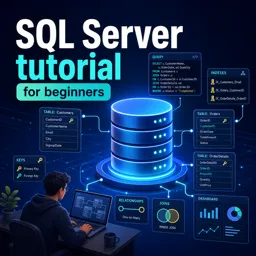
A strong option for organizations that value integrated tooling, robust security capabilities, and a mature ecosystem for data workloads. It’s frequently used in enterprise settings where governance, auditing, and integration with reporting tools matter. Explore the https://cursa.app/free-online-courses/sql-server.
PostgreSQL
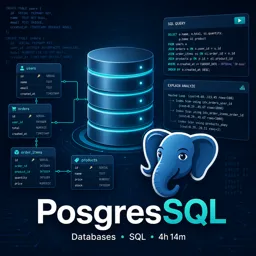
Known for standards compliance, advanced SQL features, and extensibility. PostgreSQL is a great general-purpose choice when you want strong relational fundamentals plus powerful querying and indexing options. Browse https://cursa.app/free-online-courses/postgre-sql to build depth.
Oracle
Common in large enterprises where reliability, advanced features, and long-established operational patterns are critical. Oracle is often selected for mission-critical systems, complex transactional environments, and organizations with deep investments in Oracle tooling and expertise.
MongoDB
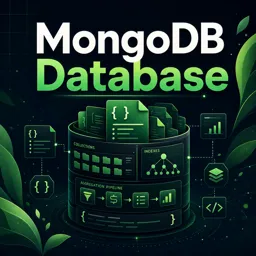
A leading document database choice for flexible schemas, rapid iteration, and data that fits naturally into JSON-like aggregates. It’s often used for catalogs, content, event-style data, and services that benefit from storing nested structures together. See https://cursa.app/free-online-courses/mongo-db for hands-on practice.
Common real-world patterns (and what to pick)
Pattern: Transactional business app
If you need reliable multi-step operations, constraints, and reporting, start with a relational database (MySQL, PostgreSQL, SQL Server, or Oracle). Use foreign keys, constraints, and transactions to enforce data integrity.
Pattern: Content or profile-centric app
If your application reads/writes whole “profiles” or “documents” frequently and fields evolve often, consider MongoDB—especially when embedding reduces the need for cross-entity joins.
Pattern: Polyglot persistence
Many modern systems use more than one database: an RDBMS for transactions plus a document store for flexible content, or a search engine for full-text. The key skill is deciding what system is the “source of truth” for each kind of data and keeping boundaries clean.
A beginner-friendly learning path (without getting stuck in theory)
Step 1: Master core SQL concepts
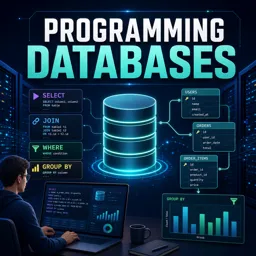
Even if you end up specializing in MongoDB, SQL concepts (filtering, grouping, joins, constraints, transactions) help you reason about data. Focus on: SELECT fundamentals, WHERE, JOINs, GROUP BY, indexes, and transactions.
Step 2: Pick one primary relational database and go deep
Choose one of MySQL, PostgreSQL, SQL Server, or Oracle and learn: schema design, indexing basics, query planning at a high level, backup/restore, and user permissions. For guided options, explore the https://cursa.app/free-courses-information-technology-online within https://cursa.app/free-online-information-technology-courses.
Step 3: Add NoSQL with a modeling mindset
Learn how document modeling differs: embedding vs referencing, designing for query patterns, choosing indexes, and handling migrations/validation. MongoDB is a common entry point for document databases.
Step 4: Build portfolio projects that demonstrate judgment
Create two small projects: one relational-first (e.g., booking/order management) and one document-first (e.g., catalog or content platform). The goal is to show you can justify choices based on access patterns, integrity, and scale—not just “I used X because it’s popular.”

Helpful external references for deeper understanding
To broaden your perspective beyond a single tool, compare database models and trade-offs using vendor-neutral references like the https://en.wikipedia.org/wiki/Relational_database and https://en.wikipedia.org/wiki/NoSQL. For MongoDB-specific conceptual grounding, the official documentation is also a strong resource: https://www.mongodb.com/docs/.
Bottom line
Pick SQL when you need strong consistency, relational querying, and durable transactional workflows. Pick NoSQL (like MongoDB) when flexible schemas and aggregate-oriented access patterns dominate. And when the system grows, don’t be surprised if the best answer becomes “both”—with clear data ownership and intentional boundaries.