BigQuery on-demand pricing is based on the amount of data processed by each query, so filtering columns and partitions can help reduce costs.

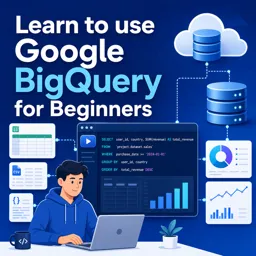
Duration of the online course: 1 hours and 17 minutes
New
Build job-ready BigQuery skills fast with this free online course—write SQL, explore public datasets, schedule queries, and connect results to Sheets.
Want to analyze large datasets without managing servers or worrying about complex infrastructure? This free online course helps beginners get comfortable with Google BigQuery and start working like a modern data analyst. You will learn how BigQuery fits into the Google Cloud ecosystem, what it is designed for, and how to navigate the interface with confidence so you can go from opening the console to producing useful insights.
From the start, the course focuses on practical progress: getting set up, understanding what triggers billing, and making smart choices during the free trial. You will explore how BigQuery pricing works in the real world so you can query responsibly, estimate costs, and build good habits early. Instead of feeling intimidated by cloud data warehouses, you will learn the simple workflow behind finding data, inspecting tables, and understanding what a schema tells you about columns, types, and structure.
As you move into SQL, you will practice writing queries the BigQuery way, including correct table referencing and the day-to-day tools inside the query console that speed up analysis. You will also see how scheduled queries can automate recurring work, making it easier to keep reports and datasets updated without manual repetition. Concepts like CTEs are introduced in a beginner-friendly way so you can write clearer queries and handle situations where you need to filter on calculated results.
To bridge analysis and reporting, the course shows how to connect BigQuery outputs to familiar tools like Google Sheets and Looker Studio, turning query results into something you can share, chart, and present. You will also learn how to bring your own data into BigQuery by uploading CSV files and configuring common settings correctly so your tables are clean from the first load.
Throughout, you will build the skill of learning efficiently by using documentation and community resources the right way, and you will finish with a capstone-style analysis that ties together querying, exploration, and problem solving. By the end, you will know the best next steps for continuing your BigQuery journey and applying these database skills to real projects in analytics, business intelligence, and data-driven decision-making.

1 hours and 17 minutes of online video course

Digital certificate of course completion (Free)

Exercises to train your knowledge

100% free, from content to certificate
How does BigQuery pricing work after the free tier?
BigQuery on-demand pricing is based on the amount of data processed by each query, so filtering columns and partitions can help reduce costs.
How do I reference a table in a BigQuery SQL query?
Use the full table path in backticks: `project_id.dataset_id.table_name`.
How can I schedule a BigQuery query to replace a destination table?
Create a scheduled query, choose a destination table, and set the write preference to overwrite the existing table on each run.
Ready to get started?Download the app and get started today.
Install the app now
to access the course
Over 5,000 free courses
Programming, English, Digital Marketing and much more! Learn whatever you want, for free.

Study plan with AI
Our app's Artificial Intelligence can create a study schedule for the course you choose.

From zero to professional success
Improve your resume with our free Certificate and then use our Artificial Intelligence to find your dream job.
You can also use the QR Code or the links below.



Free CourseSQL Database Programming
5

(2)

4h28m

24 exercises
Free CourseDatabase Systems: SQL, Indexing, Query Optimization, Transactions and Distributed Databases
5
(1)
33h54m
23 exercises
Free CourseProgramming Databases
5
(3)
1h14m
7 exercises
Free CourseMongoDB Database
5
(4)
1h27m
10 exercises
Free CourseDatabase Management Systems
5
(11)
5h21m
27 exercises
Free CourseDatabase Systems
5
(2)
4h32m
44 exercises
Free CourseMongoDB Tutorial for Beginners
5
(1)
1h39m
14 exercises
Free CourseMySQL
5
(4)
1h11m
10 exercises
Free CourseMongoDB
5
(2)
36m
5 exercises
Free Course PosgresSQL
4.8

(12)
4h14m
37 exercises
Carry knowledge in your pocket.
Download the Cursa app.
There are hundreds of free courses available, with a free certificate of completion that is saved in your mobile image gallery.
Download the app to access the Course Completion Certificate for Free.


+ 10 million
students

Free and Valid
Certificate

60 thousand free
exercises

4.8/5 rating in
app stores

Free courses in
video and ebooks