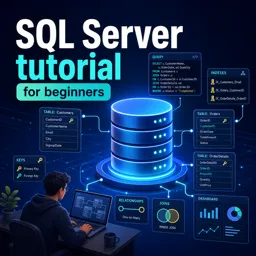
Free Course Image SQL Server tutorial for beginners

Free online courseSQL Server tutorial for beginners

Duration of the online course: 26 hours and 59 minutes

4.57

StarStarStarStarHalf star

(51)

Join the free SQL Server tutorial for beginners and master database fundamentals, constraints, queries, stored procedures, functions, indexing, triggers, and more.

In this free course, learn about

  • Getting Started with SQL Server and Databases
  • Core SQL Queries and Joins
  • Stored Procedures and Procedural Logic
  • String, Date, and Math Functions
  • User Defined Functions and Temporary Tables
  • Indexes: Concepts and Usage
  • Views and Indexed Views
  • Triggers and Auditing DML Changes
  • Derived Tables and Common Table Expressions
  • Database Normalization and Pivoting Data
  • Error Handling and Transactions
  • Subqueries, Cursors, and Performance Considerations
  • Advanced Stored Procedures and MERGE
  • Concurrency, Isolation Levels, and Blocking
  • Deadlocks and Blocking Analysis
  • Set Operators and APPLY
  • DDL Triggers and Auditing Database Changes
  • SELECT INTO, Filtering, and Table-Valued Parameters
  • Advanced Grouping and Aggregation
  • Debugging and Windowing Basics
  • Pivoting, Unpivoting, and Conditional Functions
  • TRY_CONVERT, EOMONTH, and Date Functions
  • Object Dependencies, Sequences, and GUIDs
  • Dynamic SQL and SQL Injection Prevention

Course Description

"SQL Server Tutorial for Beginners" is a comprehensive and well-structured training course designed specifically for those who are new to SQL Server. With a total duration of 26 hours and 59 minutes, this extensive course provides a solid foundation in SQL Server, covering a wide array of topics crucial for any aspiring database professional.

This course stands out in its category, Information Technology, and is further specialized under the subcategory of Database. It has earned an impressive average rating of 4.6 stars from numerous learners, reflecting its high quality and the effectiveness of the teaching methods employed.

One of the key strengths of this course is its logical progression and systematic coverage of essential SQL Server concepts. It kicks off by introducing you to SQL Server and how to connect using SQL Server Management Studio (SSMS). As you move through the lessons, you will master fundamental tasks such as creating, altering, and dropping databases, as well as working with tables and various types of constraints including default, check, and unique key constraints.

The course further explores advanced SQL Server features such as identity columns and various methods to retrieve last generated identity values. It delves into critical SQL commands and functionalities like SELECT statements, grouping by data, and different types of joins including advanced, intelligent, and self joins. You’ll also learn about functions to handle NULL values and the COALESCE function.

Additionally, the program provides a deep dive into unions, stored procedures, and output parameters, emphasizing the numerous advantages of using stored procedures. Built-in string functions, DateTime functions, and date-related functions are thoroughly discussed, alongside mathematical functions, user-defined functions, both scalar and table-valued, and the important concepts related to them.

As you advance through the course, you gain hands-on experience with temporary tables, indexes (clustered, non-clustered, unique, and non-unique), and their advantages and disadvantages. The course also covers views, including updatable and indexed views, as well as their limitations. Trigger mechanisms such as DML triggers, after update, instead of insert, and delete triggers are explained in detail.

The latter parts of the course focus on sophisticated topics like common table expressions (CTEs), database normalization including second and third normal forms, and pivot operations. Comprehensive lessons on error handling, transactions, subqueries, and correlated subqueries help you handle real-world database scenarios efficiently.

Moreover, the course includes practical sessions on creating large tables for performance testing and deciding between subqueries and joins, along with in-depth discussions on cursors and their replacements using joins. You’ll learn about dynamic SQL, query plan cache, and various dynamic SQL techniques and functions.

By the end of the course, you will have a robust understanding of SQL Server, from the basics to advanced techniques. You will be well-equipped to handle various database tasks and ready to implement your skills in real-world situations. This course is an excellent starting point for anyone looking to build a career in database management or enhance their proficiency in SQL Server.

Course content

  • Video class: Connecting to SQL Server using SSMS - Part 1 09m
  • Exercise: _What is SQL Server Management Studio (SSMS)?
  • Video class: Creating altering and dropping a database - Part 2 15m
  • Exercise: What does an MDF file in SQL Server represent?
  • Video class: Creating and working with tables - Part 3 20m
  • Exercise: What is the purpose of a primary key in a database table?
  • Video class: Adding a default constraint - Part 4 10m
  • Exercise: What value will be assigned to the "gender ID" column if no value is provided when inserting a new record into the TBL person table with a default constraint set?
  • Video class: Cascading referential integrity constraint - Part 5 08m
  • Exercise: What is the default behavior of cascading referential integrity constraints in SQL Server?
  • Video class: Adding a check constraint - Part 6 11m
  • Exercise: _What is a check constraint in SQL Server?
  • Video class: Identity Column in SQL Server - Part 7 15m
  • Exercise: What is an identity column in SQL Server?
  • Video class: How to get the last generated identity column value in SQL Server - Part 8 12m
  • Exercise: Which function retrieves the last generated identity column value in the same session and scope in SQL Server?
  • Video class: Unique key constraint - Part 9 08m
  • Exercise: What is a primary difference between a unique key constraint and a primary key constraint in a table?
  • Video class: Select statement in sql server - Part 10 21m
  • Exercise: What does the DISTINCT keyword do in SQL?
  • Video class: Group by in sql server - Part 11 17m
  • Exercise: _What is the purpose of the GROUP BY clause in SQL Server?
  • Video class: Joins in sql server - Part 12 17m
  • Exercise: What is the result of an INNER JOIN in SQL Server?
  • Video class: Advanced or intelligent joins in sql server - Part 13 12m
  • Exercise: How to retrieve non-matching rows from tables using SQL joins?
  • Video class: Self join in sql server - Part 14 11m
  • Exercise: What is a self join in database management?
  • Video class: Different ways to replace NULL in sql server - Part 15 11m
  • Exercise: What function can replace NULL values in SQL Server when an employee has no manager?
  • Video class: Coalesce function in sql server Part 16 04m
  • Exercise: _What is the purpose of using the coalesce function in SQL Server?
  • Video class: Union and union all in sql server Part 17 12m
  • Exercise: What is a key difference between UNION and UNION ALL in SQL Server?
  • Video class: Stored procedures in sql server Part 18 20m
  • Exercise: What is a common naming convention for stored procedures in SQL Server?
  • Video class: Stored procedures with output parameters Part 19 18m
  • Exercise: What is the keyword used to define an output parameter in a SQL Server stored procedure?
  • Video class: Stored procedure output parameters or return values Part 20 16m
  • Exercise: What is a key difference between return values and output parameters in SQL stored procedures?
  • Video class: Advantages of stored procedures Part 21 11m
  • Exercise: _What is the greatest benefit of using stored procedures in SQL Server?
  • Video class: Built in string functions in sql server 2008 Part 22 16m
  • Video class: LEFT, RIGHT, CHARINDEX and SUBSTRING functions in sql server Part 23 14m
  • Video class: Replicate, Space, Patindex, Replace and Stuff string functions in sql server 2008 Part 24 11m
  • Video class: DateTime functions in SQL Server Part 25 15m
  • Video class: IsDate, Day, Month, Year and DateName DateTime functions in SQL Server Part 26 12m
  • Exercise: _What is the purpose of the EOMONTH function in SQL Server?
  • Video class: DatePart, DateAdd and DateDiff functions in SQL Server Part 27 21m
  • Video class: Cast and Convert functions in SQL Server Part 28 17m
  • Video class: Mathematical functions in sql server Part 29 15m
  • Video class: Scalar user defined functions in sql server Part 30 19m
  • Video class: Inline table valued functions in sql server Part 31 11m
  • Exercise: _What is the difference between a scalar function and an inline table valued function in SQL Server?
  • Video class: Multi statement table valued functions in sql server Part 32 14m
  • Video class: Important concepts related to functions in sql server Part 33 16m
  • Video class: Temporary tables in SQL Server Part 34 15m
  • Video class: Indexes in sql server Part 35 11m
  • Video class: Clustered and nonclustered indexes in sql server Part 36 16m
  • Exercise: _What is the difference between a clustered and a non-clustered index in SQL Server?
  • Video class: Unique and Non Unique Indexes in sql server Part 37 11m
  • Video class: Advantages and disadvantages of indexes in sql server Part 38 12m
  • Video class: Views in sql server Part 39 14m
  • Video class: Updatable views in sql server Part 40 11m
  • Video class: Indexed views in sql server Part 41 13m
  • Exercise: _What is an indexed view in SQL Server?
  • Video class: View limitations in sql server Part 42 10m
  • Video class: DML triggers in sql server Part 43 17m
  • Video class: After update trigger Part 44 17m
  • Video class: Instead of insert trigger Part 45 15m
  • Video class: Instead of update triggers in sql server - Part 46.avi 22m
  • Exercise: _What are the three types of triggers in SQL Server?
  • Video class: Instead of delete triggers in sql server - Part 47.avi 10m
  • Video class: Derived tables and common table expressions in sql server Part 48 17m
  • Video class: CTE in sql server Part 49 12m
  • Video class: Updatable common table expressions in sql server Part 50 15m
  • Video class: Recursive CTE in sql server Part 51 12m
  • Exercise: _What is the solution to display employee name, manager name, and level in the organization hierarchy?
  • Video class: Database normalization Part 52 12m
  • Video class: Second normal form and third normal form Part 53 13m
  • Video class: Pivot in sql server 2008 Part 54 12m
  • Video class: Error handling in sql server 2000 Part 55 24m
  • Video class: Error handling in sql server Part 56 17m
  • Exercise: _What is the recommended prerequisite for this session on handling errors in SQL Server 2005 and later versions?
  • Video class: Transactions in sql server Part 57 11m
  • Video class: Transactions in sql server and ACID Tests Part 58 09m
  • Video class: Subqueries in sql Part 59 14m
  • Video class: Correlated subquery in sql Part 60 07m
  • Video class: Creating a large table with random data for performance testing Part 61 17m
  • Video class: What to choose for performance SubQuery or Joins Part 62 12m
  • Video class: Cursors in sql server Part 63 13m
  • Video class: Replacing cursors using joins in sql server Part 64 10m
  • Video class: List all tables in a sql server database using a query Part 65 05m
  • Video class: Writing re runnable sql server scripts Part 66 10m
  • Exercise: _What is a rerunnable SQL script?
  • Video class: Alter database table columns without dropping table Part 67 04m
  • Video class: Optional parameters in sql server stored procedures Part 68 27m
  • Video class: Part 69 Merge in SQL Server 07m
  • Video class: sql server concurrent transactions 07m
  • Video class: sql server dirty read example 08m
  • Exercise: _What is a dirty read in SQL Server?
  • Video class: sql server lost update problem 08m
  • Video class: Non repeatable read example in sql server 05m
  • Video class: Phantom reads example in sql server 06m
  • Video class: Snapshot isolation level in sql server 09m
  • Video class: Read committed snapshot isolation level in sql server 06m
  • Exercise: _What is the default behavior of the read committed isolation level when a transaction is trying to read the data that another transaction is updating at the same time?
  • Video class: Difference between snapshot isolation and read committed snapshot 12m
  • Video class: SQL Server deadlock example 05m
  • Video class: SQL Server deadlock victim selection 07m
  • Video class: Logging deadlocks in sql server 04m
  • Video class: SQL Server deadlock analysis and prevention 08m
  • Exercise: _What are the three sections of deadlock information captured in the error log?
  • Video class: Capturing deadlocks in sql profiler 10m
  • Video class: SQL Server deadlock error handling 05m
  • Video class: Handling deadlocks in ado net 10m
  • Video class: Retry logic for deadlock exceptions 26m
  • Video class: How to find blocking queries in sql server 07m
  • Exercise: _What is the command used to find open transactions in SQL Server?
  • Video class: SQL Server except operator 05m
  • Video class: Difference between except and not in sql server 04m
  • Video class: Intersect operator in sql server 05m
  • Video class: Difference between union intersect and except in sql server 03m
  • Video class: Cross apply and outer apply in sql server 08m
  • Exercise: _What is the difference between an inner join and a left join in SQL Server?
  • Video class: DDL Triggers in sql server 12m
  • Video class: Server scoped ddl triggers 05m
  • Video class: sql server trigger execution order 06m
  • Video class: Audit table changes in sql server 06m
  • Video class: Logon Triggers in SQL Server 08m
  • Exercise: _What is the purpose of a logon trigger in SQL Server?
  • Video class: Select into in sql server 11m
  • Video class: Difference between where and having in sql server 06m
  • Video class: Table valued parameters in SQL Server 06m
  • Video class: Send datatable as parameter to stored procedure 09m
  • Video class: Grouping Sets in SQL Server 09m
  • Exercise: _What is the purpose of the second group by query in the tutorial?
  • Video class: Rollup in SQL Server 09m
  • Video class: Cube in SQL Server 07m
  • Video class: Difference between cube and rollup in SQL Server 05m
  • Video class: Grouping function in SQL Server 12m
  • Video class: GROUPING ID function in SQL Server 12m
  • Exercise: _What is the difference between grouping and grouping ID functions in SQL Server?
  • Video class: Debugging sql server stored procedures 15m
  • Video class: Over clause in SQL Server 09m
  • Video class: Row Number function in SQL Server 07m
  • Video class: Rank and Dense Rank in SQL Server 10m
  • Video class: Difference between rank dense rank and row number in SQL 04m
  • Exercise: _What is the main difference between the row number, rank and dense rank functions in SQL Server?
  • Video class: Calculate running total in SQL Server 2012 06m
  • Video class: NTILE function in SQL Server 05m
  • Video class: Lead and Lag functions in SQL Server 2012 07m
  • Video class: FIRST VALUE function in SQL Server 02m
  • Video class: Window functions in SQL Server 11m
  • Exercise: _What are the three arguments that define a window for vendor functions to operate on in SQL Server?
  • Video class: Difference between rows and range 05m
  • Video class: LAST VALUE function in SQL Server 05m
  • Video class: UNPIVOT in SQL Server 04m
  • Video class: Reverse PIVOT table in SQL Server 08m
  • Video class: Choose function in SQL Server 05m
  • Exercise: _What is the Choose function in SQL Server?
  • Video class: IIF function in SQL Server 04m
  • Video class: TRY PARSE function in SQL Server 2012 07m
  • Video class: TRY CONVERT function in SQL Server 2012 07m
  • Video class: EOMONTH function in SQL Server 2012 05m
  • Video class: DATEFROMPARTS function in SQL Server 03m
  • Exercise: _What is the syntax of the DATEFROMPARTS function in SQL Server 2012?
  • Video class: Difference between DateTime and SmallDateTime in SQL Server 08m
  • Video class: DateTime2FromParts function in SQL Server 2012 05m
  • Video class: Difference between DateTime and DateTime2 in SQL Server 10m
  • Video class: Offset fetch next in SQL Server 2012 09m
  • Video class: Identifying object dependencies in SQL Server 05m
  • Exercise: _What happens when we try to delete the employees table in SQL Server?
  • Video class: sys dm sql referencing entities in SQL Server 08m
  • Video class: sp depends in SQL Server 05m
  • Video class: Sequence object in SQL Server 2012 12m
  • Video class: Difference between sequence and identity in SQL Server 05m
  • Video class: Guid in SQL Server 09m
  • Exercise: _What is a grid in SQL Server and how can we create it?
  • Video class: How to check GUID is null or empty in SQL Server 06m
  • Video class: Dynamic SQL in SQL Server 12m
  • Video class: Implement search web page using ASP NET and Stored Procedure 10m
  • Video class: Implement search web page using ASP NET and Dynamic SQL 10m
  • Video class: Prevent sql injection with dynamic sql 10m
  • Exercise: _What is the danger of building dynamic SQL statements by concatenating user input values instead of using parameters?
  • Video class: Dynamic SQL in Stored Procedure 09m
  • Video class: Sql server query plan cache 14m
  • Video class: exec vs sp executesql in sql server 09m
  • Video class: Dynamic sql table name variable 11m
  • Video class: Quotename function in SQL Server 10m
  • Video class: Dynamic SQL vs Stored Procedure 06m
  • Video class: Dynamic sql output parameter 05m
  • Video class: Temp tables in dynamic sql 04m

This free course includes:

26 hours and 59 minutes of online video course

Digital certificate of course completion (Free)

Exercises to train your knowledge

100% free, from content to certificate

Ready to get started?Download the app and get started today.

Install the app now

to access the course
Icon representing technology and business courses

Over 5,000 free courses

Programming, English, Digital Marketing and much more! Learn whatever you want, for free.

Calendar icon with target representing study planning

Study plan with AI

Our app's Artificial Intelligence can create a study schedule for the course you choose.

Professional icon representing career and business

From zero to professional success

Improve your resume with our free Certificate and then use our Artificial Intelligence to find your dream job.

You can also use the QR Code or the links below.

QR Code - Download Cursa - Online Courses

More free courses at Database

Download the App now to have access to + 3300 free courses, exercises, certificates and lots of content without paying anything!

  • 100% free online courses from start to finish

    Thousands of online courses in video, ebooks and audiobooks.

  • More than 48 thousand free exercises

    To test your knowledge during online courses

  • Valid free Digital Certificate with QR Code

    Generated directly from your cell phone's photo gallery and sent to your email

Cursa app on the ebook screen, the video course screen and the course exercises screen, plus the course completion certificate

+ 9 million
students

Free and Valid
Certificate

60 thousand free
exercises

4.8/5 rating in
app stores

Free courses in
video and ebooks