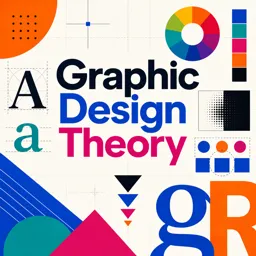
Mastering Composition in Graphic Design: Balance, Hierarchy, and Alignment

Learn how balance, hierarchy, and alignment improve graphic design composition and make your visuals more professional and impactful.

Share on Linkedin Share on WhatsApp

Estimated reading time: 2 minutes

Article image Mastering Composition in Graphic Design: Balance, Hierarchy, and Alignment

Introduction

Graphic design goes beyond creating visually appealing images—it’s about organizing elements to communicate a message effectively. At the heart of this process lies composition, the art of arranging text, shapes, and imagery. Whether you are a beginner or an experienced designer, understanding composition can elevate your work to a professional level.

The Importance of Balance

Balance provides visual stability and harmony to a design.

  • Symmetrical balance evenly distributes elements for a formal, structured look.
  • Asymmetrical balance arranges elements of varying visual weight to create dynamic equilibrium.

Both approaches help capture attention and guide the viewer’s eye through the design.

Establishing Hierarchy

Hierarchy organizes information by importance. Use size, color, font weight, and positioning to guide the viewer’s eyes to key details first. Headlines, subheadings, and body text should clearly indicate their level of priority, creating a natural reading flow.

The Power of Alignment

Proper alignment creates a clean, organized, and professional look. Whether left, right, center, or justified, consistency is key. Aligned elements make a design feel intentional and easy to navigate, improving both aesthetics and functionality.

Tips for Effective Composition

  • White Space: Avoid clutter by giving elements room to breathe.
  • Contrast: Use differences in color, size, and typography to add visual interest and reinforce hierarchy.
  • Repetition: Repeat colors, shapes, or fonts to create unity and cohesiveness in your design.

Conclusion

Mastering composition is fundamental for creating effective, professional-quality designs. By applying the principles of balance, hierarchy, and alignment, you can produce visuals that are both aesthetically appealing and functionally clear. Practice these techniques consistently, and watch your design skills grow.

Video Editing Workflow Essentials: From Ingest to Export (Plus a Simple Checklist)

Learn a practical video editing workflow from ingest to export, with organization tips, audio cleanup, color correction, and a simple QC checklist.

Storyboard to Screen: A Practical Workflow for Polished Video Animations

Learn a practical storyboard-to-screen workflow for video animations, from concept and animatics to lighting, rendering, and final polish.

Procedural Animation in Blender: Create Looping Motion with Modifiers, Drivers, and Noise

Learn how to create looping procedural animations in Blender using modifiers, drivers, and noise for faster, reusable motion graphics workflows.

From Keyframes to Kinetics: Timing, Spacing, and Motion Curves for Better Video Animations

Learn how timing, spacing, and motion curves improve video animations, with practical tips for smoother, more professional motion.

Animating Smarter: A Practical Guide to Motion Graphics Workflows for Video Animations

A practical guide to motion graphics workflows for video animations—planning, styleframes, animatics, asset management, and export best practices.

Animating for Impact: 12 Motion Design Principles to Make Any Video Animation Feel Professional

Learn 12 essential motion design principles to improve video animations, from timing and easing to hierarchy and motivated transitions.

UX Writing for Designers: Craft Microcopy That Guides, Reassures, and Converts

Learn UX writing principles and microcopy techniques that improve clarity, reduce errors, and guide users through digital interfaces.

UX Portfolio Case Studies: A Clear Structure That Recruiters Can Scan in Minutes

Learn a clear UX case study structure that recruiters can scan quickly, showing your decisions, process, and outcomes effectively.