WHAT IS LAMBDA IN CLOUD COMPUTING?
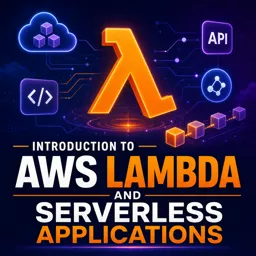
Lambda is a serverless compute service that allows developers to run code in response to events without managing servers. Offered by major cloud providers, it executes functions in a highly scalable and cost-efficient way. Triggers such as HTTP requests, database changes, or file uploads can automatically launch code execution, making applications more flexible and responsive.
WHY USE LAMBDA FOR WEB SERVERS?
Unlike traditional web servers that require provisioning, scaling, and maintenance, Lambda abstracts infrastructure management and lets developers focus on logic. Its benefits include:
- Automatic scaling: Handles traffic spikes without manual intervention.
- Cost efficiency: Pay only for executions, not idle server time.
- Simplified operations: No server patching, load balancing, or capacity planning.
- Quick deployment: Upload code, configure triggers, and start running instantly.
COMMON USE CASES FOR LAMBDA IN WEB DEVELOPMENT
Lambda powers a wide range of web development scenarios, including:
- API backends: Lightweight and responsive APIs with minimal latency.
- Image & file processing: Resize images, transcode media, or validate uploads.
- Real-time data processing: React to database updates, streams, or IoT messages.
- Scheduled tasks: Automate routine jobs like log cleanup or notifications.
HOW LAMBDA INTEGRATES WITH MODERN WEB TECHNOLOGIES
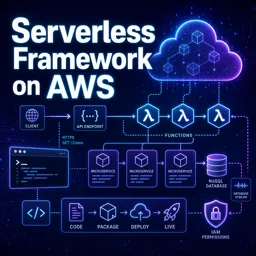
Lambda integrates seamlessly with services like API Gateway, cloud storage, and databases. Frontend applications can call Lambda-powered APIs to fetch data or trigger backend processes. This makes Lambda an ideal fit for microservices architectures and modern single-page applications, enabling full-stack development without traditional servers.
GETTING STARTED WITH LAMBDA
To start using Lambda:
- Write your function code in a supported language (Node.js, Python, Java, and others).
- Upload the code to the cloud provider’s Lambda service or use the built-in editor.
- Configure event triggers, such as HTTP endpoints, file storage changes, or schedules.
- Adjust settings for memory, timeout limits, and permissions.
- Test and monitor with built-in logging and metrics.
With no server provisioning required, Lambda handles all infrastructure behind the scenes.
CONCLUSION
Lambda is a cornerstone of serverless computing, empowering teams to build scalable, resilient, and highly available applications. By adopting its event-driven approach and cloud integrations, developers can streamline operations, reduce costs, and deliver faster, more reliable user experiences.