INTRODUCTION TO SERVERLESS COMPUTING
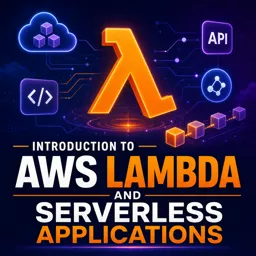
Serverless computing is transforming how developers deploy and manage web applications. By abstracting server management tasks, serverless platforms allow developers to focus on writing code without worrying about the underlying infrastructure. This article explores how serverless computing simplifies web server management and the advantages it brings to modern web development.
WHAT IS SERVERLESS?
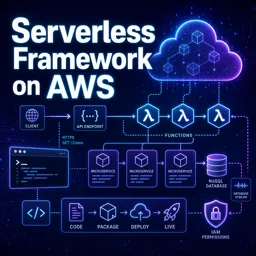
Despite its name, “serverless” does not mean servers are absent. Rather, it means developers no longer manage, maintain, or scale physical or virtual servers directly. Cloud providers handle these operational aspects, while developers write functions or small pieces of code triggered by events, such as HTTP requests or file uploads.
BENEFITS OF SERVERLESS FOR WEB SERVERS
- Automatic Scaling: Serverless platforms scale resources up or down automatically based on incoming requests, ensuring consistent performance under varying loads.
- Cost-Efficiency: You pay only for the resources you use. Idle infrastructure incurs no charges.
- Reduced Operational Overhead: Patching, upgrades, monitoring, and uptime management are handled by the cloud provider, freeing developers from routine maintenance.
- Faster Deployment: Deploying serverless functions is faster and simpler compared to traditional server management, enabling rapid experimentation and iteration.
COMMON SERVERLESS USE CASES
Serverless computing is ideal for many web development scenarios, including:
- APIs: Creating RESTful or GraphQL APIs for web and mobile applications.
- Event Processing: Responding to triggers such as form submissions, file uploads, or database changes.
- Scheduled Tasks: Running background jobs for cleanup, report generation, or data syncing.
CHALLENGES TO CONSIDER
While serverless offers many advantages, developers should be aware of potential challenges, such as cold start latency, vendor lock-in, and limitations on function execution time. Evaluating these factors carefully helps ensure successful adoption of serverless solutions.
CONCLUSION
Serverless computing is a powerful model that streamlines web server management and accelerates application development. Leveraging serverless platforms enables organizations to build scalable, cost-effective, and easily maintainable web applications, keeping pace with the evolving landscape of cloud computing.