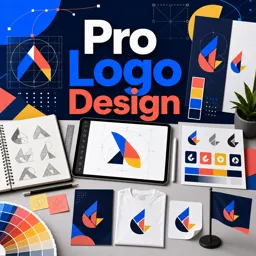
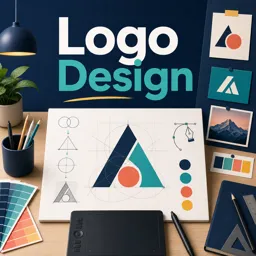
Creating a professional logo involves more than just aesthetics—it’s a strategic process that transforms ideas into a visual identity. By understanding each step, designers can produce logos that are not only visually appealing but also aligned with a brand’s essence.
1. RESEARCH AND DISCOVERY
The process begins with in-depth research to understand the brand, audience, and industry. This phase ensures the logo communicates the right message and resonates with its intended market.
- Client Questionnaire: Collects insights about the brand’s personality, vision, and preferences.
- Market Analysis: Evaluates competitors to find opportunities for differentiation.
2. IDEATION AND CONCEPT DEVELOPMENT
Using research insights, designers brainstorm and sketch multiple concepts. This stage encourages creativity and experimentation with shapes, typography, and symbols.
- Sketching: Rapid drawings to visualize different concepts.
- Mind Mapping: Connects ideas and keywords to inspire unique design directions.
3. DIGITAL EXECUTION
Promising concepts are refined using graphic design software. Focus shifts to precise geometry, color palettes, and overall visual balance.
- Vector Design: Logos are created as scalable vectors for clarity at any size.
- Typography Selection: Choosing or customizing fonts to reflect the brand’s tone.
4. REFINEMENT AND FEEDBACK
Refinement is iterative and collaborative. Designers present multiple options to clients, gather feedback, and adjust accordingly.
- Feedback Rounds: Structured reviews of each design iteration.
- Mockups: Displaying logos in real-world contexts, like business cards or signage.
5. DELIVERY AND IMPLEMENTATION
Final logos are delivered in multiple formats suitable for print, digital platforms, and merchandise. Usage guidelines maintain consistency across applications.
- Logo Package: Includes different file types, color versions, and layouts.
- Brand Guidelines: Documentation on proper logo use, spacing, and colors.
CONCLUSION
From concept to creation, professional logo design blends research, creativity, technical skill, and collaboration. Following a structured process ensures logos are visually compelling, memorable, and aligned with the brand’s identity.