Introduction
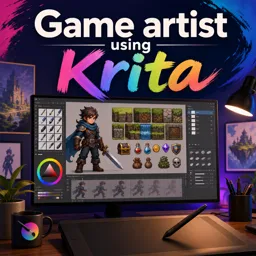
Krita is widely acclaimed as a powerful, open-source digital painting platform tailored for illustrators, concept artists, and designers. Beyond its intuitive interface and robust feature set, Krita stands out for its extensive brush engine system, offering unparalleled flexibility and infinite creative opportunities. In this article, we’ll dive deep into Krita’s brush engines, explore their customization potential, and share practical tips to help you leverage these tools in your artistic workflow.
What Are Brush Engines in Krita?
In Krita, a brush engine is the underlying system that controls how a brush behaves. Unlike a simple selection of preset brushes, Krita’s engines are highly customizable modules, each suited for different styles and effects. The software currently offers over nine different brush engines, including Pixel, Color Smudge, Shape, and more.
Main Types of Brush Engines
- Pixel Brush: Ideal for general drawing and painting, offering opacity and flow control.
- Color Smudge: For blending and smudging colors to create natural paint-like effects.
- Shape: Generates patterns or stamps, perfect for textures and decorative elements.
- Particle: Simulates spray and scatter effects, excellent for dynamic backgrounds and abstract art.
- Texture: Imbues brush strokes with custom or built-in textures for added realism.
Customizing Your Brushes
Krita allows you to tailor every aspect of your brushes through an in-depth editor. You can modify brush tip shape, size dynamics, blending modes, rotation, scattering, and more. Saving your customized brush as a preset enables quick access for future projects.
For advanced users, Krita’s engine editor offers scripting and parameter linking, making it possible to create highly complex and responsive tools.
Practical Tips for Using Brush Engines
- Experiment: Spend time exploring different brush engines to understand their unique features.
- Preset Management: Organize your favorite custom brushes by naming and categorizing them for easy retrieval.
- Tablet Optimization: Adjust brush settings to respond to pen pressure, tilt, and speed for a natural drawing experience.
- Texture Mapping: Use texture engines and overlays to create more lifelike surfaces in your artwork.
- Community Resources: Download and incorporate brush packs created by other artists to expand your toolkit.
Conclusion
Krita’s powerful brush engine system is a cornerstone of its creative versatility. By mastering these tools, artists can elevate their workflow and break new artistic ground. Invest time in understanding, organizing, and experimenting with Krita’s brush engines to unlock limitless potential in your digital art journey.