Introduction
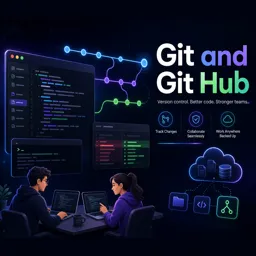
Version control is a cornerstone of modern software development, and Git is the preferred tool for millions of developers. While understanding basic Git commands is crucial, selecting a Git workflow that fits your team’s needs ensures maximum productivity and smooth collaboration on projects of any scale.
What is a Git Workflow?
A Git workflow defines how a team uses Git to manage code changes collaboratively. It provides guidelines for branch creation, feature development, and integration, helping teams avoid conflicts and maintain organized, efficient workflows.
Popular Git Workflows and Their Use Cases
1. Centralized Workflow
- Mimics traditional version control systems with a single main branch.
- Developers commit directly to
main(ormaster). - Ideal for small teams or solo projects; simple but limited in collaboration flexibility.
2. Feature Branch Workflow
- Create a new branch for each feature or bug fix.
- Merge branches back into
mainvia pull requests after completion. - Reduces conflicts and encourages code reviews.
3. Git Flow Workflow
- Structured workflow with branches for features, releases, and hotfixes.
- Best for projects with scheduled releases or multiple production/development versions.
4. Forking Workflow
- Common in open-source projects.
- Developers fork the main repository, make changes, and submit pull requests.
- Excellent for managing external contributions.
5. GitHub Flow
- Simplified workflow optimized for continuous deployment.
- Create branches off
mainfor each change, deploy, and merge via pull requests.
Choosing the Right Workflow
Consider project complexity, team size, and release strategy:
- Small Teams/Startups: Centralized or Feature Branch workflows.
- Large Projects/Multiple Releases: Git Flow provides structure and clarity.
- Open Source Projects: Forking Workflow separates contributions cleanly.
- Continuous Deployment: GitHub Flow supports fast, frequent updates.
Best Practices for Any Workflow
- Write clear, descriptive commit messages.
- Conduct code reviews using pull requests.
- Keep branches focused and regularly updated.
- Automate testing and integration where possible.
Conclusion
Choosing the right Git workflow improves collaboration, reduces merge conflicts, and streamlines releases. Evaluating your team’s needs and experimenting with different workflows ensures Git becomes not just a tool, but a cornerstone of effective development in IT projects.