Introduction to Git
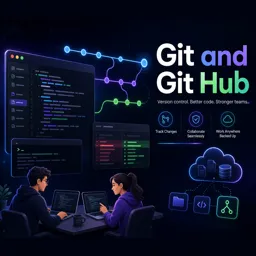
Git is a powerful, widely-used distributed version control system that helps developers manage changes to their codebase efficiently. Whether working solo or as part of a team, Git enables you to track changes, collaborate seamlessly, and reduce the risk of losing important work.
Why Use Git?
- Collaboration: Multiple people can work on the same project simultaneously without overwriting each other’s work.
- History Tracking: Every change is recorded, allowing you to review project history or revert to previous versions.
- Branching: Experiment with new features safely on separate branches and merge successful changes back into the main project.
- Flexibility: Use Git locally on your computer or with remote repositories like GitHub or GitLab for easy sharing and collaboration.
Key Concepts in Git
- Repository (repo): A directory that stores your project’s files and history of changes.
- Clone: Copy a remote repository to your local machine.
- Commit: Save a snapshot of your changes to the repository.
- Branch: Create an independent line of development for features or fixes.
- Merge: Combine changes from different branches into a single branch.
- Push/Pull: Send (push) or receive (pull) updates between local and remote repositories.
Getting Started with Git
Follow these steps to start using Git on your local computer:
- Install Git: Download and install Git from the official website.
- Set Up Your User Information: Run
git config --global user.name "Your Name"
git config --global user.email "you@example.com"
3. Create a New Repository: Navigate to your project directory and run git init.
4. Start Tracking Files: Stage all files with git add ..
5. Commit Your Changes: Save your work with
git commit -m "Initial commit"Basic Git Workflow
As you develop your project, follow this workflow:
- Check which files have changed with
git status. - Stage changes using
git add <filename>. - Commit changes using
git commit -m "Description of your change". - Sync with a remote repository using
git pushandgit pull.
Conclusion
Git allows you to confidently manage your code, collaborate with others, and track your project’s history. Once comfortable with the basics, you can explore advanced features such as pull requests, rebasing, and integrating Git with other development tools.