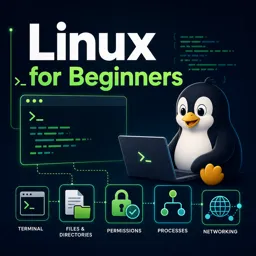
Linux is more than just an operating system; it’s a gateway to a flexible, secure, and customizable computing environment. Whether you’re curious about open-source software or considering a transition from other platforms, understanding Linux’s core concepts and everyday usage is the perfect starting point.
WHAT IS LINUX?
Linux is a powerful, open-source operating system that forms the backbone of countless servers, desktops, smartphones, and embedded devices around the world. Unlike proprietary operating systems, Linux can be freely used, modified, and distributed by anyone, making it a favorite among individuals, businesses, and developers.
WHY CHOOSE LINUX?
There are many reasons to choose Linux for personal or professional use:
- Stability and Reliability: Linux can run for years without rebooting, making it ideal for servers and critical systems.
- Security: Its permissions model and active community reduce vulnerabilities to viruses and malware.
- Flexibility: Various distributions (Ubuntu, Fedora, Debian, CentOS, etc.) are designed for different needs.
- Cost-Effectiveness: Most Linux distros are completely free, including updates.
- Community Support: Extensive documentation, forums, and tutorials are readily available.
UNDERSTANDING THE LINUX ECOSYSTEM
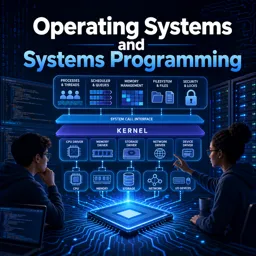
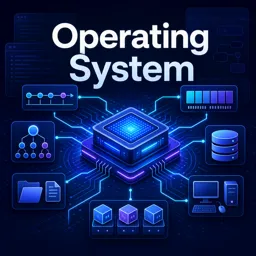
The Linux ecosystem is modular, built around the following components:
- Kernel: The core that manages hardware resources.
- Shells: Command-line tools like Bash for direct system interaction.
- GUIs: Desktop environments such as GNOME, KDE, and XFCE for user-friendly experiences.
- Applications: A vast library of open-source software for productivity, development, and more.
KEY LINUX CONCEPTS EVERY BEGINNER SHOULD KNOW
- Filesystems: A tree-like structure starting from the root directory (/).
- Package Management: Tools like APT, YUM, and Pacman handle software installation and updates.
- User and Permissions Management: Multi-user systems with fine-grained access controls.
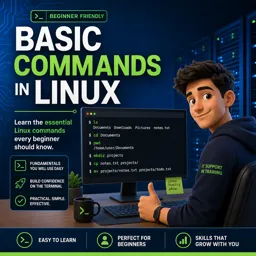
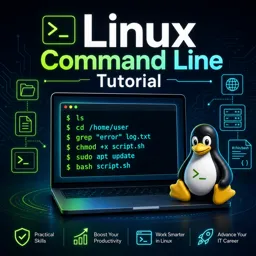
- Terminal Basics: Command-line usage enhances efficiency and automation.
EVERYDAY TASKS MADE EASY ON LINUX
Linux easily supports daily computing activities, including:
- Browsing the web with Firefox or Chromium
- Creating documents and spreadsheets in LibreOffice
- Customizing your desktop for efficiency
- Managing files through intuitive file managers
- Installing and updating applications from secure repositories
GETTING STARTED WITH LINUX
If you’re new to Linux, try beginner-friendly distributions like Ubuntu or Linux Mint. You can run them directly from a USB stick before installing. Tutorials, online communities, and forums provide excellent support as you learn.
CONCLUSION
Linux is an open, secure, and versatile platform that empowers users to control their computing experience. With the right distribution and a bit of practice, beginners can quickly master its core concepts and explore the limitless possibilities of open-source technology.