A modem or optical network terminal (ONT) connects your home to the ISP, while a router distributes that connection across your local network.

Duration of the online course: 1 hours and 50 minutes
New
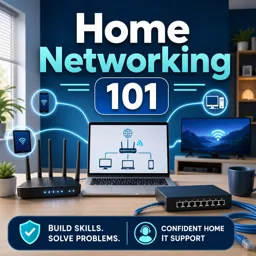
Build a faster, safer home network with this free course: routers, switches, NAT, DNS, and troubleshooting basics—ideal for beginners and IT support skills.
A reliable home network is the foundation for everything you do online: remote work, gaming, streaming, smart home devices, and secure browsing. This free online course helps you understand how a home network actually works, so you can make better decisions when buying gear, configuring devices, and fixing problems without guessing. Instead of memorizing buzzwords, you will connect the dots between your internet service, your modem or gateway, your router, and the devices that share the connection across Wi‑Fi and Ethernet.
You will learn how home networks connect to an ISP, what each piece of equipment is responsible for, and why your setup may feel slow or unreliable even when your internet plan looks good on paper. The course breaks down essential concepts such as routing and switching in a practical way, clarifying how data moves inside your home and where common bottlenecks appear as you add more devices, access points, or additional switches.
Troubleshooting is a key theme throughout. You will practice diagnosing real-world issues using simple techniques, including understanding what it means when you can reach an external IP address but not a website name, and what that points to inside your network configuration. You will also gain a clear understanding of NAT, why it exists on most home routers, and how it affects addressing, device access, and basic security.
By the end, you will feel confident reading network status screens, identifying which device does what, and building a home network design that reduces single points of failure and avoids performance choke points. These skills are useful for anyone who wants a smoother home setup, and they also translate directly to entry-level IT support and help desk responsibilities where networking fundamentals are essential.

1 hours and 50 minutes of online video course

Digital certificate of course completion (Free)

Exercises to train your knowledge

100% free, from content to certificate
What device connects a home network to an internet service provider?
A modem or optical network terminal (ONT) connects your home to the ISP, while a router distributes that connection across your local network.
Why can I ping an IP address but not the same website name?
This usually indicates a DNS problem: your device can reach the internet but cannot translate the domain name into an IP address.
What does NAT do on a home router?
Network Address Translation lets multiple devices share one public IP address while keeping their private local IP addresses hidden from the internet.
Ready to get started?Download the app and get started today.
Install the app now
to access the course
Over 5,000 free courses
Programming, English, Digital Marketing and much more! Learn whatever you want, for free.

Study plan with AI
Our app's Artificial Intelligence can create a study schedule for the course you choose.

From zero to professional success
Improve your resume with our free Certificate and then use our Artificial Intelligence to find your dream job.
You can also use the QR Code or the links below.



Free CourseOperating Systems and Systems Programming
5

(4)

38h48m

26 exercises
Free CourseOperating System
5
(3)
16h53m
42 exercises
Free CourseBasic Commands in Linux
4.8

(4)
2h15m
6 exercises
Free CourseComputer operating systems
4.7
(109)
6h00m
23 exercises
Free CourseHardware and Network full course
4.6
(17)
20h08m
23 exercises
Free CourseLinux command line tutorial
4.5
(59)
25h01m
40 exercises
Free CourseUbuntu Linux training
4.5
(32)
4h06m
33 exercises
Free CourseHardware
4.4
(46)
8h40m
15 exercises
Free CourseKali Linux: Beginner to Advanced
3.9
(7)
15h57m
35 exercises
Free CourseLinux course: Beginner to Sysadmin
2.7
(3)
3h58m
19 exercises
Carry knowledge in your pocket.
Download the Cursa app.
There are hundreds of free courses available, with a free certificate of completion that is saved in your mobile image gallery.
Download the app to access the Course Completion Certificate for Free.


+ 10 million
students

Free and Valid
Certificate

60 thousand free
exercises

4.8/5 rating in
app stores

Free courses in
video and ebooks