
The `more` command displays file contents page by page; `less` provides similar viewing with additional navigation features.

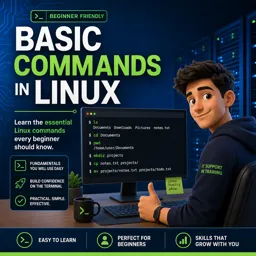
Duration of the online course: 2 hours and 15 minutes
4.8


(4)
Boost your Linux skills fast with a free online course on essential commands. Learn to view files, add line numbers, and work smarter in the terminal.
Build confidence in the Linux terminal by learning the basic commands used every day in IT support, system administration, and technical roles. This free online course focuses on the practical skills that help you navigate a Unix/Linux environment, understand what you are seeing on screen, and handle common file-viewing tasks without guesswork. If you are moving from a graphical interface to the command line, these fundamentals make the difference between feeling stuck and feeling in control.
You will learn how to display and inspect file contents efficiently, especially when files are too long for quick viewing. Instead of overwhelming the screen with output, you will practice working page by page, a simple habit that improves readability and reduces mistakes when scanning logs, configuration files, or notes. You will also work with techniques for showing line numbers, including blank lines, which is extremely helpful when troubleshooting, following instructions, or communicating exact locations in a file with teammates.
Another key outcome is understanding how and why the cat command is used beyond simply printing text. You will see how it supports everyday workflows, such as quickly checking what a file contains, combining information, and creating a new file with content directly from the terminal. These skills are small on their own, but together they form a foundation you will rely on in more advanced tasks like scripting, server maintenance, and automation.
By the end, you will be better prepared for entry-level tech jobs, lab environments, and further learning in Linux and operating systems. Whether you are studying for personal growth or building job-ready skills, this course helps you practice clear, repeatable command-line habits that translate directly to real work.

2 hours and 15 minutes of online video course

Digital certificate of course completion (Free)

Exercises to train your knowledge

100% free, from content to certificate
Which Linux command displays a large file one page at a time?
The `more` command displays file contents page by page; `less` provides similar viewing with additional navigation features.
How can I show line numbers for blank lines when viewing a file in Linux?
Use `cat -n filename` to number every output line, including blank lines.
How do I create a text file with content using the cat command?
Run `cat > filename`, type the content, then press `Ctrl+D` to save and end input.
Ready to get started?Download the app and get started today.
Install the app now
to access the course
Over 5,000 free courses
Programming, English, Digital Marketing and much more! Learn whatever you want, for free.

Study plan with AI
Our app's Artificial Intelligence can create a study schedule for the course you choose.

From zero to professional success
Improve your resume with our free Certificate and then use our Artificial Intelligence to find your dream job.
You can also use the QR Code or the links below.



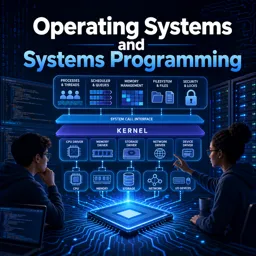
Free CourseOperating Systems and Systems Programming
5
(4)

38h48m

26 exercises
Free CourseOperating System
5
(3)
16h53m
42 exercises

Free CourseHome Networking 101
5
(1)
1h50m
4 exercises
Free CourseComputer operating systems
4.7
(109)
6h00m
23 exercises

Free CourseHardware and Network full course
4.6
(17)
20h08m
23 exercises
Free CourseLinux command line tutorial
4.5
(59)
25h01m
40 exercises
Free CourseUbuntu Linux training
4.5
(32)
4h06m
33 exercises

Free CourseHardware
4.4
(46)
8h40m
15 exercises

Free CourseKali Linux: Beginner to Advanced
3.9
(7)
15h57m
35 exercises
Free CourseLinux course: Beginner to Sysadmin
2.7
(3)
3h58m
19 exercises
Carry knowledge in your pocket.
Download the Cursa app.
There are hundreds of free courses available, with a free certificate of completion that is saved in your mobile image gallery.
Download the app to access the Course Completion Certificate for Free.


+ 10 million
students

Free and Valid
Certificate

60 thousand free
exercises

4.8/5 rating in
app stores

Free courses in
video and ebooks
Course comments: Basic Commands in Linux
Mahmoud Mohamed Abdel Salam Ahmed Taha
prefect