Free online course Hardware and Network full course
Duration of the online course: 20 hours and 8 minutes
4.5
(15)
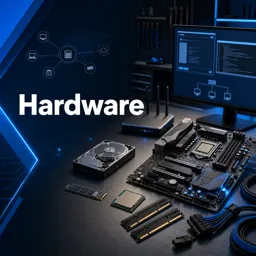
Build job-ready IT support skills fast with a free hardware & networking course—learn PCs, OS basics, troubleshooting, and earn a certificate.
In this free course, learn about
Core computer architecture concepts: CPU role, RISC basics, system bus, RAM/ROM, storage
Motherboard parts, form factors/technologies, and CPU sockets incl. ZIF socket features
Motherboard troubleshooting & maintenance, including PSU-to-board connection basics
Processor technologies: why CPU is the computer’s core, multi-core benefits, overheating causes
Memory fundamentals: DRAM vs SRAM, RAM types (DDR4, NVRAM), memory banks & troubleshooting
Hard disk internals: platters, tracks/sectors/cylinders/clusters, specs, Zone Bit Recording (ZBR)
Disk setup: partitioning concepts, MBR vs GPT, file systems (e.g., FAT), formatting workflow
Hard disk troubleshooting: defragmentation, disk errors, and recognizing failure sounds/clicking
Legacy storage: floppy disk purpose, types, and common troubleshooting; HDD advantages vs floppy
Power fundamentals: how SMPS works and its primary function in supplying regulated DC power
Firmware & boot: BIOS and POST basics, setting boot order via BIOS/boot menu options
Optical storage: CD/DVD/Blu-ray technologies and their role as secondary storage
Printer technologies: impact (dot matrix) characteristics vs inkjet advantages and maintenance
Laser printers: printing process steps and common disadvantages
About the free online course
Want to understand what really happens inside a computer and how devices connect and communicate on a network? This free online course is designed to take you from the fundamentals of PC hardware to practical, real-world troubleshooting skills used in IT support roles. You will build a clear mental model of how each component works, how it interacts with the rest of the system, and how to diagnose problems confidently instead of relying on guesswork.
You will explore core computer architecture concepts and learn what makes a system perform well or fail under pressure. From the CPU and multi-core processing to memory behavior and common bottlenecks, the course helps you connect theory with everyday symptoms like slow performance, unexpected shutdowns, overheating, or boot issues. You will also gain insight into motherboard design, sockets, power connections, and maintenance considerations that matter when assembling, upgrading, or repairing computers.
Storage is another key focus, giving you a practical understanding of how drives organize and retrieve data, how partitions and file systems shape reliability, and why certain sounds or behaviors can signal a failing disk. Along the way, you will learn how firmware and startup routines work, including BIOS settings, POST behavior, and boot order changes—essential skills for bringing non-booting machines back to life.
The course rounds out your toolkit with common peripheral and power topics such as SMPS fundamentals and printer technologies, so you can handle typical office and home-user issues end to end. With videos and exercises to reinforce learning, this is a solid step toward entry-level tech support and help desk readiness. If a certificate fits your goals, you will be able to validate your progress and showcase your skills more confidently.
Course content
Video class: Computer Hardware and Networking Course | Full Course | Beginner to Expert Level | Certification22m
Video class: Introduction to Computer Architecture | RAM,ROM,System Bus,Storage Devices,RISC33m
Exercise: What is the primary role of a CPU in a computer?
Video class: Motherboard Technologies | Computer Motherboard Parts with detail Explaination | Full Course26m
Exercise: What is a motherboard in a computer system?
Video class: Motherboard Technologies | CPU Sockets31m
Exercise: What is a Zero Insertion Force (ZIF) socket on motherboards known for?
Video class: Motherboard Technologies | Trouble shooting and Maintenance of Motherboard | Detail Explanation31m
Exercise: What is the basic formula to remember while connecting the power supply to the motherboard?
Video class: Processor Technologies | Computer Processors Explained | Computer Hardware Tutorial | Full Course21m
Exercise: What is considered the core of a computer?
Video class: Processor Technologies | CPU Overheating30m
Exercise: What are the benefits of having a multi-core processor?
Video class: Memory Technologies | Types of Memory | DRAM and SRAM | Memory Banks35m
Exercise: What is a key component of a computer required for storing data temporarily?
Video class: Memory Technologies | Types of RAM | NVRAM | DDR4 | Computer Memory Troubleshooting22m
Video class: Hard Disk | Platter | Track | Sector | Cylinder | Cluster | Specification | Zone Bit Recording(ZBR)38m
Exercise: What is the primary advantage of hard disk drives over floppy drives?
Video class: Hard Disk Partition | MBR and GPT | File System | FAT41m
Exercise: What is the two-stage process to prepare a hard disk for storing data?
Video class: Hard Disk Troubleshooting | Disk Defragmentation | Disk Error Explained24m
Exercise: Which sound indicates a failing hard drive?
Video class: Floppy Disk | Storage Technologies | Floppy Disk Drive | Troubleshooting | Types of Floppy Disk31m
Exercise: What was the main purpose of using a floppy disk drive in the early days of computing?
Video class: How SMPS Works ? | Working of SMPS | SMPS Technologies | Switch Mode Power Supply | Full Course25m
Exercise: What is the primary function of an SMPS in a computer?
Video class: BIOS and POST | BIOS31m
Video class: Optical Storage Technologies | Compact Disk | Secondary Storage | Blu-Ray Disk, DVD Explained39m
Video class: How to set boot order in Computer | Boot Menu Options | Bios Setting | Windows Boot Menu15m
Video class: Printer Technologies | Dot Matrix Printer | Colour Dot Matrix Printer | Printer Hardware Full Course30m
Exercise: Which of the following is a characteristic of impact printers?
Video class: Printer Technologies | Inkjet and Thermal Jet Printers | Head Cleaning Mechanisms Explained32m
Exercise: What is the advantage of using an inkjet printer over a dot matrix printer?
Video class: Printer Technologies | Laser Printer Explained | Laser Printing Process Explained | Steps26m
Exercise: What is a disadvantage of using laser printers?
Video class: Troubleshooting Printers | CompTIA A | Hardware and Networking | Full Course37m
Exercise: What is the first basic troubleshooting step suggested if you are not able to get a printout from the printer?
Video class: Printer Installation | Setup or Install a Printer on Windows 10 | Add Printer in Windows 1022m
Video class: Scanner Technologies | Types of Scanner | Drum32m
Exercise: What is the meaning of DPI in scanner technology?
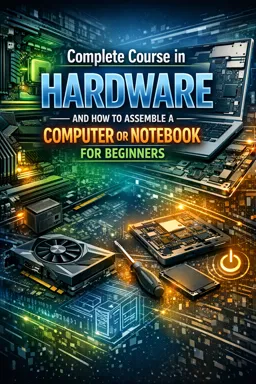
Video class: How to assemble a Computer | Step by Step | Parts of Computer explained | Computer Assembling28m
Video class: Configuring Bitlocker Encryption in Windows 10 | Bitlocker Encryption | Windows 10 | Full Course30m
Video class: How to Fix Blue Screen of Death in Windows 10 | BSOD in Windows 10 | Hardware and Networking Course17m
Video class: Windows 10 Installation Step by Step | Windows 10 | How to install windows 10 | Pendrive Boot30m
Video class: Working with Windows10 Environment | Windows 10 Environment | Hardware19m
Video class: Working with Windows10 Environment | Windows 10 Environment Part -215m
Video class: Working with Windows10 Environment | Windows 10 Environment Part -3 | Full Course11m
Video class: How to install VMware Workstation in Windows 10 | Installation23m
Video class: Windows Patch Management in Endpoints | Windows 10 | Hardware and Networking Full Course37m
Video class: How to Create Partition on Windows 10 | Disk Management in Windows 10 | Windows 10 | Hard Drives21m
Exercise: How can you access the Disk Management tool in Windows 10?
Video class: How to Create a New User account on Windows 10 | User Management in Windows10 | New User14m
Video class: Local Security Policy in Windows10 | Password Policy | CompTIA A | Local Security Policy26m
Exercise: What is the purpose of group policy in Windows 10?
Video class: What is Topology? full Explanation | BUS, STAR, RING, MESH, TREE and Hybrid Topologies22m












Course comments: Hardware and Network full course
Chaitanya Ojha
it's very helpful
Mohit Dulbule
This is good for Hardware and networking
Piet Molete
very useful and i learnt alot thanks