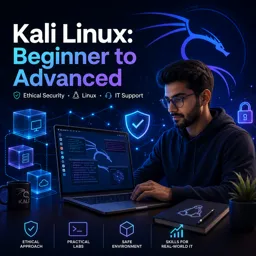
Free Course Image Kali Linux: Beginner to Advanced

Free online courseKali Linux: Beginner to Advanced

Duration of the online course: 15 hours and 57 minutes

3.86

StarStarStarStar

(7)

Free online course on Kali Linux, covering basics to advanced topics like VirtualBox installation, WiFi cracking, SQL injections, Metasploit, and more. Efficient learning path.

In this free course, learn about

  • Introduction and Course Setup
  • Virtualization Environment Setup
  • Linux Command Line Essentials
  • Anonymity, Tor, and ProxyChains
  • VPNs and MAC Address Spoofing
  • Network Scanning and Footprinting with Nmap
  • Wireless Cracking Fundamentals
  • WPS Attacks and Wireless DoS
  • Man-in-the-Middle and SSL Stripping
  • Web Pranks, Evil Twins, and Wireshark
  • Router Exploits and Wireless Infrastructure Weaknesses
  • Social Engineering and Phishing
  • Web Application Security and SQL Injection
  • Password Cracking and Hash Attacks
  • Online Brute Force and Hydra Usage
  • Denial of Service Attacks
  • Exploitation with Metasploit and Reverse Shells

Course Description

Welcome to "Kali Linux: Beginner to Advanced," a comprehensive course designed to take you on a journey from the very basics of Kali Linux to the advanced techniques used by professionals in the cybersecurity field. This course offers a robust 15 hours and 57 minutes of instructional content, ensuring you gain a deep and practical understanding of Kali Linux. Rated an average of 4 stars, this course falls under the Information Technology category, specifically focusing on Operating Systems.

The course begins with a thorough introduction, setting the stage for what is to come. It then moves into the prerequisites needed to ensure you are well-prepared to tackle the material. You will also get accustomed to basic and essential terminologies that will be frequently used throughout your journey.

From installing VirtualBox using RPM and the Linux Package Manager to configuring virtual machines, the course offers step-by-step guidance. This also includes instructions for setting up VirtualBox on Windows. Once the virtual environment is ready, you’ll proceed with the Kali Linux installation and learn how to start the operating system, configure networks, and update software.

The next segments dive into terminal commands and command-line essentials, laying the groundwork for effective navigation and operation within Kali Linux. A fascinating exploration into accessing the Dark Web using the Tor Browser is also included, featuring multiple parts that ensure thorough coverage.

Privacy and anonymity play a crucial role in cybersecurity, and the course dedicates several episodes to staying anonymous with ProxyChains, setting up Virtual Private Networks (VPNs), and using tools like Macchanger. These sections are essential for anyone looking to understand how to mask their activities and keep their online presence secure.

As you advance, you will explore footprinting with Nmap to identify network vulnerabilities, and the course then transitions into WiFi cracking techniques. You’ll learn how to install and use tools like Aircrack-ng and Crunch, and even delve into brute-forcing WPS pins with Reaver.

The course doesn’t stop there. It includes comprehensive sessions on advanced techniques such as signal jamming, denial of service attacks, SSL stripping, ARP spoofing, and router vulnerabilities. These sections are crucial for understanding both the offensive and defensive aspects of network security.

One of the most intriguing parts is the discussion on social engineering, including website cloning using SEToolkit and detailed demonstration of social engineering attacks. You'll also get a primer on SQL injections, which covers MySQL database setup and using tools like Burp Suite and Sqlmap for penetration testing.

Finally, the course explores cracking hashes and passwords using John the Ripper for both Linux and Windows systems, and deploying a variety of attacks using tools like Hydra. The concluding sections focus on denial of service demonstrations and introduce you to Metasploit and reverse shells, providing you with knowledge on deploying payloads, escalating privileges, and maintaining persistence on compromised systems.

All these topics culminate into a curriculum that equips you with the skills needed to effectively use Kali Linux for ethical hacking and cybersecurity. Whether you are a beginner or looking to enhance your advanced skills, this course offers valuable insights and practical experience.

Course content

  • Video class: Learn Kali Linux Episode #1: Introduction 08m
  • Exercise: What defines the ethical aspect of hacking?
  • Video class: Learn Kali Linux Episode #2: Course Prerequisites 07m
  • Exercise: What is one of the essential prerequisites for following the course?
  • Video class: Learn Kali Linux Episode #3: Basic Terminology 12m
  • Exercise: What are the three main categories of hackers discussed in the tutorial?
  • Video class: Learn Kali Linux Episode #4: Basic Terminology (Continued) 18m
  • Exercise: What is a primary function of a VPN?
  • Video class: Learn Kali Linux Episode #5: Installing VirtualBox with RPM 09m
  • Exercise: Why should you install VirtualBox on your main operating system?
  • Video class: Learn Kali Linux Episode #6: VirtualBox Installation Using the Linux Package Manager 15m
  • Exercise: What is the correct default package manager for Fedora?
  • Video class: Learn Kali Linux Episode #7: Virtual Machine Configuration 13m
  • Exercise: _What is the website to download Kali Linux?
  • Video class: Learn Kali Linux Episode #8: Installing VirtualBox on Windows 05m
  • Exercise: What is the recommended source for downloading VirtualBox on Windows, according to the tutorial?
  • Video class: Learn Kali Linux Episode #9: Kali Linux Installation 16m
  • Exercise: What is the default root password in Kali Linux's live version?
  • Video class: Learn Kali Linux Episode #10: Starting Kali Linux, Configuring the Network, and Updating Software 12m
  • Exercise: _During the Kali Linux installation process, what was the first question that the narrator was asked?
  • Video class: Learn Kali Linux Episode #11: Installing VirtualBox Guest Additions 14m
  • Exercise: What is the function of the 'apt-get update' command in Linux?
  • Video class: Learn Kali Linux Episode #12: Introduction to the Terminal 09m
  • Exercise: What is a common reason for configuring the Linux terminal?
  • Video class: Learn Kali Linux Episode #13: Command Line Essentials (Part 1) 14m
  • Exercise: _What is the command used to change the working directory in the terminal?
  • Video class: Learn Kali Linux Episode #14: Command Line Essentials (Part 2) 15m
  • Exercise: What is the purpose of the 'cat' command in Linux?
  • Video class: Learn Kali Linux Episode #15: Accessing the Dark Web Using the Tor Browser (Part 1) 11m
  • Exercise: What is a key concern when using proxies to stay anonymous?
  • Video class: Learn Kali Linux Episode #16: Accessing the Dark Web Using the Tor Browser (Part 2) 15m
  • Exercise: _What should you check before downloading the Tor browser from the Tor project website?
  • Video class: Learn Kali Linux Episode #17: Staying Anonymous with ProxyChains (Part 1) 12m
  • Exercise: What is the primary advantage of using dynamic chains over strict chains in proxychains configuration?
  • Video class: Learn Kali Linux Episode #18: Staying Anonymous with ProxyChains (Part 2) 14m
  • Exercise: Which proxy type is recommended for safer browsing and better support?
  • Video class: Learn Kali Linux Episode #19: Staying Anonymous with ProxyChains (Part 3) 13m
  • Exercise: Which country's proxies might be best for privacy according to the tutorial?
  • Video class: Learn Kali Linux Episode #20: Virtual Private Network (VPN) Setup (Part 1) 06m
  • Exercise: What must be done to manage a wired network in Linux?
  • Video class: Learn Kali Linux Episode #21: Virtual Private Network (VPN) Setup (Part 2) 12m
  • Video class: Learn Kali Linux Episode #22: Macchanger (Part 1) 12m
  • Exercise: _What is a MAC address and how can it be identified?
  • Video class: Learn Kali Linux Episode #23: Macchanger (Part 2) 10m
  • Video class: Learn Kali Linux Episode #24: Footprinting with Nmap (Part 1) 17m
  • Video class: Learn Kali Linux Episode #25: Footprinting with Nmap (Part 2) 19m
  • Exercise: _What is the recommended option to pass for verbose output when conducting a scan with nmap?
  • Video class: Learn Kali Linux Episode #26: External Nmap Resources 10m
  • Video class: Learn Kali Linux Episode #27: Introduction to WiFi Cracking 15m
  • Video class: Learn Kali Linux Episode #28: Aircrack and Reaver Installation 12m
  • Exercise: _Where can you download Reaver for installation?
  • Video class: Learn Kali Linux Episode #29: Aircrack-ng and Crunch Setup 11m
  • Video class: Learn Kali Linux Episode #30: Aircrack-ng and Crunch Usage Example (Part 1) 11m
  • Video class: Learn Kali Linux Episode #31: Aircrack-ng and Crunch Usage Example (Part 2) 10m
  • Video class: Learn Kali Linux Episode #32: Aircrack-ng and Crunch Usage Example (Part 3) 20m
  • Video class: Learn Kali Linux Episode #33: Brute-Forcing WPS Pins with Reaver (Part 1) 15m
  • Video class: Learn Kali Linux Episode #34: Brute-Forcing WPS Pins with Reaver (Part 2) 10m
  • Exercise: _What is the most important thing to pay attention to when scanning for vulnerable wireless access points using Reaver?
  • Video class: Learn Kali Linux Episode #35: Brute-Forcing WPS Pins with Reaver (Part 3) 16m
  • Video class: Learn Kali Linux Episode #36: Signal Jamming and Denial of Service Demonstration (Part 1) 13m
  • Video class: Learn Kali Linux Episode #37: Signal Jamming and Denial of Service Demonstration (Part 2) 17m
  • Exercise: _What are some of the things that need to be monitored in order to perform a long term wireless denial of service attack?
  • Video class: Learn Kali Linux Episode #38: SSL Stripping and ARP Spoofing (Part 1) 08m
  • Video class: Learn Kali Linux Episode #39: SSL Stripping and ARP Spoofing (Part 2) 10m
  • Video class: Learn Kali Linux Episode #40: SSL Stripping and ARP Spoofing (Part 3) 18m
  • Exercise: _What is the command that needs to be run to open up port 8080 in IP tables?
  • Video class: Learn Kali Linux Episode #41: Funny Things (Part 1) 07m
  • Video class: Learn Kali Linux Episode #42: Funny Things (Part 2) 12m
  • Video class: Learn Kali Linux Episode #43: Funny Things (Part 3) 18m
  • Exercise: _What command should you use to restart the Apache server in Kali Linux?
  • Video class: Learn Kali Linux Episode #44: Evil Twin (Part 1) 10m
  • Video class: Learn Kali Linux Episode #45: Evil Twin (Part 2) 07m
  • Video class: Learn Kali Linux Episode #46: Evil Twin (Part 3) 11m
  • Exercise: _What is the purpose of using Wireshark to monitor network traffic?
  • Video class: Learn Kali Linux Episode #47: Router Vulnerabilities (Part 1) 09m
  • Video class: Learn Kali Linux Episode #48: Router Vulnerabilities (Part 2) 09m
  • Video class: Learn Kali Linux Episode #49: Router Vulnerabilities (Part 3) 18m
  • Exercise: _What is the vulnerability within tp-link routers that allows the pulling of wireless credentials?
  • Video class: Learn Kali Linux Episode #50: Introduction to Social Engineering 09m
  • Video class: Learn Kali Linux Episode #51: Website Cloning Using SEToolkit 12m
  • Video class: Learn Kali Linux Episode #52: Social Engineering Demonstration 13m
  • Exercise: _What command should be typed in to get a live feed of the information being collected by the harvester in DNS hijacking?
  • Video class: Learn Kali Linux Episode #53: Introduction to SQL Injections 12m
  • Video class: Learn Kali Linux Episode #54: MySQL Database Setup 14m
  • Video class: Learn Kali Linux Episode #55: Burp Suite Basics 13m
  • Exercise: _What is the default username and password for DVWA-1.0.8?
  • Video class: Learn Kali Linux Episode #56: Sqlmap Demonstration (Part 1) 11m
  • Video class: Learn Kali Linux Episode #57: Sqlmap Demonstration (Part 2) 16m
  • Video class: Learn Kali Linux Episode #58: Introduction to Cracking Hashes 12m
  • Video class: Learn Kali Linux Episode #59: Cracking Linux Passwords with John the Ripper (Part 1) 12m
  • Video class: Learn Kali Linux Episode #60: Cracking Linux Passwords with John the Ripper (Part 2) 08m
  • Video class: Learn Kali Linux Episode #61: Cracking Windows Passwords with John the Ripper 19m
  • Exercise: _Why is it more common to forget passwords on Windows machines than on Linux machines?
  • Video class: Learn Kali Linux Episode #62: Introduction to Hydra 17m
  • Video class: Learn Kali Linux Episode #63: Complete Hydra Demonstration 18m
  • Video class: Learn Kali Linux Episode #64: Denial of Service (DoS) Demo (Part 1) 18m
  • Exercise: _What is the recommendation given by the author to practice a DoS attack?
  • Video class: Learn Kali Linux Episode #65: Denial of Service (DoS) Demo (Part 2) 08m
  • Video class: Learn Kali Linux Episode #66: Denial of Service (DoS) Demo (Part 3) 09m
  • Video class: Learn Kali Linux Episode #67: Intro to Metasploit and Reverse Shells 18m
  • Exercise: _What is the preferable way to create a reverse shell?
  • Video class: Learn Kali Linux Episode #68: Deploying a Payload with Metasploit 18m
  • Video class: Learn Kali Linux Episode #69: Escalating Privileges on Another System 16m
  • Video class: Learn Kali Linux Episode #70: Creating a Persistent Reverse Shell with Metasploit 11m
  • Exercise: _What command should be used to automatically start the agent when the system boots in Kali Linux?
  • Video class: Learn Kali Linux Episode #71: Creating Reverse Shells with Netcat 20m
  • Video class: Learn Kali Linux Episode #72: Uploading a Reverse Shell to a Web Server 16m

This free course includes:

15 hours and 57 minutes of online video course

Digital certificate of course completion (Free)

Exercises to train your knowledge

100% free, from content to certificate

Ready to get started?Download the app and get started today.

Install the app now

to access the course
Icon representing technology and business courses

Over 5,000 free courses

Programming, English, Digital Marketing and much more! Learn whatever you want, for free.

Calendar icon with target representing study planning

Study plan with AI

Our app's Artificial Intelligence can create a study schedule for the course you choose.

Professional icon representing career and business

From zero to professional success

Improve your resume with our free Certificate and then use our Artificial Intelligence to find your dream job.

You can also use the QR Code or the links below.

QR Code - Download Cursa - Online Courses

More free courses at Operational Systems

Download the App now to have access to + 3300 free courses, exercises, certificates and lots of content without paying anything!

  • 100% free online courses from start to finish

    Thousands of online courses in video, ebooks and audiobooks.

  • More than 48 thousand free exercises

    To test your knowledge during online courses

  • Valid free Digital Certificate with QR Code

    Generated directly from your cell phone's photo gallery and sent to your email

Cursa app on the ebook screen, the video course screen and the course exercises screen, plus the course completion certificate

+ 9 million
students

Free and Valid
Certificate

60 thousand free
exercises

4.8/5 rating in
app stores

Free courses in
video and ebooks