Microsoft Edge is the default web browser included with Windows 11.

Duration of the online course: 7 hours and 3 minutes
4.8

(5)
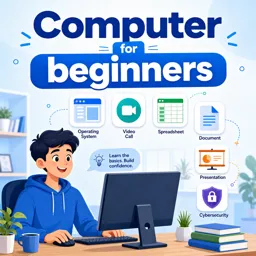
Build essential computer skills fast with this free course: Windows 11 basics, online safety, Zoom, and Google Docs, Sheets & Slides—learn confidently today.
Getting comfortable with a computer can change everything: from applying for jobs and managing everyday tasks to communicating with confidence and creating polished documents. This free online course is designed for true beginners who want practical skills they can use immediately, without feeling overwhelmed by technical jargon. You will build a solid foundation and learn the everyday tools that employers, schools, and families rely on most.
You will start by getting familiar with Windows 11, learning how to navigate the desktop, open and manage apps, and understand the settings that help your device run smoothly. Once you feel more at home using your computer, you will shift to an equally important topic: staying safe online. You will learn beginner-friendly cybersecurity concepts, including how to recognize threats like malware and how to make smarter choices when browsing, downloading, or opening files.
Next, you will strengthen your communication skills with video meetings. By learning Zoom from the ground up, you will be able to join sessions confidently, understand common features, and participate effectively in classes, interviews, meetings, or community events. This makes remote collaboration feel far less intimidating and much more manageable.
Finally, you will gain hands-on experience with essential Google productivity tools. You will learn how to start and work with spreadsheets in Google Sheets, understand practical features like freezing headers while scrolling, use smart tools that help you analyze data faster, and apply spreadsheet concepts that support real tasks such as tracking expenses or organizing information. You will also learn the basics of Google Docs and Google Slides, helping you create clean documents and presentations, use helpful shortcuts, and rely on features that automatically save your work to prevent accidental loss.
With short lessons and practice questions to reinforce what you learn, this course helps you build confidence step by step. By the end, you will be better prepared for digital tasks at work, at school, or at home, with core skills you can keep improving every day.

7 hours and 3 minutes of online video course

Digital certificate of course completion (Free)

Exercises to train your knowledge

100% free, from content to certificate
What is the default web browser in Windows 11?
Microsoft Edge is the default web browser included with Windows 11.
What is malware in cybersecurity?
Malware is malicious software designed to damage, disrupt, spy on, or gain unauthorized access to a device or network.
How do you quickly create a new Google Sheets spreadsheet?
Type sheets.new in your web browser’s address bar to open a new untitled spreadsheet.
Ready to get started?Download the app and get started today.
Install the app now
to access the course
Over 5,000 free courses
Programming, English, Digital Marketing and much more! Learn whatever you want, for free.

Study plan with AI
Our app's Artificial Intelligence can create a study schedule for the course you choose.

From zero to professional success
Improve your resume with our free Certificate and then use our Artificial Intelligence to find your dream job.
You can also use the QR Code or the links below.



Free CourseIBM IT Support course
5
(4)

18h43m

6 exercises
Free CourseIT fundamentals
4.9
(11)
5h33m
22 exercises
Free CourseComputer basics course
4.9
(20)
55m
8 exercises
Free CourseIntroduction to Computer Science
4.8
(40)
17h05m
9 exercises
Free CourseHow to use Windows 10
4.8

(4)
3h51m
45 exercises
Free CourseWindows 11 for beginners
4
(1)
3h51m
29 exercises
Free CourseFundamentals of Computing for complete beginners
New
46m
13 exercises
Carry knowledge in your pocket.
Download the Cursa app.
There are hundreds of free courses available, with a free certificate of completion that is saved in your mobile image gallery.
Download the app to access the Course Completion Certificate for Free.


+ 10 million
students

Free and Valid
Certificate

60 thousand free
exercises

4.8/5 rating in
app stores

Free courses in
video and ebooks