


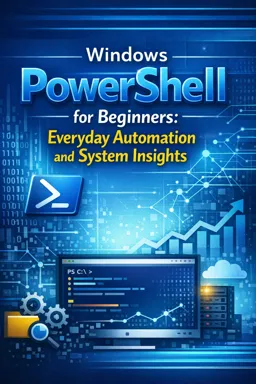
You will learn to navigate the desktop, use the Start menu, manage files, adjust settings, and complete common everyday tasks.

2

1

2


Customizing Your Microsoft Windows Experience: Personalization Tips and Tricks
Learn to personalize your Windows PC with themes, shortcuts, sounds, widgets, and accessibility tools to improve comfort and productivity.

Getting Started with Windows 11: A Beginner’s Guide
Windows 11 offers a sleek, user-friendly experience with enhanced multitasking, security, and customization features, making it perfect for work and play.

How to Use Virtual Desktops in Windows 11 for Multitasking
Virtual desktops in Windows 11 enhance multitasking by providing separate workspaces. Organize tasks, switch easily, and reduce clutter for a focused workflow.
Develop valuable digital skills with our selection of free Microsoft Windows courses. These online courses offer accessible, structured learning for beginners, students, professionals, job seekers, and anyone who wants to use the Windows operating system more confidently. Study essential concepts through educational lessons, practical examples, and exercises designed to reinforce your knowledge.
Explore training content covering Windows features, system settings, file and folder management, desktop customization, software installation, user accounts, security options, maintenance tools, shortcuts, and troubleshooting techniques. Depending on the selected course, you may also study Windows administration, productivity resources, networking basics, data protection, and methods for improving computer performance.
Every course is completely free and includes exercises that help you review important topics and evaluate your progress. After completing an eligible course, you can also receive free certification. This certificate is a useful way to document your continuing education, strengthen your resume, enrich your professional profile, or demonstrate newly acquired computer skills.
Online learning allows you to study at your own pace and revisit lessons whenever necessary. The course materials combine clear instruction with practice activities, helping you transform theory into useful skills. Whether your goal is to master basic computer use or expand your technical education, these free courses provide a flexible learning path without tuition fees.
To access the Microsoft Windows courses, complete the exercises, and obtain free certification, you must install the Cursa application. Android users can install it through Google Play using Download for Android. iPhone users can install it through the App Store using Download for iOS / iPhone.
Choose a free online Microsoft Windows course, follow the lessons, practice with the included exercises, and build skills that can support academic, personal, and professional goals. Install the Cursa application and begin learning with free course access and free certification.
What will I learn in a Windows 11 for beginners course?
You will learn to navigate the desktop, use the Start menu, manage files, adjust settings, and complete common everyday tasks.
Is a Windows 10 course suitable for complete beginners?
Yes. Beginner courses explain the Windows 10 interface, apps, folders, system settings, and basic computer use step by step.
What is the difference between Windows 10 and Windows 11?
Windows 11 has a redesigned interface, centered Start menu and taskbar, updated Settings app, and newer productivity features, while many core tasks remain similar.
How can I learn to use the Windows Start menu and desktop?
A Windows basics course teaches how to open apps, search for files, pin shortcuts, organize the desktop, and use the taskbar efficiently.
Do Windows beginner courses teach file and folder management?
Yes. They typically cover File Explorer, creating folders, copying and moving files, renaming items, deleting files, and finding downloads.
What everyday Windows settings should beginners know?
Useful settings include Wi-Fi, display, sound, Bluetooth, accounts, updates, privacy, notifications, storage, and accessibility options.
What can I do with Windows PowerShell as a beginner?
You can use PowerShell to view system information, manage files, check processes, run basic commands, and automate simple repetitive Windows tasks.

Complete any course and issue your certificate via the app — at no cost.

Download the app! to have access to more than 4,000 Online Courses + Certificate, all free!
Download the app! 100% free courses.


Carry knowledge in your pocket.
Download the Cursa app.
There are hundreds of free courses available, with a free certificate of completion that is saved in your mobile image gallery.
Download the app to access the Course Completion Certificate for Free.


+ 10 million
students

Free and Valid
Certificate

60 thousand free
exercises

4.8/5 rating in
app stores

Free courses in
video and ebooks
What are people saying about free online courses of Microsoft Windows
Rahul Kumar
i appreciate your support .
CourseHow to use Windows 10
Busisiwe
I want ask about how to border our CV with computer
CourseHow to use Windows 10