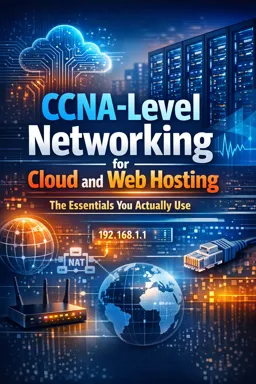

Free ebook on CCNA-level networking for cloud and web hosting, covering IPs, DNS, routing, ports, NAT, packet flow, and troubleshooting.
Free ebook content
-

Networking Essentials for Cloud and Web Hosting: What You Use Daily
+ Exercise: An SSH connection from your laptop to a cloud instance hangs even though the security group allows TCP/22 from your IP. Which explanation best fits this symptom?
-
Switching vs Routing in Cloud Networks: Where Each Applies
+ Exercise: Two cloud instances are in different subnets and cannot communicate, even though both are running. Which condition must be true for inter-subnet traffic to succeed?
-
IP Addressing and Subnets for Hosting: Reading the Network Like a Map
+ Exercise: A server is configured as 203.0.113.200/26 with a default gateway of 203.0.113.193. Which statement is correct?
-
ARP and Layer 2 Resolution: Why the Gateway Matters
+ Exercise: A server needs to send a DNS query to an external IP (off-subnet). What MAC address will it use as the Ethernet destination after ARP completes?
-
VLAN Concepts and Segmentation: Separating Traffic in Hosting Environments
+ Exercise: A host connected to a switchport keeps receiving an IP address from the wrong DHCP scope. Which situation best explains this symptom in a VLAN-based hosting network?
-
DHCP in Server and Cloud Deployments: Getting the Right Address and Gateway
+ Exercise: A server can ping its default gateway IP, but name-based access (e.g., reaching external services by hostname) fails. Which DHCP-delivered setting is the most likely cause?


-
DNS for Web Hosting: From Domain Name to Server IP
+ Exercise: During a planned web hosting migration, you want DNS changes to be noticed faster during cutover. Which action best achieves this and why?
-
TCP vs UDP for Web Services: Reliability, Latency, and Failure Modes
+ Exercise: A client repeatedly sends TCP SYN packets to a web server on port 443 but never receives a SYN-ACK. Which cause is most likely?
-
Common Ports and Protocols in Hosting: What Must Be Open and Why
+ Exercise: In a stateful cloud security group, why is it usually unnecessary to open inbound ephemeral ports on a public web server that allows inbound TCP/443?
-
NAT in Cloud and Hosting: Private Instances Talking to the Internet
+ Exercise: A private instance can reach the internet, but external clients cannot connect to a service running on it. Which change most directly enables inbound internet access to that private service?
-
Packet Flow for a Web Request: Following the Path to Find the Break
+ Exercise: You can establish TCP to a website on port 443, but the browser shows a certificate name mismatch. Which packet-flow checkpoint should you focus on next?
-
Practical Troubleshooting with Ping, Traceroute, and Path Testing
+ Exercise: A website loads normally over HTTPS, but ping to the same IP times out. What is the most appropriate interpretation and next step?
-
Connecting the Dots in Cloud Hosting: Routes, Firewalls, and Real Incidents
+ Exercise: A new private subnet’s instances can resolve DNS names but outbound connections to public IPs time out, while older subnets work. Which action most directly fixes this scenario?
About the free ebook
CCNA-Level Networking for Cloud and Web Hosting: The Essentials You Actually Use
This free ebook translates practical CCNA-level networking concepts into the daily realities of cloud infrastructure and web hosting. It focuses on how traffic reaches applications, where connectivity fails, and how to diagnose problems without treating the network as a black box.
Build a usable networking foundation
Learn how switching, routing, IP addressing, subnets, ARP, VLANs, DHCP, and DNS work together in hosted environments. The material connects Layer 2 and Layer 3 behavior to virtual networks, gateways, private instances, public services, and segmented workloads.
Understand web traffic end to end
Follow a web request from domain lookup to server response. Explore TCP and UDP behavior, common hosting ports, NAT, routing decisions, firewall rules, and the packet-flow checkpoints that help isolate an outage.
Troubleshoot with purpose
- Identify whether a fault is related to DNS, addressing, routing, filtering, or application reachability.
- Use ping, traceroute, and path-testing methods to validate assumptions.
- Recognize why a correct server configuration can still be unreachable.
- Connect cloud routes, security controls, gateways, and real incident symptoms.
Designed for cloud and hosting work
Rather than covering networking as abstract theory, this ebook emphasizes the concepts you need when deploying web servers, exposing services, connecting private workloads, and investigating failed requests. It is a practical reference for developers, hosting administrators, junior cloud engineers, and anyone preparing to work confidently with networked applications.
How do DNS, routing, and firewalls affect web hosting connectivity?
DNS resolves the domain, routing chooses the path, and firewall rules must permit the required traffic to reach the service.
Why can a cloud server have a public IP but still be unreachable?
Common causes include missing routes, blocked security rules, incorrect NAT settings, closed service ports, or an application not listening.
Which ports should be open for a typical website?
Websites usually require TCP port 80 for HTTP and TCP port 443 for HTTPS, plus any separately needed management or application ports.
This ebook includes:

13 content chapters

Digital certificate of course completion (Free)

Exercises to train your knowledge

100% free, from content to certificate
Ready to get started?

 recommended
In the app you will also find...

Over 5,000 free courses
Programming, English, Digital Marketing and much more! Learn whatever you want, for free.

Study plan with AI
Our app's Artificial Intelligence can create a study schedule for the course you choose.

From zero to professional success
Improve your resume with our free Certificate and then use our Artificial Intelligence to find your dream job.
You can also use the QR Code or the links below.