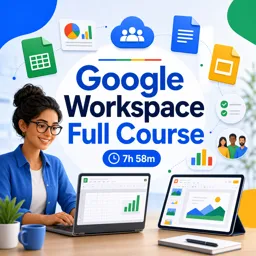


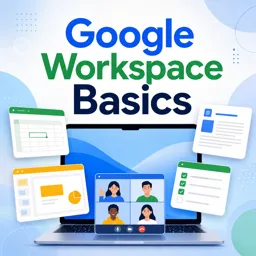
Google Workspace is a cloud-based productivity suite that includes Gmail, Drive, Docs, Sheets, Slides, Meet, Calendar, and more.

2



Collaborating in Real-Time: Harnessing Google Workspace for Team Success
Boost team productivity with Google Workspace. Learn real-time collaboration, file sharing, and secure workflows to streamline communication and project management.

Introduction to Google Workspace: Streamlining Collaboration in the Modern Office
Discover Google Workspace and streamline office collaboration with Gmail, Docs, Drive, Meet, and more. Boost efficiency and teamwork effortlessly.

Mastering Google Workspace: Tips and Tricks for Office Productivity
Boost office productivity with Google Workspace. Learn tips for file management, real-time collaboration, automation, and secure team communication.

Switching From Microsoft Office to Google Workspace: A Practical Guide
Learn how to switch from Microsoft Office to Google Workspace with practical steps, tips for smooth adoption, and the benefits of cloud-based collaboration.
Build practical digital skills with our free online Google Workspace courses. This educational course collection is designed for students, teachers, professionals, entrepreneurs, and job seekers who want to learn how to use Google productivity tools effectively. Study at your own pace, complete interactive exercises, and earn free certification after successfully finishing each course.
Google Workspace brings together cloud-based applications for communication, collaboration, organization, and content creation. These free courses provide structured lessons covering tools such as Google Docs, Google Sheets, Google Slides, Google Drive, Gmail, Google Calendar, Google Forms, Google Meet, and other useful services. The educational content can help beginners understand key features while enabling experienced users to improve their productivity and workflow.
Each Google Workspace course includes exercises that reinforce the concepts presented in the lessons. Through guided educational activities, learners can practice creating documents, organizing files, working with spreadsheets, preparing presentations, managing email, scheduling meetings, collecting information with forms, and collaborating in real time. This practice-based approach supports knowledge retention and helps students apply new skills in academic, personal, and professional situations.
Learning Google Workspace can strengthen your digital literacy and prepare you for modern study and workplace environments. These online training courses teach valuable competencies in document editing, spreadsheet management, online presentations, file sharing, virtual communication, teamwork, and cloud collaboration. A free course certificate can also demonstrate your commitment to continuing education and help enrich your résumé or professional profile.
To access the lessons, exercises, and free certification, you must install the Cursa application on your mobile device. Android users can install it through Google Play by selecting Download for Android. Apple users can access the application through the App Store by selecting Download for iOS / iPhone.
Choose a course, follow the educational lessons, complete the included exercises, and develop practical Google Workspace abilities without tuition costs. Install the Cursa application today and begin your free online training with free certification.
What is Google Workspace?
Google Workspace is a cloud-based productivity suite that includes Gmail, Drive, Docs, Sheets, Slides, Meet, Calendar, and more.
What will I learn in a Google Workspace full course?
You will learn to use core Workspace apps, collaborate on files, manage email and calendars, run meetings, and organize work in Google Drive.
Is Google Workspace Basics suitable for beginners?
Yes. Google Workspace Basics is designed for beginners who want to understand the main tools and everyday features.
What apps are included in Google Workspace?
Common apps include Gmail, Google Drive, Docs, Sheets, Slides, Forms, Meet, Chat, Calendar, and Keep.
Can I collaborate with others using Google Workspace?
Yes. You can share files, set permissions, comment, edit documents in real time, and communicate through Meet and Chat.
Do I need to install software to use Google Workspace?
Most Google Workspace tools work in a web browser, although mobile and desktop apps are also available for some services.
Will a Google Workspace course help me use Gmail and Google Drive?
Yes. Courses typically cover Gmail organization, Drive storage, file sharing, permissions, and collaboration workflows.

Complete any course and issue your certificate via the app — at no cost.

Download the app! to have access to more than 4,000 Online Courses + Certificate, all free!
Download the app! 100% free courses.


Carry knowledge in your pocket.
Download the Cursa app.
There are hundreds of free courses available, with a free certificate of completion that is saved in your mobile image gallery.
Download the app to access the Course Completion Certificate for Free.


+ 10 million
students

Free and Valid
Certificate

60 thousand free
exercises

4.8/5 rating in
app stores

Free courses in
video and ebooks







What are people saying about free online courses of Google Workspace
Resalyn C. Colomer
This is course is amazing. I learned a lot... I recommend this course
CourseGoogle workspace full course